I used to be all in on Apple. On macOS I had a little program called Magnet to snap windows to sides and corners, and on my iPad (with external keyboard) I SSH’d into a VPS to write and run code there. I used Alfred and had all kinds of workflows in there. I thought it was great.
But then during my AI studies I wanted some beefier hardware, which was just not affordable for me within Apple’s ecosystem, plus they only used AMD graphics cards. I built a desktop computer that outperformed the top of the line Mac Pro for a fraction of the cost and turned it into a Hackintosh. Two weeks later Mojave came out, and Apple never approved any Nvidia drivers from then on.
My eyes opened to Linux and i3 in particular, which looked like Magnet taken to the extreme. What had taken me hours to install and configure on macOS (GPU-acceleration for PyTorch, for example) just worked with one package install on Linux. All my expensive apps were replaced with simple and free, much more configurable alternatives. At first I spent a day or two getting things just right. Since then not much has changed because not much needed changing, which I really like.
Now I look at macOS and iOS and cringe how locked down it all is. Users are very creative in their workarounds to make it work, but it is ultimately quite silly that you need to use special URL schemes and workflows to open a text file across different apps.
I used to be all in on Apple, using their iMac G4 and later on the Intel iMacs at home, but needed a beefier machine. So when I started in a new job, instead of getting a macBook, I asked the company IT to build me a workstation (and been asking for it from the companies I worked for after that). Installed Arch Linux and i3 to it, and never looked back. Did run Linux and i3 in the macs I owned for a while, until I built myself a home desktop and replaced my laptop with a ThinkPad, all running Arch Linux and either i3 or sway as a window manager.
This is the end game for me. Emacs, Alacritty and Firefox with a rolling release distribution. The same configuration with even the same wallpaper for the past 10 years that follows me from Gitlab.
This is kind of my story too. I stick with ubuntu LTS just for an added level of confidence things are compatible, but Arch might be a good idea to look into. The arch packages are a big plus. Do you find many compatibility issues?
I have found that a lot of people _think_ Ubuntu is safe/stable. But because the Linux kernel is a little behind, it usually isn't. I have had way more stability and compatibility with arch because everything is always up to date.
> I have found that a lot of people _think_ Ubuntu is safe/stable.
As a 10+ years long user of Ubuntu and its derivatives (currently Pop_OS!) I would say I know it is stable. Ubuntu still feels like a polished Debian for a typical computer user, which has many of pre-configuration made that non-techies and not-that-much-knowledgable persons will love. I don't like many decision they have made, e.g. favouring snap over apt, complete lack of a proper GUI for managing installed software/packages, sometimes missing packages that are on Debian but not on Ubuntu (though, the deb file can be downloaded and installed with a single command). After tremendous work done by GNOME users to tweak gnome-shell I have never had a freeze / hang up since three years on Ubuntu. I am also happy having recent drivers from Nvidia that works good enough to also never see any problem in 5+ year history related to GPU card. I also didn't have a problem to install drivers for my printer and scanner, which have a dedicated installer (deb file). I am just a happy user.
Calling kernel for a reason Ubuntu feels stable is wrong I think. I have tried many times Arch and I had many occasions to be not very convinced to its "stability". The most annoying issue I had on Arch was related to sound - when I was changing volume in Spotify client it was changing the system volume. Imagine the situation when you had a headphones with a volume level set at 3-4% and you have increased it by 20-50%, a nightmare for ears and hearth. After that "feature" I have completely removed Arch from my disk and I am not looking back to it nor other rolling distro.
These days I also don't see any unique selling point that Arch had in the past. It is still known for a best documentation and the most recent software. During last 2-3 years I don't remember if I had been complaining on outdated software in Ubuntu. If I would do then there are awesome projects like flatpak, xbps[0] or nix[1] that can be installed without changing my OS and they provide everything what I probably can win using Arch.
For me, why I like Arch is its package system and how easy it is to have the most recent libraries and tools for gaming.
I also like Ubuntu and I've used NixOS in the past. What I don't miss from Ubuntu are the PPA's, AUR is much much much nicer. If you plan to do any gaming in Linux, Arch is in the end much more convenient due to AUR.
And, I'm biased a bit because my installation is always quite minimal. I only have i3 and my tools for programming, and whatever is needed to run proton games.
I have just looked into the extra sources to see if I have any PPA there but I was surprised to see the only one, which come with a Pop_OS! to bring some custom tiling manager and other tweaks.
Frankly, era of PPAs has ended. I don't find many software packages shared on Launchpad nor I won't trust PPA owners to install anything from most of PPAs. There are better ways to share software and easier to set own APT server. Today, almost all software distributors I know (Microsoft, Slack, Sublime, Spotify, Hashicorp...) have their APT repository on also their server or on a packagecloud[0] / JFrog Artifcatory[1]
> If you plan to do any gaming in Linux.
To be honest, I find KVM with GPU pass-though a better idea overall (I can use software like Affinity Designer thanks to that). KVM is a really top-notch software if you know to configure it properly :) However, proton and wine can be installed without any problem on Ubuntu.
> And, I'm biased a bit because my installation is always quite minimal. I only have i3 and my tools for programming, and whatever is needed to run proton games.
I have a complete range of various programming tools and SDKs that hardly can be packed in 240GB disk. My current setup is rather small: Jetbrains IDEs, Unity3D, Qt Creator/Designer, emacs with orgmode, vim, various chat apps, Spotify, Syncthing, Sublime Text & Merge, rofi, pass, fossil, nginx, flutter, nimrod, nodejs, deno, zsh, golang, chicken-scheme, milena+ivona, orca, backup tools, terraform with terragrunt, multipass and some dotfiles and private scripts. It takes about 3h to complete format disk and install OS and provision all software I need (thanks to terraform). My DE is GNOME with a taskbar (Dash To Panel extension) instead of a dock. Is it minimal? Likely no, but it does its job.
It's all good! Happy that we have many open source distros to choose from. I've used Linux since 1995, and have always a soft spot for Debian based distros. For some weird reason though, Arch has been my main driver for some years and right now, I see the distribution to be not an issue anymore. I see no reason to change, and what I have just works fine for my main tasks.
With Ubuntu you have the choice to install newer kernels and video drivers if you need it and you are competent enough to read instructions.
The advantage of stable distros is that you are not surprised with new bugs,feature removal or shiny redesigns.
When I needed a new driver to play some game I just installed an official PPA and got the driver and if I did not like it I could install the older version.
I've had the exact same amount of major issues using either stable or rolling release distributions. Using one of the other just changes when/why I have to work around the distro.
Arch usually has more small "papercuts" I have to fix myself - often problems around suspend/power management or drivers, in my experience. Ubuntu and the likes I usually struggle either when I encounter some bug OOTB (meaning that won't get fixed in a timely manner because "stable") or once I need some package that's just not there. Having to figure out what are the damn dependency equivalents for some program I'm trying to compile that only has Arch instructions is never fun.
Yeah this always gets overlooked for some reason. Other distros I periodically hit issues with something out-of-date; on Arch, I almost never do. And on the rare occasion that I do, installing the `-git` package from the AUR fixes it.
What I find annoying about the distro upgrade cycle is that it always automatically disables my 3rd party PPAs and then I have to go and manually re-enable and update them for the new distro version. This is a really poor experience.
I generally prefer rolling distros, but while Ubuntu generally doesn't use the latest kernel, it's still providing security patched versions of the kernel regularly.
My only/major beefs with Arch are the frequency with which they introduce breaking changes, the fact that your system may not work if you miss a news item, and the lack of humility in the community. It works, for sure, but I always felt a bit iffy when doing a massive update after a while, and I felt like I was being dragged along with their choices instead of making my own.
I bought a beefy computer last year and installed Gentoo on it - it's obviously not for everyone, but its reputation as a hard to install distro is overstated, and if you have enough horsepower and ram, an emerge update isn't a big deal. Additionally, having the ability to tailor your builds to not include libraries you don't need AND to install the sources and debug information is huge. Mostly, though, it feels logically designed, and standard sysadmin tools allow you to do maintenance without much hassle.
I'd recommend at least looking into it to see if it fits your use case.
> My only/major beefs with Arch are the frequency with which they introduce breaking changes, the fact that your system may not work if you miss a news item, and the lack of humility in the community. It works, for sure, but I always felt a bit iffy when doing a massive update after a while, and I felt like I was being dragged along with their choices instead of making my own.
This was my experience with Arch as well. It left me feeling like I needed to check the wiki to see if there were any new warnings before updating.
I switched to distros that release ~6-12mo, and I have found my environment is much stable. Currently on Fedora, but considering trying out Suse Leap.
I've been running Suse for a couple of years on a lot of my kit, and it's been pretty worry free once I learned the deltas from my previous distro (e.g. zypper instead of apt). The only issue I've had is that once you get beyond the general desktop productivity environment it's a bit of a second class citizen. Usually not an issue, but make sure your favorite workflows/apps come over painlessly.
It has been much better for the past 5+ years, but what I did with my workstation is I installed Arch into a btrfs file system. Now when I `pacman` whatever, it'll create a snapshot first and then run the updates. If anything breaks, I go to the grub menu, boot into the previous snapshot and rollback into that state.
Never needed it yet, but it's good to have. I remember the problems in the past...
You can also do it with zfs, but I wanted to not have the filesystem as DKMS.
I do exactly the same thing. Snapper is amazing. I've used it once, but only because it was a bit more convenient than downgrading the one app that got messed up.
I also used it recently when I tried to get the new Assassin's Creed to run. I knew it was a bit of a crap shoot, so I took a snapshot before I started compiling and installing the Git versions of graphics and translations libraries. After a couple hours I realized it wasn't going to work and just rolled my root directory back to before I started throwing packages all over my system. It was very satisfying. :D
If you don't use the computer in a while, like my office workstation when needing to stay home, `pacman -Syyu` packet upgrade might be painful after six months.
Otherwise it's the distro I'm having the least amount of problems. Specifically don't miss the PPA's from Ubuntu. With dist upgrades they are quite painful.
I started on gentoo, went to arch, then to ubuntu LTS.
Both switches were for the same basic reason: packages broke just often enough that it wasn't worth the benefits of having a simple/clean system or bleeding edge libraries.
My switch to ubuntu was maybe 7-8 years ago, though, so I can't speak to whether this has changed. I just know that I used to need to spend 1-5 hours fixing an esoteric X.org problem (or similar) every few months on arch and that I don't need to do this on ubuntu.
I stay on ubuntu because of its critical mass of users. If there's a prebuilt package for something, it's probably a .deb that's compatible with ubuntu and debian. And PPAs are nice. I don't like where they're going with snap at all (I disabled snap and added flatpak support instead) and would probably switch if I thought another distro offered the same benefits.
I will never, ever forgive Apple for removing two-dimensional virtual desktops (I think they called it "spaces"). Then just to spite all of us, a few releases later they made it impossible for TotalSpaces (a hack that gave us back this functionality) to do the kernel code-injection wizardry that they sold for the incredible bargain price of $12 or something like that. Because, you know, "security".
That was the end of my Apple decade.
Now I use sway, which is an astonishingly-faithful (like, down to the config files) wayland clone of i3.
Exactly this. And why I nowadays only use open source software is that I know my experience stays the same for good. I use i3 because it works just like it worked 10 years ago. I don't need a new experience with every release, new graphics, new ways to use my computer. I just need a utilitarian desktop with my editor, browser and a terminal.
This functionality does still exist - it's just changed a bit. When you full screen an app in MacOS Big Sur, you can add another app side by side with it in it's space.
It was better before as just spaces though. Windows does this right. If you add powertoys you can even go beyond the i3 tiling options but i'd argue i3 is a bit more naturally usable than the powertoys desktop stuff.
I think the biggest contribution i3 has made to my computing life is helping me recognize just how superfluous most of what I normally did on my Windows and Mac computers was.
Take away a lot of the chrome and it’s incredible how much can be achieved via simple text files and unfussy Linux tools.
As an example, my GTD workflow (before I switched to a physical bullet journal) went from a variety of apps to a single i3 workspace that auto opened with 5 terms with each containing a single markdown file opened in vim.
The leftmost column contained the processing file from top to bottom. The middle column had Doing and Follow up files.
The rightmost column had Done and Projects files.
My done would be archived each week with a script and a new done file opened for the upcoming week.
If there were any other major files I wanted (for example I would maintain a ling term projects file) that would be opened in a different buffer in the VIM app containing the projects file.
Moving items from one folder to another was as simple as quickly navigating to that folder, using a shortcut to yank or cut the line to the global clipboard, ans then pasting it to the file I wanted to move it to.
I suspect it would have been trivial to write a script that would have automatically moved the entire line over with a single shortcut.
There is absolutely no additional overhead and it works extremely fast and well.
I am still on macOS but I totally agree with your post. macOS and iOS are seriously locked down and it can be very frustrating.
Like you I used Magnet but wanting to get something more tiling window manager-like I switched to Amethyst[1] which while not as powerful is pretty good for what it is.
Sadly macOS has frustratingly laggy window resizing for a lot of things. Finder and Safari are usually fine but pretty much everything else feels laggy to resize and generally macOS just has absolutely terrible window manager so a tiling window manager is a god send.
I mostly use macOS because I have been doing iOS and macOS development and so what else you gonna use but I have to admit I want to move away from the platform. It is all 'very exciting' right now with all the Apple Silicon hype and yeah it genuinely is impressive but for me I kinda want to get back to something more open even if it doesn't have a lovely highly efficient and performant custom SoC driving it.
I am like 90% there in convincing myself to build a nice AMD desktop next year and moving away from macOS as my main OS. Luckily I am not dependent on any Apple services so switching shouldn't be that bad.
yeah, I agree that macos seems to have the worst window management, both in design and implementation (particularily performance).
i3 sounds like a dream window manager to me, but in the meantime while I use Mac OS (& Windows), I've been using yabai, which is heavily inspired by i3 but limited by Mac OS.
i3 aside, the continuation to your story for me is, use Linux machine, be decently productive but nothing works quite the way it should.
Change your keyboard layout to one of your own? Eh maybe Xmodmaps, oh but then it gets reset every so often because $HISTORICAL_ARTIFACT. You have to change the actual xkb mapping, which is very much not a “happy path” in any DE.
The only graphical e-mail client that actually seems feature complete is Thunderbird, and for _years_ I have to race to disable the global search within 10 seconds of starting it. Otherwise the program just freezes up. I don’t even know what to use for calendar stuff.
I would really love it if Linux was viable for me as a desktop OS. It just isn’t, because of things like these.
Not sure what you're trying to do in keyboard layouts. I've yet to encounter the flexibility for keyboard layouts that you have in linux in any other OS.
Regarding email clients, again I'm not sure what you consider feature complete, but even some of the proprietary options like mailspring or hiri exist on linux.
For calendar it again depends on what you are trying to do. I've recently started using Minetime, which is not OSS but free and is working very well for me.
One of the weird phenomena that I find in these discussions, is that people are often happy for proprietary software (like OSX or windows) to restrict what they are able to do, and having to adjust their workflow to these systems, but when it comes to OSS suddenly not being able to match the previous workflow, makes the system unsuitable. (Note that this is not aimed at you directly, just a general observation).
Can't speak to your firebird issues, never used it, but as for keyboard issues?
Spouse uses my main machine for basic stuff, she has her own account. I use dvorak, she uses qwerty. About 75% of the time when the layout is switched back from qwerty to dvorak it becomes completly fubar, and all layouts output non-sense garbage until a restart. Because the layouts are broken, I can't save any of my terminal work.
I'm still pretty on the fence about things, but honestly I'd say linux and os-x are pretty even as far as shit breaking, and imo linux is a little bit better. I remember the old days when you sudo apt-get update && sudo apt-get upgrade & pray, but stuff is pretty stable even on distros like arch these days.
Every time there's a major update for os x, I already know it will definitely break something for me. Catalina broke most my game collection that could run on os x to begin with, and I'll be waiting at least another couple months before upgrading to big sur.
This isn't to try and invalidate your experience, but just saying that mine has been: Switched to OS X because things were more stable and I need a solid work machine, but linux is getting more stable while my faith in apple's software quality goes down dramatically every year.
Changing the xkb mapping is not a happy path? It's perfectly portable to any system running X11, you can define your own shortcuts to quickly switch maps with setxkbmap... It's a backbone of my workflow with a 60% keyboard.
I haven't had that experience. I have had the slightly annoying experience of mapping keys using tools for X, and then realizing some time later that when in the console those mappings vanish. Of course, there are tools for remapping keys in the console, but they are a little less user friendly.
In the end, I got a keyboard that incidentally had functionality to remap keys built in (I wanted the keyboard already anyway, but the remapping feature was a nice bonus). This ended up routing around the problem entirely, and seems like a generally better solution. Now my remaps survive all the way to Windows, for my rare trips over there.
Your complaint about the xkb/xmodmap/whatever situation is dead on, so my solution has been to simply go with a programmable keyboard. Don't have to remap capslock -> ctrl anymore - no matter what distro I use, capslock is always ctrl, right from the get-go.
I'm jealous of you and others in this thread that shared this path. I've unfortunately been dragged in the other direction: I was a happy i3/Linux user and now I'm coping with a multi-monitor Mac setup which stubbornly refuses to support workflows which I find to be very fast and efficient.
There are some tools (all $$) for Mac which attempt to replicate a tiling WM but Apple's support for it is extremely poor, affecting the quality of the tools.
I'm no longer using a Mac (for employer reasons), but I had a lot of success with Yabai (free/open-source) before I switched. https://github.com/koekeishiya/yabai
I haven't disabled SIP yet. As a Mac novice, I'm wary of breaking something required for work (and in a pandemic WFH to boot) that I can't fix. But it looks like it's optional.
Amethyst is nice but has odd and unfortunate edge cases. The use of the Accessibility APIs limits what it can do. For example, keybinds stop working if the focus is on an empty screen with no windows. Occassionaly it "loses" a window and you can't cycle to it any more, even if you focus it manually. I also don't think it can throw windows to other workspaces but maybe that's changed?
For very simple i3-like configurations (single workspace+monitor, always fullscreen or side-by-side), it's not bad. It's limited by poor support from Apple.
How did you get used to the different modifier key layout? I am missing the cmd every time I try to switch to Linux. I have tried rbreaves/kinto, but it was not working well for me, so I decided to keep the native layout.
It took me about 2 weeks to get kind-of used to the different modifier keys, but it did not feel the same.
But the thing that made me switch back is when I was buying a laptop. I was set on not going with Apple anymore after my previous macbook screen died 2.5 years in and they were asking almost 1000€ to fix it.
But I could not find an option that would match the 16" macbook laptop. I was considering the build quality, screen size and its resolution, battery life, usb type-c charger, trackpad experience and the overall software support that I will expect from a daily driver to do my web development work.
I was seriously considering the dell xps 15 9500 that launched this year, but I saw a lot of feedback about generally poor battery life on linux and some cases of trackpad problems.
I was thinking about getting a second, cheaper device like System76 Pangolin and see how it works and use this as a transition to a different platform instead of going all in by immediately switching the daily driver.
Waiting to get an M1 with a custom motherboard, a fast GPU and Arch Linux installed. I doubt that'll happen with Apple, but I suspect in a few years we have some other ARM CPU that has integrated RAM and competes with M1.
For now, a Ryzen runs circles around M1 (at least with my workloads, C/C++/Rust compilation with needs for 64+ GB of RAM) if you're willing to use some more energy.
On mac there’s a window manager called yabai which I’m using and works very well. It’s a bsp (binary space partitioner) for some advanced uses as moving to other desktops it requires SIP to be disabled (System Integrity Protection) but for the basic stuff it works much much better than Magnet or Amethyst
Got it yeah, this is probably why I was confused. URL schemes are the only way to do a lot of things on iOS, whereas (as far as I know) they're additive to the *nix ways of doing things on the Mac.
Is it easy to reconfigure keyboard shortcuts like cmd+C for Mac but ctrl+C on Linux? I have spent way too much time trying to do it on Ubuntu and it has made it hard for me to make the switch.
In macOS it is not entirely clear to me what category of things the cmd key is for. On one hand it's used for keyboard shortcuts related to window management and the system, but on the other hand it's also used to issue commands to the application itself.
In i3 you assign a $mod key, which then always and exclusively used for 'system and window management'. Opening, closing, moving and resizing windows, switching workspaces and showing toolbars is all done with some key combination that starts with $mod.
Since reading and writing the clipboard is done by the application, in my brain it should not involve $mod. So I use ctrl+c and ctrl+v for all applications. The one exception is the terminal, in which ctrl+c terminates programs. So there I use ctrl+shift+c. I also unified the register vim yanks to with the system clipboard, so for me most copying and pasting that happens in the terminal is done via `y` (yank) and `p` (paste).
A more straight answer to your question is: yes, you can remap everything to bits. You can modify what keypress each keycode should trigger, so there is really no limit to what you can do there.
I'm with you, I find the meta key on mac messy.
I personally change ctrl+shift+c and ctrl+shift+v to ctrl+c and ctrl+v in my terminal emulator so that it's consistent accross the board. This way it's clear:
* meta key: my windows manager shortcuts
* ctrl: app specific shortcuts
Cmd isn't really a meta key, though. It's just the equivalent of Control on Windows; there's no equivalent of a Windows key on macOS. That said, it's not quite necessary due to the decoupling of app windows and app open/close state.
Personally I find Apple's approach to key commands far and away the most well thought out and intuitive.
Biggest hurdle is finding a clean way to do application-specific overrides, because even if you can get the general case working right, there is a lot of per-app variation.
These are exactly the type of silly applications that are needed on macOS because the OS too locked down, or at least not made for people who like to do this type of stuff.
On Linux, almost all native applications keep their data in regular, non-proprietary files on the file system. This means your data always exists separate from the applications and you can do with it what you want. If you want to run a script every Monday at 3PM that sifts through your ~/downloads folder and uploads the top 10% largest files to a server, except in January, on Easter, when when your drive is below 70% capacity, if it's not hooked up to power, and also not if Kanye West tweeted something in all caps, you can do that. You can make it retry every 42 minutes if conditions weren't met, email Bob and message Alice in Slack about it. You can make it machine learn your behavior and pick a window within 3 hours after sunrise, log the bandwidth usage, and have it play a tune for your friend's MPD server on the other side of the country.
Why you would want to do all of this is beyond me, but odds are you want to do one of these things at some point. Then Hazel won't be able to do it because they didn't consider your use case, that functionality is only available in version 6 (pay up for the upgrade!), Apple didn't provide the right API, or they recently took it away in the name of security. Surely there's another app that can do it, but that one can't do the other thing! Oh well, maybe the next version?
On Linux, you dream up the code in the language of your choice and it will work forever. Your learned skills will transfer one-to-one to programming you do for your job or hobby, instead of being weirdly specific and locked down to this one, overpriced app's clickity click interface. The OSS mentality of interoperability and doing one thing well almost guarantees there are battle-tested tools available that can solve pieces of your specific puzzle, while not locking you in to their way of doing things.
Of course scripting is not exclusive to Linux, but it is the only OS that was and is built with it in mind.
That's a remarkably off-base take. You're attributing qualities that linux has to things that linux exclusively has. Your entire rant about emulating the functionality of Hazel with scripts is something you can do with either operating system. The fact that hazel exists is because it lets people that have neither the time nor the disposition towards writing their own program for their own use case and still get a lot of the benefits of such. In fact, even those that do have a proclivity towards scripting their own maybe would rather do something else with their time.
> On Linux, you dream up the code in the language of your choice and it will work forever.
...I'm sorry, how is this exclusive to linux, exactly? You can do the exact same thing in MacOS, Windows, FreeBSD, etc. Also, maybe some people just don't want to fucking program every function and application they run on their operating system?
> Your learned skills will transfer one-to-one to programming you do for your job or hobby
While I understand that there exists a much higher population of programmers on HN than on other websites, please stop assuming that 1) everyone here is one and 2) that everyone wants to spend their time writing software in their spare time and 3) even if they do like programming in their spare time, that they want to spend it writing automation scripts.
> instead of being weirdly specific and locked down to this one, overpriced app's clickity click interface.
What is overpriced to you is potentially someone else's pennies. I don't really think the jab at GUI interfaces is appropriate, either.
> Of course scripting is not exclusive to Linux, but it is the only OS that was and is built with it in mind.
There was the opportunity to help someone make the switch from MacOS to Linux but instead it was used to call apps that the person probably likes "silly" and "clickity click". It's more interested in making a point than helping.
I emphatically don't want to run any scripts. I have enough programming at my day job. The last thing I want is spend all of my free time programming and debugging scripts.
I'm not a MacOS user so I don't know all that much about keyboard maestro's feature set, but with i3 all of it's keybindings are configured dynamically through the config file so you can map any keybind you want to invoke an arbitrary program. It won't come nice and prepackaged but you can do a whole lot just by using included tools and i3-msg, which lets you manage i3 windows programmatically.
I wrote and maintain a FOSS Hazel-like tool called pushbroom [1] that works on both macOS and Linux. It’s worked extremely well for me for several years.
Aside: I just started using KM to implement Gmail shortcuts in Mail.app because I'm sick of the direction of third-party mail applications, and I'm super-impressed by it. Seeing the two mentioned in the same breath made me think Hazel must be important, and it solves a great need for me as well. Thanks for the tip!
If you're asking for a recommendation: Ubuntu, Fedora or Elementary. Manjaro is good if you're okay with occasional instability (due to rolling releases).
My experience has been much the same switching from Windows after the past month. The Linux desktop is better.
I don't mean to bring back the forum lifestyle of the 00s, but this is just plainly FUD. Linux does not cause hardware issues like this with any high frequency (of course it may occasionally, but any software will damage that hardware eventually). I've installed Linux, and helped others install Linux, on dozens of machines over my life. I've worked with others who install Linux on everything they touch. I've literally never heard of a story like this.
So it is POSSIBLE that Linux might have caused your issue. Your computer repair guy, however, is probably just wrong. And I would personally guess that your damage was due to power or environmental issues rather than Linux.
Any computer repair shop that says "Linux destroys computer Hardware" and "not allowed in his Shop" is clearly trying to scam you.
Also, If the computer stopped working entirely and did not even boot how did you spend hours fighting it?
If you have a malfunctioning CPU/RAM it should not be possible for you to "try to reinstall linux". What would happen I think is failure to boot and your laptop playing a certain sound as a diagnostic message.
Either way, you should refrain from making comments like "avoid Linux like a deadly disease", clearly you've messed up the installation process. You could've just chosen a one-click install linux distribution.
If you don't know how to make a chair, don't try to make yourself one. And if you do don't blame the people that gave you the wood. It wasn't even sold to you, you grabbed some free wood.
I've been using linux for over a decade and never even _heard_ of this or something similar happening. AFAIK the only typical way to configure these things is through the BIOS, well below the OS level. It sounds like something got borked and the computer repair shop decided it was easier to blame linux than to figure out or explain what happened.
It would be truly impressive if the thousands of developers of the Linux kernel had, over the course of 30 years, managed to create an operating system that physically destroys your computer. I've half a mind that this comment is meant to be humorous.
Anyway, sounds like your computer repair place was looking for a quick buck. At the very least, they have no idea what they're talking about.
> It would be truly impressive if the thousands of developers of the Linux kernel had, over the course of 30 years, managed to create an operating system that physically destroys your computer.
It used to be possible for malware to damage CPU, RAM, hard-drives, and CRTs deliberately, but the relevant techniques were fairly hardware-specific to begin with, and modern hardware is (for the most part) no longer vulnerable to these classes of attack[0].
But, I guess we don't really know what year this anecdote supposedly occurred.
[0] The one modern exception I'm aware of would be flash memory (aka SSDs), which can still be deliberately worn out with a little effort.
Let me add my own anecdata: I've been running linux on machines since 1998, and I've never experienced a failure like the one you describe. In fact, the only hardware failures I've experienced have been external (usb) hard drives failing after a few years, and a laptop keyboard failing after someone spilled tea on it.
In terms of what the repairman told you, when I called Compaq's support to get help with the keyboard, once the person on the other side of the line heard me say I was running linux on it, he said "that's your problem". I had to reiterate that my problem was someone spilling tea on it, and that I had been running linux on this particular laptop for almost 2 years without any keyboard issues, thank you very much. In the end, Compaq told me they didn't have spare parts, and the keyboard started working again after letting the machine dry up for a few days (that was the last time I bought Compaq though!).
My point is: computer repair and tech support people are almost programmed to find out something that they're not responsible for and that could explain your problem. I don't hold it against them, I think it's a normal bias, but I would never take linux advise from a repair person, unless they work on a linux shop.
I can't tell if this is poor satire or trolling, because I REALLY don't want to believe there's someone on HN that actually thinks any of that is even REMOTELY true.
I’ve been running Linux on and off on a variety of hardware since the early 2000’s and it has never ever caused any hardware damage. Also, if “Linux kills hardware” do you really think the cloud providers like AWS would be running Linux on all of their hardware? The only hardware failures I’ve ever had to deal with were when running Windows.
Sounds like you have a computer repair guy who doesn’t know anything about Linux and is bullshitting you.
I also don’t understand how your installation process was painful. Installing Ubuntu or Manjaro (the two I’ve installed most recently and most frequently over the past few years) is simply a few clicks for me and everything’s done. It really wasn’t any harder than the last time I installed OSX or windows.
If you look at their post history here and their github profile it's pretty obviously a troll. Claiming in this (copypasta style?) post that Linux destroyed their computer, but in another comment saying how much they love bash programming. In one comment they grew up playing Roblox, in another they have decades of experience across multiple programming languages including C++, Rust, Lisp, and Python.
One of my favorite things about i3 is that it doesn't force itself on you when it's not needed. You can keep it "in the background" in tabbed mode, effectively using it like a non-tiling WM, as long as you want. Just let your windows pile up and switch between them with fuzzy search (rofi/Switcheroo). Then, once usage patterns emerge, you can tile to take advantage of spatial memory.
Example:
- Start i3 in tabbed mode
- Open a window for coding
- Open a browser to search for some coding question. It opens in a new i3 tab, filling the screen like it would in a non-tiling WM
- Open a terminal to try the sample code (new i3 tab)
- Google the error message you get (new i3 tab)
- Use rofi to search for "code" and press Enter. Your coding window tab is activated and the coding window fills the screen
- Realizing the sample code you found would be useful here, along with the test terminal, tile those windows alongside your coding window. Now you can quickly refer to them and switch between them with spatial keybindings
- Switch back to the error message browser using rofi to check something. It's not part of your core workflow right now, so don't worry about tiling it
That's probably obvious to anyone who's used a tiling WM for any length of time, but tiling was daunting to me until it clicked. I spent too much time thinking about optimal window arrangements. Thinking of tiling as an optional finishing touch rather than a focal point made it much more useful/practical.
This is why I can never switch off i3 (well, Sway). I just use tabs too much. I even hacked Firefox to hide the tab bar and open every "tab" in a new window so I could use Sway tabs for browsing. BSPWM/DWM/etc all look cool, but no built-in tabs.
Hard agree. If you're the kind of person using a tiling WM, you will definitely find the deep customization that Qutebrowser exposes to be liberating. I like the experience so much that I'll start selling it for the rest of this comment:
Do you use vim-like extensions, but hate how surface-level they become due to hard WebExtension limitations? Pining to recapture the days of Pentadactyl? Qutebrowser is built for vim-like navigation from the ground up:
* Hate getting stuck on about//:* / chrome://* pages? Every single page in qutebrowser works with your keybindings!
* Hate PDFs for the same reason? Qutebrowser will read PDFs and keeps your keybindings there, too!
* Wish you could have a dotfile configuration for your browser? Qutebrowser (optionally) does dotfiles (and they're Python!)
* Wish you had a real EX mode? Qutebrowser has one and it does not disappoint in terms of customization/functionality. It's actually the linchpin of the the entire UX, much like the Omnibar is for Chrome.
* Wish you had a keyboard-driven text selection mode? Qutebrowser has one!
* Hate file pickers forcing you to reach for the mouse? Qutebrowser implements its own keyboard-driven file picker (and it's actually really good!)
Have you considered other browsers in the past, but passed them up due to a lack of extension support? Well... Qutebrowser can't handle WebExtensions, but it does provide most features you would miss:
* Dark Mode? It exposes the same performant, engine-level dark mode that Chrome does
* Adblock? Qutebrowser supports hostlist-based adblocking (with auto-update) OR, if you want real Adblock, you can install jblock for qutebrowser, which is comparable functionality-wise to "uBlock"-type extensions (yes, including Youtube)
* Userscripts? Qutebrowser supports loading userscripts and is mostly compatible with the GreaseMonkey 3/4 APIs. This covers what most "minor" extensions (e.g. HTTPS Everywhere / Old Reddit redirectors / UI tweaks) can do
* Custom CSS? Most "userstyle"-type websites package a "Greasemonkey" version that will work just fine with the previously remarked userscript functionality
* Password management? Qutebrowser comes with scripting support that will allow you to interface with your desktop-side password manager. Out of the box, it comes pre-packaged with scripts for connecting to GNU pass, bitwarden, keepass, and lastpass.
As for adblocking, I wouldn't recommend jblock (it's rather buggy from what I've seen so far) - but a built-in adblocker based on Brave's Rust library is almost ready now: https://github.com/qutebrowser/qutebrowser/pull/5317
I imagine people often misattribute JBlock bugs as Qutebrowser bugs, so I can certainly understand the aversion. FWIW, in my own usage, JBlock has consistently functioned as expected without causing any apparent issue. Still, I'll be glad to finally retire it and upgrade to something more fully featured and baked in.
Of course, as always, thanks for the excellent software!
Sure, but will Saka Keys allow you to configure the browser itself? Will it autoload the actual dotfile on startup if it's already in the expected configuration directory?
I'm not saying vim-like extensions aren't worth using, but they are inherently less capable due to hamstringing by WebExtension APIs. If anything, it's proof of how much work and care goes into them, since they have to fight the limitations of a framework not designed for this type of UI overhaul
I completely agree about "spacial memory" - i use my non-i3 WM in the same way.. but i'm not a fan of tiling in most cases. Does i3 still have tools i might find useful?
To further illustrate: I primarily have an open Terminal+Tmux for editing on my main monitor. On my side, i have spacial but overlapping windows. They stick out a bit, such that it's primarily four tabs - left,up,right,down. For example my Slack is on the left tab, and i can always see my contact list, people typing to me, etc. My Browser is usually on the Up tab, as it allows me to see the browsers tabs themselves. I do the same with Zoom on the bottom, such that my Mic (mute/unmute) is always visible. And etc.
This arrangement perhaps isn't ideal, but it's better than a tile for me because in a tile, i lose so much real-estate that the window becomes near useless. I can't shrink Slack to 1/4 of my Monitor, it's got too many boarders/etc. Same goes for my Browser, most sites have non-collapsing sidebars and etc, a tiny 1/4 window is useless.
This method of spacial layout obscures ~90% of my windows but leaves some of it always visible. In some cases that's very useful. But this is something i manage through the day, and a WM to automate this positioning would be amazing.
I’ll assume you don’t actually need to see you browser tabs or the Zoom mute toggle, just to be able to access them instantaneously. If I were you, I might keep Slack filling the screen most of the time, with the browser on workspace 9 — so it can pulled up with Super + 9 — and make a combo like Super + M both focus Zoom (on a third workspace), `xdotool key --clearmodifiers Alt+m` (with the setting enabled for that to toggle mute), and perhaps `xdotool windowmove 80% y` or so Slack and make Super + S or something reset the Slack workspace afterwards.
I haven't used i3 in a while, but you might be able to use stacking/tabbed containers to accomplish what you've outlined above. It doesn't have the advantage that you can see part of the window, though.
Okay you'll need to enlighten me because this is exactly what I want. Currently I use keybinds on my Mac to snap windows to halves of the screen. I3 on my desktop does this automatically but I'd love if I could also have the freedom to let the windows stack up. What is the tabbed mode?
My brand new laptop was stolen while I was in school and I had to finish the year with a used 10-inch netbook I borrowed from a friend. Because of the tiny display and underpowered processor I had to get creative, I installed Arch plus i3 and it worked like a charm. In fact, I noticed my productivity actually went up. Eventually I got a new laptop, I switched off Arch to Ubuntu but I've been using i3 ever since.
If you're an i3 user here are a couple cool things to check out:
- scratchpad [1]: Little known i3 feature. Let's you put individual windows in a scratch workspace and then pull them up quickly over your regular workspaces. Really useful docs and things like that, I keep my time tracker in a scratch workspace.
- rofi [2]: This is a dmenu replacement with a nicer interface that lets you combine lists of commands in a single search window. I have it configured so I can search through my open windows by title or run any program from the same interface.
The default dmenu is very, very powerful though back when I first wanted to I could never figure out how to use the damn thing. Then I saw one of Luke Smith's videos using it [0] and all of a sudden it all clicked for me. Plus you can configure it pretty easily too so long as you can read C code [1].
If you wanna have a rofi-like interface (with it showing rows of results) you could use -l [lines] to show dmenu in vertical rows rather than in one row with many entries.
Just a PSA; your use case is very well suited to rofi and if I had that workflow I'd have a hard time translating that to dmenu.
> If you're an i3 user here are a couple cool things to check out:
> - scratchpad [1]: Little known i3 feature. Let's you put individual windows in a scratch workspace and then pull them up quickly over your regular workspaces. Really useful docs and things like that, I keep my time tracker in a scratch workspace.
Ah, this is nice. I used to use a similar feature with ion before I switched to i3 but I didn't realize that i3 had the same functionality built in.
> rofi [2]: This is a dmenu replacement with a nicer interface that lets you combine lists of commands in a single search window. I have it configured so I can search through my open windows by title or run any program from the same interface.
Note, this is totally doable in dmenu. I have a script that combines output from wmctrl and dmenu_path. This is bound to M-space for me.
If you have a script or binary that outputs a list of newline-separated strings, you can easily combine these, and dmenu will happily return the selected thing.
Here's what that looks like:
    present-options () {
        windows      # Function to list open windows
        dmenu_path   # dmenu script listing binaries
    }
I used i3 for a while when unity had a really annoying multi-touch bug I could not work around.
The thing is? I never used much more than a simple L/R split that was available in any OS / WM forever. If I wanted to split more, it was usually in the terminal, and done via tmux or the term app.
Add to this, a full desktop environment will handle all sorts of things for you like brightness, volume controls, proper locking on sleep, a easily configurable toolbar, hot plugging an external display, etc. i3 handles none of these! It's left up to the user to google around and find a brightness command that actually works, or why pauctrl is muted on startup, or why the lock screen only locks on resume, not sleep, thus flashing your screen. It's death by a thousand cuts. I know i3 is a window manager, and it's 'not it's job' to handle this stuff, supposedly, but why could they not add the most common way people control brightness, volume, etc to the default config, and let people swap it all out if they wanted? It's a really frustrating experience.
For myself, I've went back to gnome. If someday I get a really massive display that benefits from complex tiling, I'll revisit i3, but I'll probably wind up using that awesome material shell for gnome and calling it a day.
The easy answer to your second point and some integrated experience is the unix philosophy of 'do one thing but do it right'. I was also frustrated at the beginning, but I dealt with it and now I have i3 mappings to do most of what I used to do through GUIs. I can also do much more through scripting because I know which commands to use to handle clipboard, screens, etc.
If you use your computer once a week to check your emails I understand that it's just a waste of time. If you do more, long-term investments such as these might be worth it.
Now I agree that a more integrated experience out of the box would make the learning curve more gentle. Some have mentioned Regolith, it looks like it would be better for you than plain i3 (I haven't tried it personally so I can't judge): https://regolith-linux.org/
I get 'do one thing, and do it well', but there's absolutely nothing stopping the i3 folks from putting sensible defaults in the config for controlling brightness, sound, etc. It's simply a lack of care for the user experience.
I have tried regolith, but I found it to have weird conflicts between i3 and gnome. It may be worth another look though.
but there's no guarantee that this would work everywhere depending on what's installed, I just know that it works in my case. It's easy enough to look up anyway ('linux change volume from terminal'), so users would just save 5 minutes if the default worked for them. I think the message is that i3 is not targeting the same people as Gnome, and it's fine. Different software for different needs and trade-offs.
This. I just install debian with MATE, install i3 on top, clone i3 config file from my git repo and all setup is done. Sound works, brightness works, external displays work.
If you're at all interested in tiling window managers, I can't recommend regolith enough. It's built on top a minimal ubuntu install and gnome-settings-daemon, so it gives you most of the non-window manager desktop stuff you would expect. At first, the distro was all the same stuff I would uninstall/install to roll my own environment. But they keep working on it and expanding the docs.
The only difficult part for me, is that they change the i3 config defaults. So often, instead of checking the i3 docs, I have to read my local config first.
For a while, KDE supported using i3 as the window manager. So you got the whole "plasma desktop" for things like volume controls and locking, etc but then you get i3 for managing windows. That's the beauty of software with a focused scope.
I haven't tried to set it up in a while, I'm sure you could get the same setup running with sway under wayland with some effort.
I use a tiling window manager configured to work alongside XFCE, which provides many of those things you listed, with maybe the exception of hot plugging an external display and the keybindings for volume/brightness. It means I get a preconfigured panel, a set of small GUI utilities designed to work together, and also the ease/comfort of the window management scheme that I prefer.
I've been using i3 for about six months or so now, and the biggest thing I've realized is that Alt+Tab as a way to switch between windows is such a frustrating approach to window management. Once you have more than two windows I need to switch between, I am constantly losing track of which one is next in the queue.
i3 (and other tiling managers) let you more easily navigate between windows by using their location. I can switch to the window to the left, or to the right, or use i3's tabbed interface to navigate windows similar to a browser, or switch between workspaces. But the point is, the windows are always in the same order, in the same location (unless I move them), so I find it so much easier to quickly switch between them.
I love i3, but I dislike manually positioning windows. I much prefer dwm[0], which will do window arrangements for you. The tagging features are also much more robust than virtual desktops ("mail folders" vs "gmail tags" is a perfect analogy - you can assign multiple tags to a window, and display any arbitrary combination of tags on the screen at a time).
That said, in spite of my alignments with dwm's ui principles, for the last five years I've almost exclusively used i3. Unlike dwm, I don't have to modify C code in order to configure my window manager, and I don't have to pull in patches that haven't been upstreamed[1] in order to include basic features.
I think there's room for a window manager with the ease of configurability found in i3, but the dynamic tiling (i3 is _static tiling_, which means the wm will not assist you in positioning windows) and tagging features of dwm. I would move to it in a heartbeat.
Probably an unpopular opinion here, but I do not understand why people prefer tiling window managers. I prefer to have lots of windows open, and being able to position them how I want with the size I want greatly increases my productivity. Tiling window managers makes you conform to their way of working.
For me it's the opposite. I find floating window manager like Windows, MacOS, Gnome, Kde really inefficient at managing screen space. Even more now that we have big screens.
Tilling window managers for me brings a few things:
* Almost never require to resize or position a window, the window manager optimise the layout for you. It removes the constant needs of organizing window
* Combine with workspaces and multiple monitors makes working with a lot of windows so much easier
* Finally, and this is the most important win for me, it is easy to manage everything with a keyboard. Even the few times I need to resize windows, it's such a pleasure to resize all the windows of the current workspace in one go with a simple keyboard shortcut.
It takes a bit of time to get used to it, especially since most tilling window manager I've used require a bit of customisation to bet to my taste but once I've been used to it, going back to clicking on menus, moving things around with a mouse or a touchpad is just not possible. I find this so inefficient, exhausting and, first and foremost, something that should be avoidable.
KDE actually can be a really nice tiling window manager. I use a script called Krohnkite. You can even turn off window decorations if you don't want titlebars. There are several other window management scripts that implement different layouts.
Gnome has a few plugins that adds tilling (paperwm which brings some interesting concepts, pop-shell which is quite good) but in the end I never found the experienced as polished as pure tilling ones. On Gnome i really dislike the fact that workspaces are only on one monitor OR span across all monitors. I really like my workspaces per monitor.
I remember not liking how KDE was handling workspaces as well, but it's been a while I've tried so it might have changed since.
You may be talking about auto-tilers like xmonad. Those are the devil (joking, sorta). My favorite tiling window managers in order of preference would probably be exwm (emacs wm) -> stumpwm -> ratpoison -> i3.
These are manual tiling wms. So in exwm I can chose how to position and resize my windows any way I want. For example I can hit C-x 3 to split my screen in half vertically then C-x 2 to split one of the vertical splits horizontally. Now I have
I can resize the vertical and horizontal splits, add or remove splits and cycle between the splits and the windows they display with regular emacs commands. The only thing you can't do is have windows overlap so you can only see part of their contents. i3 comes last in my preferences because it adds a bit more friction to this with it's concept of containers.
It seems to me like that covers 99% of use cases. I don't see very much value in being able to only see some of a window when it is being overlapped. Especially when if I need to see only a few lines of a window it would only be a few keystrokes away. Maybe C-o 2 C-x 3 C-x - C-x b window title which looks crazy but if you are a heavy emacs user with ace-window and ivy mode it's very natural.
I think this is the most popular setup for tiling window managers, I use my terminal windows in this configuration as well (on a separate display). However, on my main display, I can't imagine going like this, most because:
- macOS "Zoom" functionality already takes care of the optimal content size.
- For websites, above zoom functionality works fine, but I prefer to manually resize my browser, since nearly all websites today have responsive design, and resizing gets rid of all the unnecessary parts, like sidebars, large margins etc. All I have left is the content.
- Today most application GUIs are way too bloated. I usually disable whatever I do not need, and use the macOS global menu search functionality a lot. I can reach any feature I want with a few keyboard clack. This way I can use software with minimal screen estate.
- If things get a bit crowded, Mission Control (Exposé) feature allows me to see what's going on very easily. macOS trackpad features also help a lot, with intuitive multi-finger gestures to see MC, show desktop, or show individual application windows.
- As a personal taste, I like to take the desktop metaphor a tad more seriously. I like to have file clusters on my desktop without the limitations of a grid, and file them to a folder later on when I'm done. Imagining my desktop as a real desktop just makes me more productive. I really cannot imagine myself using any other system other than macOS or Haiku just for this reason.
> For websites, above zoom functionality works fine, but I prefer to manually resize my browser, since nearly all websites today have responsive design
If you've already reached this milestone of enlightenment and you're already using a tiling window manager elsewhere, I'd recommend you not make an exception for web browsing.
I don't even use a tiling window manager, just Gnome's rudimentary support for resizing a window and placing it to take up the left half of the screen or the right half, and I do easily 98+% of my browsing this way, with two half-width browser windows. (The rest involves temporarily maximizing a window because the website's layout is busted.) So browsing, too, is also very compatible with tiling.
"The only thing you can't do is have windows overlap so you can only see part of their contents."
With i3 you can do exactly this by telling i3 to float a window. Windows can be floated automatically (by matching titles or other X properties) or manually through a keyboard shortcut.
But KDE allows all this _and_ allows windows to overlap. There are keyboard shortcuts for "take the left half of the screen" and "move focus to the window left of this one". How many windows does a typical i3 user have open anyway?
For tiling terminal apps, I just use the tiling feature of KDE's Konsole, and used to use Terminator.
I'm a devops/sre type so, on my main (ultrawide) screen I have a browser 50% right, then 2 columns of terminals (usually vim) 50% left usually with 2 per column, often 3, sometimes stacks of the same under each other. This can be duplicated across workspaces as needed for different codebases.
Often I'll find I need to make arbitrary layouts on the fly when debugging an issue or responding to an outage, I can do this without having to engage my brain or reach for my mouse.
Can you do the same with floating WMs? Absolutely but you will probably need to think about, breaking your thought process. For me the i3 just does what I need it to without having to engage my brain or reach for the mouse.
If you're already running Linux I'd highly suggest giving i3 a go, it's hard (for me) to explain how it changed the way I interact with my computer and how much it improved my workflow. I think about the closes I can get is that it's like learning vi, sure nano can get text into a file but once you're used to vi you're going to be far more efficient.
As a VIM user I completely understand the sentiment of just having the machine do what you want it to do without having to engage the brain. Thank you for the recommendation.
"How many windows does a typical i3 user have open anyway?"
I have no idea I, just told you I use emacs as my window manager. Pretty sure that I don't come even close to any definition of typical.
A few things though. Every window manager I listed can do floating windows if you want. (Maybe not ratpoison) In my opinion overlapping windows is an anti-feature but it's possible for people with differing opinions.
It's a matter of workflow I suppose. I want tiling first. When I open a new program I want it to open in my currently focused tile every time. If I have a window in another tile, or not visible, I want to hit a couple keys and bring it into my focused tile. Not have to faff around switch to make a different window active and then re-tile it.
So sure you can use a floating wm as a tiling wm, sorta. And you can use a tiling wm as a floating wm, kinda. Pick the method you are going to use the most start there and then maybe throw in a little floating/tiling if you like.
I just wanted to point out about manual tiling managers. It seems like when tiling wms come up people say they tried xmonad or awesome and didn't like it. I absolutely hate auto-tiling managers but I like other tiling window managers.
Thank you. My query was not only to you but also to the HN crowd in general, and a few people have answered back. It is interesting seeing the different use cases. Thank you.
i3 and sway also allow windows to overlap, which is a very useful thing to do (eg for pop up boxes, pop up menus, etc.).
It’s just not the default.
If I want to work on N windows at a time, i3 handles their tiling semi-automatically. All windows that I’m not currently using are pushed into different workspaces.
I do think it comes down to personal preferences a lot. I've been tiling-only (save for a couple of secondary things) for over a decade and it's by far the most productive to me. Always having 100% screen used, no windows overlapping (apart from things like file dialogs, alerts and my "quake console"), and never having to touch the mouse for navigating/repositioning is great.
It works great both on a single laptop, and with 3 external monitors (of which one generally has a single workspace hardcoded). I fully utilize all 9/10 workspaces most days.
The only time it doesn't fit great is with e.g. GIMP that has several small windows for toolboxes and stuff - one can still target particular windows to be floating (either keybind at runtime or with static config targeting window names/classes/whatnot).
There's no way I'm switching away from Xmonad for my main workstation - but you do you!
"The only time it doesn't fit great is with e.g. GIMP that has several small windows for toolboxes and stuff"
You could try running GIMP in single-window mode (via GIMP's menu option: Windows -> Single-Window Mode).
It doesn't get rid of every little window GIMP has, as it'll still pop up windows for saving files, for example, but it's much better than multi-window mode, if you don't want to bother with lots of little windows.
Yes GIMP is the one application, that really works poorly under tiling window managers. I've had a setup previously that would automatically layout the different windows (I think that was when I was still using awesomewm), but that also worked poorly. Has anyone found a way to work well with GIMP in a tiling WM?
Switched to i3 on a nixos box a few months ago - never leaving the tiling vm, or nixos for that matter.
I suddenly use workspaces which I never used to and I have coms in one space (mail/slack/teams), terms with vim etc in one, and web browser in a third.
Never looking around for windows and draging stuff around is magical for the workflow.
With fzf and a launcher & window switcher my workflow have never been more streamlined.
Nixos helps as well, but that’s a different topic. :)
Agreed! It's all about the workflows! The i3 API is really easy to hack on as well, which makes creating a specialized workflow really easy. I was working on a project that was hosted on AWS + k8s and had 3 different enviorments: dev/uat/prod. I added a tiny script in my .zshrc that would check the workspace name on startup and automatically configure kubectl and a bunch of other things to match the workspace name. So every terminal I opened in that workspace was automatically configured for that enviorment.
That was fine for one project, but I had to maintain a fair few projects so I ended up having to create groups of workspaces. I used this patch: https://gist.github.com/woodensquares/c1afc4fb56b4d9d21fa261... that lets you hide workspaces from the bar if the ended with a prefix(I used _boop because I'm a child). So then all workspaces names become <group_num><ws_num>:<name>_boop apart from the active group, which is just <ws_num>:<name>. If you are in group 1 and switch to group 3, 1:dev would get renamed to 11:dev_boop and 31:name_boop would get renamed to 1:name and get automatically selected.
I also have a "scratch" workspace that is always visible regardless of group, I called it "i". Since it doesn't start with a number, it doesn't get affected by the workspace groups script and is always visible. I usually just stick irc there and my music player so I can access it regardless of which group/project I am working on.
I hacked it all together in one afternoon and it's been working ever since. Before this I really struggled to context switch between all the different projects I was working on/supporting. This made it much more managable and got me a bunch of praise for how quickly I can fix problems/answer questions. I can't imagine trying to do my job without this setup anymore.
In my little world, I don't need more than perhaps a few windows at attention simultaneously, and working out how to space them when it does happen is pretty breezy. The physical metaphor of dragging stuff works for me, too, and—while the Vim folks might ridicule me—I think the computer mouse is actually quite excellent and fills in the gaps quicker than remembering keyboard shortcuts for some things. Also really great for when I'm drunk, because I'm not in the mood to play spy games with the desktop when I just want the window to go over there. I can afford the calories my arm burns in the drag-n-drop process.
Sway, the i3 clone for wayland, actually allows to use the mouse to drag and drop a window or group of windows. This is something supported in other window managers. The best of both worlds?
I agree that the mouse can be great and effective. Plan9 / Acme editor is a great example. I also like the additional buttons when browsing, you know, prev/next.
I appreciate the tip. GNOME 3, which I understand had a rocky start, has been honestly the most intuitive and usable desktop I've had yet, so I can't say I'm in the market for now. But it's always fun checking new things out, so I will keep those in mind.
For some people, that _is_ their way of working, and it works very well for them. I think it is mainly the quick access with a regular, predictable arrangement completely driven by the keyboard. Low resource usage is a bonus. It is like having some of the benefits of the CLI but in graphical form.
I either need a window positioned for active usage, or don't need the window visible at all.
A tiling WM not only enforces this (although it can switch to floating if needed), it handles positioning automatically so I don't need to fidget with positioning and sizing of multiple windows. It also minimizes useless fluff to make it easy to have even more windows operated in parallel.
Windows, macOS, GNOME and others do various degrees of tiling as a sign of the usefulness. Even fullscreen is just a special case of tiling with 1 window.
If you're a kind of person that always fullscreen things, you'll enjoy a tiling WM.
(I don't understand people that work with small floating windows. It's a waste of limited screen real estate, and means you don't get to see as much of what you're working on as you could. Suboptimal.)
> I don't understand people that work with small floating windows. It's a waste of limited screen real estate, and means you don't get to see as much of what you're working on as you could. Suboptimal.
I use a tiling window manager at home, but when I'm at work I have to use a windows machine. I often use vim to do stuff and when I do I usually keep it to 80x24 or 80x48 (my preference is 80x24 unless what I'm working on has a lot of long function definitions). If I'm working out of a single vim window (which I've built my vimrc around to some extent), I don't need to see a lot of info at the same time, so I can put that window at exactly the part of the (enormous these days) screen which is most amenable to my neck angle, and don't have to jump around the screen much with my eyes, which helps me zone in. I'll only go full screen if I have to analyze a huge CSV dump or something, where the lines are not kept to a sensible length, or occasionally when I use vimdiff (but even then I have my defaults set so that I don't need more than 120 width to use a 2 way diff effectively). Spreading my info needlessly across the real estate feels less optimal to me I guess
Most tiling WMs are highly configurable, so the idea is that you script them to your tastes and then they do the work for you.
I use a rather heavily customized version of dwm myself, and I have things like custom placement rule: I want my editor to be in a specific "workspace" (or tag, in dwm parlance), I have keybindings to focus my editor, my terminal or my web browser in one single keystroke regardless of where I am (I always cringe a bit when I watch colleagues feverishly alt-tabbing to find the window they're looking for), I have added custom "sticky" windows that appear in all workspaces etc...
It takes a while to set up at first but I think it's well worth it in the long run. When I have to use a normal desktop environment on a different computer everything feels clunky and more complicated than it should be.
Totally agree. I'm a 100% time tabbed Sway user. I love the simplicity, lightness, and Wayland frame-for-frame correctness of Sway, but without having to do all the tiling stuff. I prefer all windows to be maximized all the time ala GNOME Shell.
For the uninformed, use Mod-W to switch windows to tabbed mode in Sway/i3. You can also organize virtual desktops in "workspaces." I keep web/music on workspace 1, terminals and IDEs on workspace 2, and email/msteams/office on workspace 3.
True, sometimes i use tilling but most of the time everything is maxed and tabbed, on top i "roll" thru my window's, on the bottom thru my workspace's.
For me, part of it was a touch of OCD about getting windows positioned just right. Especially terminal windows, I had to line them up, get them the same size, etc. I would spend a lot of time trying to get windows as large as possible, but not overlap, in order to use ALL the space of my monitor(s).
I tried out i3 for a while and generally liked it, but was never wizard-like with manipulating my tile stack. I could split horizontally and vertically, and swap around to a degree. Enough to get by and most importantly, line it all up and use all the space. ;)
These days, all the systems I use support the 98% use case I had for i3: either full screen, or vertical split (by dragging all the way right or left). I further discovered tmux so I can split a terminal window extra as needed. So, I haven't used i3 in a few years.
You mentioned you prefer lots of windows open? I'm 100% the opposite. I only want to see two at a time. At work I have two monitors and one is editor, the other is tmux'ed terminal, both maximized. Browser, maximized on one monitor. Document of some kind (pdf, etc.)? Maximized on the other monitor. At any time I'm selecting which two to see. Chat apps for group communication? I hide those because they are hugely distracting. (I check them now and then when I take a short break). At home I do something similar using virtual desktops, since I only have one monitor: browser in one virtual desktop, ebook or document in another, etc.
"I prefer to have lots of windows open, and being able to position them how I want with the size I want greatly increases my productivity."
That's just way too fiddly and time-consuming for me. 99% of the time I want my windows maximized and stacked behind each other. i3 does this for me automatically, and requires absolutely no interaction from me to have them set up the way I want.
If I was using a floating window manager for that, I'd have to manually maximize them and manually stack them.
If I want windows to be positioned in some custom layout that I use one time and never again, there is no difference between i3 and floating window managers, because i3 lets me do exactly that in the same way as floating window managers do, as I can float any window in i3 and position and resize it normally.
However, if I want to repeat a particular window layout then I can configure i3 to automatically put windows in that layout. I used to do this with GIMP a long time ago, before it had single-window mode. Now I just use it as a single maximized window, and don't bother with that.
I make popup windows float, so those will appear centered and disappear without changing my window layout, as one would expect of popup windows.
Occasionally I'll manually float a window, when I want the kind of control you're talking about, or when I want it to overlap my default maximized window for some reason, but that's pretty rare.
You see, I don't need to be able to position them the way I want. I have a python script that does it for me.
It recognizes apps that I have open and I wrote an algorithm to place them on the screen the way I want.
It also creates what I call scenes, which allows me to select from couple different dynamic arrangements of windows depending on what I work on.
I can also able to instantly decide what windows are on both monitors by having a simple script when I select a desktop and it is being brought to primary monitor and contents of primary monitor is pushed to secondary monitor. By pressing two key shortcuts in short succession I can almost instantly set any arbitrary windows on both monitors without moving my mouse.
Now, this would be difficult to organize on another WM, but is a breeze on i3.
At least some tiling window managers are very flexible. The only tiling window manager I have used for a substantial amount of time is Sway, and it doesn't actually make it any harder to move and resize windows however you want than it is in, say, Gnome or Plasma. You can move and resize floating as well as tiled windows with drag and drop, and you additionally have lots of automatic arrangement options when you need them.
I feel the same way. There are projects like EvilWM, which is still rather nice, that has the 1px border and looks alot like a tiling window manager.
As I get old, I started to look more toward simple Windows managers, like OpenBox. I really do like having the buttons, and a window border I can actually hit with my pointer.
Personally I think it would be fun if someone cloned Windows 3.11 and added a few ekstra keyboard shortcuts.
Hitting borders with a pointer is horrible. No matter the border size.
A few years ago I learned that most Linux WMs allow you to use ALT+RightMouse to resize your window from anywhere (sometimes WIN+RightMouse, usually configurable).
I got way too used to Win+arrow keys for moving and resizing windows, inluding in multiple monitor setups. Any Linux WM that replicates these shortcuts?
Using Win+arrow I can minimize, maximize, make window stick to left or right half of screen or any of corners and move between desktops.
I think gnome has those shortcuts.
TWMs let the first window fill the whole screen, with subsequent windows being opened next to that first one. Depending on the TWM there's a specific layout or you have to arrange the windows yourself. (i3 is the latter kind. Allowing for very flexible layouts, but more complicated than TWMs who follow a preset patter) TWMs are not built to minimise windows though. That's why there's also a heavy focus on using multiple workspaces. (i3s tab-mode is also useful where you'll have windows arranged similar to browser tabs)
Wrt borders and title bar - most tiling managers support these (at configurable size), its just most users turn them off as the user is keyboard focused.
Being heavily keyboard-first (or only) is one of the reasons I've tended to bounce off of tiling wms I've tried in the past, despite liking the concept generally.
I tend to alternate between wanting to do everything from the keyboard and wanting to use my mouse heavily. I've never liked having to switch my hand between keyboard and mouse when I'm in the middle of something, so I usually have customizations for both input modes, eg FireFox addons for mouse gestures and vi-keys active simultaneously.
For window management I've always liked the idea of tiling wms, but they tend to have less mouse support than I'd like, or getting the support they do have to work the way I want is more involved. Ironically, I recall ratpoison being pretty good in that department, when I tried it years ago.
These days I use KWin (designed for a primarily floating workflow) with an addon script Krohnkite[0] to add automatic tiling layouts and hotkeys on top of the usual KWin behaviors. This lets me use all of KWins standard mouse features and extra niceties, but with decent tiling that required almost no configuration to get something that feels completely natural to me.
I'd wager that most people use a maximized window 95% of the time and only cascade windows the other 5% in order to drag things between them. That's the ideal scenario for tiling windows. You may work differently.
There are hybrid tiling window managers, like PopOS Shell. You can easily turn it on/off, including specific windows that you want to always cascade.
Have you tried static tiling window managers? For some reason
those are much less popular even though I find them more
pratical.
Where dynamic WMs constantly rearrange all the windows with
every change according to some fixed layout, the static ones
work basically like Vim's windows and buffers. Meaning windows
are stacked above each other by default with only the first one
showing, but with some shortcuts you can split horizontally or
vertically and change all split dimensions.
I have used many tiling window managers and over time I
gravitated away from all the dynamic WMs because they're just
not flexible enough for the real world. They tend to work on the
assumption that the user needs all windows on the screen all the
time, and this does not make sense in many scenarios.
The only "workspaces" which behave correctly to solve this are
DWM's tags, but in practice I find it much more cumbersome to
pin windows to multiple tags than just flip through the windows,
or as I often prefer, switching to a window based on
fuzzy-searching its title - this has completely replaced my need
for workspaces, just like I stopped using tabs in Vim once I
figured out how to efficiently switch buffers.
Also, when I want to quickly open a terminal on dynamic WMs I
have to setup a shortcut for a floating terminal if I don't want
it to rearrange everything, while on a static WM I just open a
terminal and it'll have no effect on the layout by default.
Ironically I find static window managers to be more comfortable
to use the more dynamic my workflow and window arrangements are.
i3wm isn't as bad because it doesn't enforce a fixed layout, but
it's still more cumbersome once I want to quickly resize or swap
around some windows on the screen.
I've tried both Ratpoison and StumpWM. Both follow a similar
concept, but Ratpoison is more lightweight and minimalistic
whereas StumpWM has a lot more features and is excellent with
handling multiple screens(it treats all screens as separate
splits of the same workspace, so it's easy to move around
windows).
Some people are more productive if they don't have to think about positioning, sizing, and switching between a bunch of overlapping windows. Tiling WMs generally let you set up and save a configuration so that all your programs always open in the same place.
You're not alone. I'm also not a fan of tiling window managers. i tried to like them once but i just don't. I feel like tiling wms result in less chaos on the screen and that just doesn't work for me.
Well, the normal window management makes you confirm to its way of working, too! For each window, at each point in time, you have to decide what the size and position should be.
At one point I had lots of windows open and positioned them how I wanted with the size I wanted, every time I used them. Then I realized that the positions and sizes actually didn't change for certain windows. And I hated having to move windows around all the time!
For example, my email program could always be in the same position with the same size, no need to make changes to this from one day to another.
Currently, I've got keyboard shortcuts to move the current window to a position/size I like. E.g. one keyboard shortcut for "covers 100% of the screen", another for "covers the right 75% (and 100% of the height) of the screen", and so on.
But this approach restricts you to specific arrangements of windows. E.g. if you want to have a "right 75%" window on top, with a "100%" window below it so that the left bit "peeks out", but the windows aren't always the same, then it gets more cumbersome to arrange it.
(In my case that doesn't apply because there is only one application that I run in "right 75%" mode and there are only two that I want to peek out from underneath.)
Tiling gives you convenient ways to have different arrangements without having to invest a lot of manual work, and for some people this is useful.
For example, dwm provides a layout of two columns, where a single tall window goes in the left column and the other windows go in the right column, stacked above each other. It is really easy to go through the windows, and it is also really easy to move one window into the left column. So you can have a main window that you are working in (in the left column) while you can watch the other windows on the right. And it's really convenient to to change the window you're working in, and you can always follow what is going on in the other windows.
I encourage you to try this different way of working for a bit. Maybe you can learn something from it. Perhaps it teaches you something new so that you an adapt the way you work.
I appreciate the post, but I'm already part-time using dwm on a Linux machine, and I'm still struggling. The screen size of that machine is smaller, so it's acceptable, but I'd never be able to use it on my main display, it's just too much wasted screen space.
because I think having a lot of overlapping windows is hard to work with once you're used to fully utilize keyboard navigation and easily accessible workspaces.
When I'm on a Windows machine I spend so much time alt tabbing and dragging and resizing, I didn't notice it until I started using i3 on my linux machine. Five workspaces, bound to Alt 1-5, fully using the screenspace, I can almost not stand working without it any more.
> Tiling window managers makes you conform to their way of working.
The User is defining the way a tilling manager works, so all you do is conforming to your own way, but with a more efficient tool.
Manual window managment is not worth the timewaste in most usecases. And for the rare cases where it's still neccessary the better WMs still allow manual settings.
honestly I don't understand free floating window managers. Faffing around layering is slow and leads to poor window experiences (rarely is a program designed to be partially obscured). Do you persist your layouts for a long time? Rarely opening windows?
I've been on I3 with nixOS (and emacs as my go to editor) for a few years now, and it's a dream. I can carry my configurations between machines with almost no setup. Every computer I use is the same.
I find Windows and macOS painful to use. Constantly hunting around for applications I have open, that requires me to remove my fingers from my keyboard and play around with my mouse. I barely bother to use tabs for anything (terminal or browser), just switch to another workspace and pop up another instance of FireFox or a terminal.
TWM do ruin you though. Once you're comfortable in them, you'll never want to go back and so using somebody else's computer just feels alien.
I have to wonder if its even worth it sometime. Not really, I feel comfortable on my setup, but it really is impossible to use other people's computer now. Kinda like the Thinkpad mouse nipple.
Same configuration across different machines (apart from hardware.nix). I have a configuration.nix, networking.nix and packages.nix that pretty much covers everything. Then there's my .emacs, bashrc and my i3/config files. There's probably a way to get those last three into my NixOS config, but I haven't really investigated that.
I only use i3. Haven't found a reason to install another WM yet. I tend to use xrandr, pavucontrol and wpa_supplicant quite happily for most of the stuff people use a GUI WM for.
I've nixified my emacs configuration for a while now and, relevant to this thread, it's put up a bit of a roadblock for me trying EXWM (I'm a long time xmonad user).
Changing my emacs configurations means restarting my emacs sessions in NixOS, and I don't want to have to do that if emacs is going to be my WM....
I love i3 (though would switch to sway in a heartbeat if they sorted hidpi and xwayland together). Its only major flaw in my mind is that you will never be able to use someone else’s computer without feeling a seething frustration that it isn’t running i3 with your config...
> you will never be able to use someone else’s computer without feeling a seething frustration that it isn’t running i3 with your config...
That's why I try my best to cope with the defaults and change when absolutely necessary. It spares a lot of frustration when you use another config since you can always go vanilla.
Interesting I'm not having any issues with emacs on my 4k monitor. Similar chromium, which still runs on xwayland, I recall that things fixed themselves a while ago. I'm on opensuse tumbleweed, not sure it's because of this. A quick browse got me a a sway arch-package with hidpi xwayland here:
https://aur.archlinux.org/packages/sway-hidpi-git/
I recently switched from xmonad to sway and have been using this fork [1] of Emacs. See [2] for install instructions:
> We (@masm11 and @fejfighter) are going to push @fejfighter's fork to the fsf's repository, instead of my fork. @fejfighter's one is rebaseable and have English commit messages. See #23.
For those wanting to try this without building a sane config from scratch regolith might be a nice option. Very easy install on Ubuntii, well thought out and built-in cheat sheet.
I've been using regolith for a year or so now on both my work laptop (Dell XPS 13) and personal dev box (System 76 Meerkat) hooked to the same 44" TV monitor.
Overall it has been a good experience. Once you get muscle memory for the shortcuts to move between windows and workspaces, resize and toggle fullscreen windows you can start really flying. The built-in cheatsheet mentioned by the parent poster helps to get there.
Bonus: when I'm sharing my desktop with a work colleague (they all use Macs) I often get asked how I'm doing what I'm doing so fast.
I do sometimes still get a little frustrated when I want to reorder windows in a workspace. It can be done but feels a bit like solving a Rubik's Cube. It would be nice to be able to do things like:
1. Rotate the windows (either direction) that touch all the screen edges and then inherit the window size that the window moves into.
2. Be able to flip window sets that touch the side edges, eg swap all the windows on the left with the right.
Totally agreeing on the reordeing windows topic. Usually I keep my windows fulls screen and only have two windows side by side when copying stuff.
In addition to that I have a semi transparent terminal and emacs in a floating window that I can move to the scratchpad with a global hotkey. This is much alike the visor console in Quake. Terminal has tmux. Very handy for a quick ping or htop without messing up the main window layout.
i3 config snippet for reference:
  # Visor terminal
  exec "st -c visor"
  bindsym $mod+a [class="visor"] scratchpad show
  for_window [class="visor"] move scratchpad;
  for_window [class="visor"] scratchpad show;
  for_window [class="visor"] floating enable;
  for_window [class="visor"] resize set width 100 ppt;
  for_window [class="visor"] sticky enable
  for_window [class="visor"] move position center;
  for_window [class="visor"] scratchpad show;

  # Visor style emacs window toggled by Meta+ "less than key"
  exec emacs -name emacs-server
  bindsym $mod+less [instance="emacs-server"] scratchpad show
  for_window [instance="emacs-server"] move scratchpad
  for_window [instance="emacs-server"] floating enable
  for_window [instance="emacs-server"] move position 450px 0px
  for_window [instance="emacs-server"] sticky enable
  for_window [instance="emacs-server"] scratchpad show
  for_window [instance="emacs-server"] resize set 950 1055
  for_window [instance="emacs-server"] scratchpad show
Used i3 fulltime for more than a year. It's great for building extremely lightweight environments that will run on any machine.
The productivity side of it is slightly exaggerated (in terms of tiling vs stacking manager), and i didn't find myself saving so much time. One thing i've always missed from the stacking manager is the window overlap - i do that quite often, especially when reading something while doing stuff on another window - most sites have side panels that don't react well to changing window sizes and with stacking window, you can just place them optimally and hide the stuff you don't want to see.
The only issue i've had with it is how it handled popups. For example the andoid emulator window was a pain, also some dialog windows.
I don't think i will be ever coming back to tiling WMs. It was nice infatuation.
I use i3 and the productivity for coding-type tasks is great. Fiddling with my i3 config and i3bar is a favourite procrastination, and I can genuinely say it's changed the way I use my computer.
But Zoom is a nightmare. It's clearly only designed to work with conventional windows. It opens new windows a lot, and each time it does that, i3 grabs the new window and puts it in whatever workspace my mouse is currently at. I'm constantly shifting Zoom windows between fullscreen and normal mode, and switching workspaces for them. Starting a breakout session immediately kills everything and I have to start moving everything around again.
I get that Zoom isn't optimising their application for Linux, and especially not for i3. Fair enough, I'm in a tiny market segment here. But it's annoying enough that I want to warn people who want to try i3 that (no fault of i3) some applications really don't work well with it.
• You could make Zoom windows float by default in your i3 config. I seem to recall there was some app I did that with on my old laptop where I used i3.
• Judging by Windows behaviour (which may or may not be the same), it’s Zoom’s fullscreen mode that’s the real problem, most readily triggered by screen sharing. Settings → Share Screen → Window size when screen sharing lets you change it so that this doesn’t throw it into fullscreen mode. This may well improve things. (I know the fullscreen mode when sharing is awful on Windows, given that I’m doing that multiple times a day at present I’ve been meaning to write some AutoHotkey to open the desired things and lay my screen out the way I want it, rather than wasting ten or twenty seconds each time. On i3 I would have done the equivalent of this long ago.)
But my guess is if you are in the position where you can use something like i3 for your daily driver, you are in the position to use something better than Zoom.
I was also astonished that someone who uses i3 would use a fat client for Zoom. I use all video conference tools(Whereby, WebEx, Teams, BlueJeans) in the browser and I haven't had a problem with i3. Video conference tool gets its own workspace and it's done.
My i3 is also set to open new windows in the workspace that triggered the new window so I never have to go fishing for any occasional pop-up, it's where it belongs.
Thanks for the tip. I'm on macOS using Divvy. When I'm on a zoom and its fullscreen mode has been triggered, I hit esc to end fullscreen, then cmd-shift-(arrow or enter) to put it wherever I want it. With 2 monitors and a handful of easily-defined, keymapped positions, I've never felt a need for autotiling per se. (If I were to get into more sysadmin / SRE -type terminal-based work, I think I'd reach for tux in that context; shrug.)
TBH this is exactly what I do in KDE as well. I've set up window "quick tiling" keyboard shortcuts in the KWin config.
Existing applications just remember where they're supposed to be, while new application windows float by default, and I can snap them into a tiled position on any monitor with a few keystrokes.
You can force these zoom windows by name / class / title to always open in specific workspace if it makes your life any easier. I haven't used zoom myself so difficult to tell.
> One thing i've always missed from the stacking manager is the window overlap - i do that quite often
You could probably float those windows to solve this problem right?
I do agree about overlap being useful. In some cases overlapping ends up being one of the most efficient ways to use a few tools together to create an optimized workflow.
I made a video about this recently around taking advantage of "always on top"[0]. It's not an example of using a tiled window manager, but it does show how overlapping windows on another window lets you comfortably use a few programs together in a nice way. All operating systems have tools to get this behavior.
Ever since installing Arch + i3 on my old Macbook Pro years ago, traditional window managers feel so inferior now. I've been on the hunt, since, to find anything as close to i3 for MacOS as possible.
I did come close however...there's a hidden gem called Yabai[0] (formerly chunkwm) by koekeishiya on GitHub. For anyone looking for as close to i3 functionality as possible in MacOS, Yabai is definitely it. I'm really surprised I don't see more people recommend it as the developer has done an excellent job trying to bring the i3 experience to Mac.
> Sway is a tiling Wayland compositor and a drop-in replacement for the i3 window manager for X11. It works with your existing i3 configuration and supports most of i3's features, plus a few extras.
I second sway! I have switched full-time from i3 sometime last year and haven't looked back. In my experience it's even more performant than i3 wayland has largely been a boon, except some odd programs that don't work even under x wayland (currently that's obs and meet.jit.si and zoom screen sharing)
The only thing one needs to do is configure environment variables to start qt and gtk apps in wayland mode.
obs is a qt app. If you start it with -platform xcb it overrides the environment variable set to use wayland and uses x instead. It works fine for me with that change.
Yes, that's what I've been doing. However, somehow screen-recording and video overlays don't seem to work (I don't use it enough to really chase down what's going on).
I use the wlrobs (https://hg.sr.ht/~scoopta/wlrobs) plugin to do screen capture. I don't use obs much either, but it seems to work fine for my use case.
The only thing I have against sway isn't actually a knock against it or wayland, but nvidia's drivers not supporting it. I simply can't leave my fancy gpu's power untapped, simply to use wayland.
We just need some enterprising person to add EGLStreams support for wlroots (this actually used to exist in old sway versions). I'm not sure they would accept such a PR though. It's pretty irritating though that nvidia doesn't work with the general purpose APIs.
Yeah that’s pretty old and Drew doesn’t even seem much involved in Sway anymore. He’s right but it still doesn’t stop someone from making an EGLStreams fork of wlroots - if I had the time I’d probably try this myself.
i3 is great and makes Linux usable for me. Some people have asked here why people prefer tiling window managers. I don't — I'd much rather be able to position windows as I want them on the screen. But for some inexplicable reason the world has decided that computers can't be tasked with REMEMBERING where our windows were. This is particularly egregious on Linux, where every time you open an app (or the app opens a window), the first thing you have to do is resize the window.
Given this failure (I still have no idea why we think our computers can't handle remembering where windows should be), it's better to have a tiling window manager, because at least one doesn't have to hunt for the window borders (which, in another failure of common sense, are becoming thinner and smaller every year) and resize the windows.
I've used i3 for several years[0], and it's one of my favorite window managers out there. I had a couple of failed attempts on Debian/Ubuntu but NixOS made it so easy to switch to i3 and use XFCE as the desktop environment, which is great when you want to use i3 but not worry about setting sleep settings/keybindings for volume and display, etc., so I recommend i3+xfce for anyone wanting to give i3 a try without investing too much time configuring.
Also, i3/Sway handles external displays well, better than macOS IMO. When a display is disconnected, macOS merges the windows into the laptop display, but on tiling window managers they just stay in the same workspace number, which can be switched to on the laptop display, this is much more predictable and simpler.
[0]
I switched to Sway recently, the main reason being is that when you have an external display with a different DPI than your laptop display (which in my case is a HiDPI Retina Display), it's quite hacky to get it work under X, but it works flawlessly in Wayland. See my user config[1] for more, let me know of any questions regarding program compatibility under Wayland.
The configuration syntax is essentially compatible with i3 as well.
Hah, i've been debating switching to Sway for that mixed HiDPI reason. I've got a three monitor setup where 1 is 4k and the other two are 1080p. X11 has been annoying, with a handful of small compromises and gotchas, unusable without xrandr.
> let me know of any questions regarding program compatibility under Wayland.
I used to love tiling, but now I use lots of applications that are heavy-weight and graphical, and it seems more fitting to arrange the windows in such a way that strategic corners "peek out" behind the front-most application.
For example, I run my IDE in full screen and the console/log is in the bottom part of the window. My browser partially covers the IDE by occupying the right 75% of the screen. Then I can follow the console/log of the IDE. Even though only the beginning of each line is visible, that's enough to tell me when it is time to switch back to the IDE.
If I were to make the IDE window smaller, the console/log portion of it would be too tiny to see anything.
If the text editor has no side bars (such as a directory tree), then it makes sense to have a full-height text editor on the left and maybe to half-height terminals on the right.
But then I think that maybe some IDEs allow to pop out the console/log piece into a separate window, and perhaps that could work nicely with a tiling arrangement. I haven't tried.
It's funny, i have three monitors and i still do what the GP mentioned. My side monitor is almost entirely a bunch of large-designed (aka big gutters/etc) GUI focused applications. Slack, etc. And i arrange the "peek outs" (as GP called them) by what makes sense to see about that window all the time.
It works out really, really well and i'm super interested in finding a way to make that work with i3.
Personally, I would just tile them vertically with the terminal taking up the bottom 10 or 5%, but you can also make certain windows floating with i3, which may be another solution.
I love the concept of tiling WMs, and wish mainstream WMs would adopt more of their features. But quite frankly, I just find all the tiling WMs I know just horribly ugly... (And I'm not quite sure why, but that is actually one of the biggest reasons why I don't use them anymore.)
You can configure borders and install a status bar with more powerful theming features such as polybar, which will make i3 quite pretty in a minimalist way, but it will never be anything fancy if that's what you're looking for.
well some people make fancy borders and the like. a tiling window manager shouldn't look like anything really just your programs. its very utilitarian i like i3 but am still partial to dwm; i3 has a lot more out of the box and probably easier to configure for most until you want to add your own patches then dwm is a lot easier imo.
Depends on the distro. Grokking the Arch Linux workflow around PKGBUILD and using `makepkg -si` is pretty easy. Debian makes it a bit tricker, but still manageable.
I3 actually has decorations, with a title bar and borders.
Still it retains the pretty utilitarian aesthetics common to most twm. I don’t mind it but some might prefer gui to terms, docks to panels, desktop icons, wallpaper and widgets to a dense grid of windows.
My wife tends to “shake” the windows she is unhappy with. The zoom client app mostly. I would not fare to suggest non shakable UI.
You should take a look at PaperWM for Gnome. It combines functionality if i3 with Gnome aestetics. But it also makes tiling simpler, open windows are only side by side, but with several workspaces. It also uses "Win" key for everything so it is very convenient, and do not collide with other Linux mappings.
They just give you the bare minimum so that you can configure it the way you want. And it's really easy to configure, at least i3 since it's the one I use.
If you don't feel like configuring
it yourself you can always go to r/unixporn and copy someone else's configuration.
For some inspiration on beautiful setups, check out /r/unixporn. i3gaps is popular there - but IMO the gaps are a waste of screen real-estate and not worth it for the looks.
Also maybe check out Gnome Shell? Haven't tried it personally but tile-y and similar look and feel to modern GNOME/Unity, if that's what you're after.
I'm on Ubuntu 20.04 with GNOME. Used to hate Gnome Shell, Unity was much better suited to my workflow (and wasted less screen real estate). But Canonical has actually made it usable over the last few years, so I'm generally quite happy with it. But it doesn't quite have the flexibility of a real twm.
Specifically I meant the pixel-blue window borders on i3, coupled with the extremely bare-bones status bar. (Does it even allow for systray icons? That would be rather important for me.)
Sway looks somewhat better, but I've been told it's still somewhat flaky.
I used to use a tiling wm but now that everything supports dragging windows into a side of the screen to make them take up half the screen, I find that my main usecase of tiling wm's: side-by-side windows, is handled well enough that I don't want to put up with the occasional annoyances.
The main pain point of stock ubuntu gnome for me right now is that when I open too many windows, my alt-tab becomes too cluttered, and it would be cool if there was a way to designate windows as background somehow (but not different workspace, I don't like workspaces), so that it would not show up in alt-tab. Ideally I would be able to have like 40 open windows of which just a handful are "active".
EDIT: The side bar could be used for bringing up windows if it didn't combine windows from the same program into one icon - a feature I absolutely loathe - seriously, I have a lot of empty screen real estate but instead you want to hide my windows behind a second click?
yeah, alt tab with many windows is a pain, but I've gotten use to just pressing alt tab, hovering my mouse over an app and releasing alt tab, I don't recall having to click. It's been great !
I can answer you from my perspective. I used i3 and also awesome for some time but they didn't give me real benefits. Instead they made the occasional floating window look and work crappy.
I use byobu(tmux) for managing my terminal splits, which is all i need. I also have removed any window decorations from my terminal. I have shortcuts configured in gnome which let me do the occasional side-by-side windows easily. I rarely use the mouse but I have the option.
Of course if you do a lot of crazy tiling like 3,3,2 or whatever, a tiling window manager might be a good idea. In my experience you just never need that. Maybe I am missing something.
Because it doesn't really boost my productivity. I try to keep the number of windows opened to the minimum: Having more than 4 windows opened is counterproductive (at least for me) since it implies 4 different context I must switch between. I can handle 4 different windows opened easily without any tiling wms.
The windows I have opened are:
- the terminal (at most 4 tabs as well... but here my terminal allows me to easily switch to any numbered tab I want)
- the IDE (sometimes). In most cases, my IDE can be run on my terminal (e.g., Vim)
- a web browser (again, I try to keep the number of tabs to a minimum... but here it's harder to do so)
- anything else (usually nothing)
Another reason to not use a tiling wms: yet another dependency I don't have to take care (as in: configuring and updating it).
> Another reason to not use a tiling wms: yet another dependency I don't have to take care (as in: configuring and updating it).
In my experience, once you configure it correctly to your liking, you hardly have to touch it again. I had been carrying the same i3 configuration from Fedora 28 to Fedora 31, then switched to Sway. I had to make minor tweaks to adjust to Wayland and never modified it since then (now on Fedora 32).
> I can handle 4 different windows opened easily without any tiling wms
But you're still using a desktop environment to open these windows? Which requires many more dependencies and breaks more often IME than a twm, while being a huge solution to the simple problem of 'open 4 x windows' in your case. One of the things I like about twm's is the massive reduction in dependencies on my machine since switching actually
Despite trying many times and many different tiling wms, it doesn't solve any problem I'm having. Basically every window manager (and Windows) lets me easily put two windows side by side in different ways and have multi desktops. Beyond that my editors, IDEs, and terminals support both tiling and tabs "internally". Between all of that all my tiling needs are more than met.
I think it's because most tiling WMs have a really steep learning curve, often not even providing basic things like window title bars or automatic lock/suspend, expecting the users to configure all that to their liking. Perhaps some sort of a gateway drug is needed, something can help introduce people to tiling while also providing good defaults and the usual desktop environment comforts (title bars with buttons, lock/suspend, volume and networking controls, a proper settings app, etc).
I used i3 for a 4+ years, then a few months ago I got tired of the screen tearing when I scrolled in Chrome and the screen showing a frame or two of checkerboard patterns (actually it's more complicated, like black pixel fuzz around text that used to be there) any time I resized or moved a window. Now I just use the built-in Ubuntu desktop environment (tried the Wayland version but Spotify and Discord don't work). Since most of the time I just have a terminal, Chrome or Emacs in full screen it doesn't even matter.
Starting compton (which seems essential for i3 but the documentation doesn't mention it) didn't help. Enabling some Intel drivers fixed the screen tearing but broke my multimonitor setup.
Also dmenu is garbage compared to program search in modern desktop environments, it's just search for bash commands, half the results arent something you'd want to run from your desktop and it doesn't learn.
It makes sense that it's not popular, most people have better things to do than read a manual and learn a new configuration language with 100s of options just to move windows around.
"dmenu is garbage compared to program search in modern desktop environments, it's just search for bash commands, half the results arent something you'd want to run from your desktop and it doesn't learn"
I switched to i3 from gnome. Now I don't waste time to resize, move, close, reduce windows with the mouse. Just learn a few keyboard shortcuts to do this, that you can set as you want. Moreover I was frustated about applets in the status bar, so I did it myself and it's easy with some bash and pyton : https://en.jeffprod.com/blog/2020/create-your-own-i3-sway-st...
One of the biggest gripes I had with i3 is things like volume, brightness, mute and so on. It's possible to configure everything to work again of course, but very painful. Other system related things that exist in gnome (wifi, bluetooth, sound, microphone) are also a pain to do without. Again, lots of tinkering needed to get things working anew.
My keyboard volume keys up and down are working. But I did nothing about this in i3. I think this is related to the system. About my status bar when I click on the volume, I open "alsamixer" in a terminal. I also have, wifi, network, dropbox as tray icons. Wifi and Lan icons come from the package networkmanager.
I had to fix this - and fix VLC taking over my media keys if it ever started. I didn't find it too painful, but it's definitely annoying that I had to work this out myself.
Just wanted to touch on media keys. I've recently discovered playerctl and that media players expose standard dbus interface for playerctl to use.
In (bare) i3 I bind XF86AudioPlay to "exec playerctl play-pause" (etc.) and it seems to "just work", with spotify client, youtube, youtube music (both in firefox)
For those that wish to have access with the control panel and other standard Gnome features under Ubuntu, Regolith is a godsend. It solves integration challenges in a smooth way without detracting from i3's strengths.
I've been using i3 exclusively for about 5 years. I pretty much only use a single tabbed-mode window because I prefer my apps to take up the whole screen. I also use workspaces to keep things organized (browser in one, IDE in another), and guake/kitti3 to quickly bring down a terminal whenever I need it.
Screenshots typically show terminals and video players and IDEs all neatly arranged in tiny squares, but I've never found that type of arrangement productive.
i3 along with a few floating terminals with hotkeys is a dream setup for me. I have hotkeys for Guake, Terminator and Tilda and they position differently. I use the i3 scratchpad a lot too.
My current dev machine has been running ArchLinux + i3-gaps for a couple of years now. Very solid, and not a single update screwup so far.
If the submission was for Sway, it would be equally sad that it was bound to Wayland.
I think projects like this should link each other as alternatives though, to aid in discovery. Since they are for different protocols, I don't think they will lose anything by linking their "competitor".
I can see that sway mentions and links to i3, but I can't see anything similar from i3. Not sure if they haven't noticed it or if they are not fond of it.
I boot straight into the console and then have a setup where I either run startx or start_sway.
I love i3 and it was my first experience with tiling WM years ago. It is absolutely a radical break for me from all other WM's since tiling allows me to work in deep focus many desktops, 1 desktop per activity/task and my focus always on one thing not many.
Also wanting not to miss out on the future I moved to sway in parallel. I am literally in sway 90% of the time. The only difference is if I have to use video / webRTC screensharing or similar (usually in the browser), in which case sway will not work. This is why I maintain a dual system of both i3/sway.
Also I trust i3 to be more stable for when I am standing in front of a crowd or have to connect my system to a variety of different external beamers, monitors etc.
It sounds nuts to "maintain" 2 WM's but my configuration and workflow never deviates no matter which system I use even across upgrades of i3/sway.
When I plug in a new freshly installed machine I just fetch my dotfiles and have both i3/sway in exactly the same way as I'm used to ... It's incredibly easy keeping both around if one has to (or wants to). Bonus of sway is also that it has gaps support (which is cool on bigger screens, less important on laptops).
edit: both sway / i3 gave me no problems at all running them under restrictive environments such as LD_PRELOAD=libhardened_malloc.so (from GrapheneOS) and also work with under firejail without problems. I'll stop since it's anyway clear I am a big fan of both :)
> I boot straight into the console and then have a setup where I either run startx or start_sway
Interesting, I do the same thing but just use startx. I find it hard to find convincing reasons to move from X apart from it 'being dead,' which isn't very convincing to me. What benefits to you get from sway in your setup? Is it compatible with things like ssh X forwarding?
:) literally no reason other than curiosity and a strong will to get that yak shaved.
I don't hink X is dead for a while. There is a lot of reasons for application devs not to support sway unless a strong enough user-base from that camp justifies the effort. Consider also that some of the heavy lifting previously done by X is being offloaded to Sway.
My motivation to switch to it was because Sway claims that you can just drop in your .config/i3/config and sway will be compatible to it. (it's pretty close).
What I wanted was transparency (not via a clunky workaround like compton).
Also a system that takes less of my resources while in use to also roll it out on 10 or 15 year old machines I own. Sway delivers here and also has less issues with screen tearing than X with my card.
Literally everything I needed previously worked in Sway (often with different commands, e.g. wofi instead of rofi, or grim for screenshots, Waybar instead of Polybar, etc)
anything else like tmux, ssh-forwarding and all things in the terminal work perfectly.
Wayland has a bad case of security at the cost of usability. They've been adding protocols here and there but there are still obvious things missing. Last time I checked it wasn't even possible to create something like xdotool without relying on some nasty hacks.
And on top of that the “security” is useless because any software that runs as one's user account can simply do things such as ptrace the compositor or override the compositor in the PATH with a malicious one or LD_PRELOAD the compositor. As soon as malicious software run as one's own user, then that is that and it can do anything that the user can do.
The argument raised against this is that it should be used in conjunction with some measure of a sandboxing technique, and that X11 is “impossible to sandbox”, but X11 sandboxes exist: how they work is a proxy server that sits in between the sandboxed application and the real server that determines what to let through and what not, the sandboxed application thus believes it is the only thing running inside of it's own X11 server, which maps it onto the bigger one.
Then the counter argument is that that “doesn't count” and isn't “true sandboxing”, but that is the exact same technique that sandboxes that use Wayland use for say DBus, or PulseAudio, and has always been the standard way of sandboxing such daemons and servers.
That's always the highly theoretical argument that comes in to defend these promises that are false on a practical level “it doesn't count”, even though the practical result is the same.
All the ways to circumvent Wayland's security “don't count” even though they can all the same be used to compromise it.
I am quite convinced after having spoken with many a Wayland developer that nigh none of them actually care about the “security” they so often talk about: they care about a certain theoretical elegance of a “secure system" that only exists in theory but exists in no reality as something that actually has been practically realized. All the actual, effective, real world ways to pierce it are wished away with that they “don't count” as they don't exist in their theoretical dream world.
You are forgetting that you actually can sandbox and contain apps. Under X11, doing that and then giving the app access to the display is dangerous. Under Wayland it is not. This matters for Flatpak, Snap, firejail, etc.
I have seen multiple such arguments that you can “sandbox” X11 access, with no proof or really bad compromises; I don’t believe it.
> You are forgetting that you actually can sandbox and contain apps. Under X11, doing that and then giving the app access to the display is dangerous. Under Wayland it is not. This matters for Flatpak, Snap, firejail, etc.
I addressed this in my very post and forgot no such thing.
Firejail can and does sandbox X11.
> I have seen multiple such arguments that you can “sandbox” X11 access, with no proof or really bad compromises; I don’t believe it.
How is there no proof? it exists in Firejail at this moment..
The compromises are those which one has to live with on Waylandper sē: naturally things that need access don't work, and Nvidia card acceleration does not work.
What Firejail supports is nested X servers, which are complicated and often buggy. Last I checked Firejail itself only recommended using X11 sandboxing when dealing with hostile situations.
I consider having to use a nested X server, even one capable of forwarding, a huge compromise based on my experience with it.
Anyway, that did not exist before Wayland was even conceived. First of all, hardware acceleration in Xpra has been a relatively rocky story for a long time. Second of all, Firejail didn’t support using it until 2016.
If you want to keep buying borderline Linux-incompatible video cards and running an unmaintained display server, by all means try to jam a security model onto an inherently insecure client-server system to help justify it. As cold as it may be, the world will happily leave you behind. And if you don’t believe me, just keep waiting. Lots of people thought Macromedia Flash would stick around forever, too.
They are no more complicated than every other proxied daemon, as my original post very much explained.
> and often buggy.
Then I'm sure you can provide me with such a bug.
> Last I checked Firejail itself only recommended using X11 sandboxing when dealing with hostile situations.
Then I'm sure you can cite this recommendation.
> I consider having to use a nested X server, even one capable of forwarding, a huge compromise based on my experience with it.
I'm sure that you can come with an actual concrete example of a problem, because when I used it it simply appears as if the application normally ran in it's Window, and I would not be able to tell the difference had I not known.
> Anyway, that did not exist before Wayland was even conceived. First of all, hardware acceleration in Xpra has been a relatively rocky story for a long time. Second of all, Firejail didn’t support using it until 2016.
The first Firejail beta releases itself was in 2014, long after Wayland was first conceived.
The first Xpra release was in 2008, however.
> If you want to keep buying borderline Linux-incompatible video cards and running an unmaintained display server, by all means try to jam a security model onto an inherently insecure client-server system to help justify it. As cold as it may be, the world will happily leave you behind. And if you don’t believe me, just keep waiting. Lots of people thought Macromedia Flash would stick around forever, too.
I'm sure you'll tell the next man that proved you wrong that you “never saw proof” as well, and he will provide proof too, which you will just as dismiss with vague arguments of “It's buggy and a huge compromise, but I won't provide any specifics on which bugs, and which compromises.”
People that actually think that Wayland is the “future” that will replace X11 with this constant “features that many users need are insecure and they really don't need them.” are a laughter. As of this moment most user interfaces haven't even tried an attempt to make a Wayland port and aren't interested; the only noteable ports are KDE, GNOME, Sway, and Enlightenment, two of which had to add back many of the cut features to make their system work, but had to do so in incompatible, nonstandardized ways.
It must have been around 2013 when I first heard talk about how Wayland was ready and would leave X11 behind, and adoption hasn't increased much since then.
"Last time I checked it wasn't even possible to create something like xdotool without relying on some nasty hacks."
Well, there's ydotool for Wayland, but unfortunately it doesn't even have half the features of xdotool, and probably won't be improving much any time soon, since its README says "Since Jun, 2019, I have little time to maintain this project".
At this rate, it'll probably take another 10 or 20 years for Wayland to catch up to all the already-existing useful features of X.
It greatly annoys me that wayland still doesn't have any solutions for synergy/barrier type software. I depend on it daily for using my desktop and laptop and it's tedious to make the switch as it currently is.
I made a program called rkvm which works on a level below display servers (works with uinput directly) and thus doesn't suffer from these problems. Currently, it only supports Linux and Windows, where only client support is implemented on Windows, but it works well for my use case.
I've been meaning to try out barrier. How do you like it? Is it responsive/fast? I had synergy running across linux/mac machines a number of years ago and it wasn't super reliable back then..
I have been using synergy for 6 or 7 years. Barrier the past year. It works reliably, more so then synergy, and I'm typing this reply through barrier right now :) It also fixes a few quirks I had like xorg screen changes wasn't reflected in synergy and it would start having weird boundaries.
Sway is nice. Mostly a better i3, with great mouse support, easy multiple keyboard config, some aesthetic features, ... even the small tools around like swayidle, swaylock are fine.
Yep. I've been using sway for a year now and I like it more than i3. When I switched to wayland I also dumped nvidia which has generally been great, but I have had several problems with the Intel drivers, unfortunately. I run the stable kernel.org kernel and currently need to patch it so it works. But I'd rather run a system that I can fix then one I can't.
Sway works with any GPU that implements the proper API on Linux. Nvidia has a bad case of NIH syndrome and does their own thing independent from other GPU manufacturers.
So it would be more accurate to say Nvidia does not do sway.
+1 to the Amethyst and the Xmonad style tiling with where the focus is on a main area and there are options to switch windows to main aread and cycle layouts.
I used i3wm for years at a previous job, and my new job's policy is Mac OS only (everyone has a price). I use yabai as a replacement but it really is a hack. It works great, and I much prefer it over the suboptimal window management shortcuts/techniques that macos provides. However, it is much slower than i3wm, which is a lot more native than yabai which is a scripting layer over window management.
What are the specs on your machine? I realized that yabai ran like crap on my older macbook retina 15" but on my current macbook 16" it works great. Same amount of ram 16gb but a better graphics chip.
> Implement multi-monitor correctly, that is by assigning each workspace to a virtual screen. Especially make sure that attaching and detaching new monitors like video projectors works during operation and does the right thing. Also provide support for rotated monitors.
My wishlist would be to have this go further and be aware of inter-monitor, relative positioning as well. For example, I use the ⊢ layout (one rotated monitor on the left, one straight monitor right in front) and it's usually an unsatisfactory experience tiling windows for productivity.
Things I do on the vertically oriented monitor on the left are mostly reading documents or watching logs.
What you’re asking for feels like the antithesis of each workspace being assigned to a virtual screen, which says “these are physically disjoint spaces”. You seem to be seeking a move command that’s willing to violate this abstraction, penetrating workspace boundaries. (Or if not, I’m not sure what you could mean; floating windows are the only other case I can think of that could be affected in any way.) The only principled way I can see it working would be if you defined another nesting level above workspaces, so that screens were rigid splits on the greater part. This could probably work, but it doesn’t feel right to me. Certainly I never had the slightest desire for anything like this when I used two or mostly three monitors. I treated one as primary working space, one as secondary (mostly for communications), and one for things I might want to keep an eye on in the background from time to time. Occasionally I’d want to switch a window between the first two screens, but I would always want to use a workspace-shifting command for that; never (not once) would I have desired a move command. Very seldom indeed would windows shift to or from the third screen—they’d start there, live out their neglected lives there, and perish there at my pleasure.
Your assessment is accurate. I have realised I may be asking for something that is indeed the _antithesis_ for this project.
For me though, the two monitors are just one screen which I should have total flexibility over. And workspaces are a way to switch context -- to a different set of tasks.
The ⊢ shaped arrangement is the result of a tendency towards more squarish (than wide-screen) canvas. I still manage to find 16:10s (as opposed to 16:9s) in that vain.
i3 is great and it's almost a must for my productivity nowadays.
However, I would highlight, that it's ability to work in multi-monitor is huge selling point.
You would like to show something from an another screen, plug the cable, press suitable hotkey, and the workspace, that you were just working on, jumps to the new display. No need to move windows.
You go back to your desk and plug in the laptop. The workspaces will automatically jump to the monitors, per your config.
Next, you run to a meeting, the very same workspaces collapse back to laptop's monitor automatically.
There was no need to touch windows in any of these scenarios, And no more "I forgot the browser windows to the attached display" that has happened with some other systems.
I've used i3 for years. It's an absolute love affair.
I used Xmonad and awesomewm before. I don't understand enough Haskell to configure Xmonad and awesomewm is a giant dependency mess (the irony being that it's a fork of dwm , the minimalist suckless wm)
Anyways: i3 has struck the perfect balance for me. Written in C, easy to modify, configuration is intuitive and obvious (I have no interest in spending weeks learning how to configure it), and best of all super stable and bug free.
Highly recommended!
I started using WSL2 on my windows machines just to run i3 on windows. That works too! (Basically you vnc to WSL to get i3)
For folks new to i3, some popular programs commonly used with it are:
- rofi: dynamic menu replacement for dmenu [though dmenu is suckless (https://suckless.org/)]
- picom: compositor
- feh or nitrogen: wallpaper management, nitrogen is gui-based
- i3-gaps: add spaces between windows, I believe it's an entire package that replaces normal i3
- i3blocks or polybar: customize the status bar
Want to add one: just started setting up i3 again after about an 8 year break from it, and found i3status-rs to be very pretty and functional: https://github.com/greshake/i3status-rust
Those that love using i3/tiling managers - what does your workflow look like?
I used Amethyst https://github.com/ianyh/Amethyst an auto-tiler on the mac for quite some time but finally gave it up recently. I loved the auto-sizing but there were little niggles on the Mac e.g. some windows really needed to be floating and layout oddities when certain windows expected more width.
I tended to find I was mostly just using spaces to keep apps I was interested full screen and using the occasional split. I was just cmd/alt-tab'ing between apps most of the time. When I did have content in multiple windows it was then a faff to try and get the two windows I wanted in the same space. I didn't feel like I was making the most of it.
I mostly put 1-3 windows per workspace, and generally use one workspace per task. My "main" browser window is always workspace 1. My todo lists are always workspace 2.
I then have one workspace set up to default to floating windows for apps that tends to go crazy with them, like e.g. gimp.
The other workspaces are usually split into 2 or 3 windows, usually two columns with one window taking a whole column by itself and the other column split in two "half-height". E.g. if I'm working on a web app, the browser will typically take up the biggest window. But I also have keybindings set up to let me easily move the active window left/right/up/down (it will swap places with the displaced window). I tend to move windows into a bigger space more often than I resize them.
Getting windows in the same space is easy for the most part - windows open on the space I have active, but I have keybindings set up to move the active window to a specific workspace, and you can also define rules for bspwm that sets up predefined slots for windows that "swallow" windows that match certain criteria, if there are certain apps you always want on certain workspace for example.
Switching windows to floating if the wm doesn't get it right is also just a keypress away.
bspwm can be fully controlled with a command line tool, so I also have scripts that will read a JSON file specifying a layout and recreate it and start the appropriate shells, browsers etc. I use the same plus an alias to change the name of the workspace based on the "nearest" project file working up from the last change of working directory on a given workspace. It's not perfect, but it means that e.g. if I "cd" into a project, the workspace name changes to reflect the project name, which does tend to make it easier to keep track of what I've put on which workspace.
i3 has a great feature I use all the time--tabs. I don't use a lot of workspaces since that leads me to context-switch too much, but when I want everything visible on a single workspace, I use tabs. You can also select the parent group and move them around workspaces or displays as a single unit.
On Windows10 you get multiple desktops (all monitors are bound tho), and you can snap windows to left or right half of the screen (this is resizable), or alternatively to the four corners.
It's no i3, but it covers a lot of usecases when I'm not on my linux box.
I'm a huge fan of i3 and sway. I recently stopped using sway because these WMs don't work well on large screens or ultrawides. They are optimized for smaller screens, especially laptop screens. I swapped to a 48" OLED and the ideal model really is to center your active window if you can. I haven't yet found a WM that handles this as well as I'd like, although PaperWM is pretty close if a little clunky due to Gnome 3.
The other issue w/ i3/sway is you have to spend a lot of time arranging your workspace. It gives you all the power and also all of the work. In comparison, layout based tiling WMs like bspwm, awesomeWM, and xmonad intelligently place your windows in a certain way rather than requiring the user to always decide where it goes. It's largely personal preference which you like. I think I prefer the layout based WMs but sway is the only real option for wayland as far as I know.
I have one i3 desktop per git workspace. All terminals and artifacts associated with that git workspace stay on the associated desktop.
The only exception are windows that need the entire screen, which get their own adjacent desktops. But for these I use the same desktop number always so it's easy to find.
This way I spend almost no time searching for stuff in i3. Switching between desktops is like doing a full screen grouped alt-tab. So much faster. In fact I do this even in non i3 desktop environments, but i3 makes it a lot easier.
However, I don't do things like email or document reading in i3, since I find that the less constrained traditional window environment is better for that.
The other great thing about i3 is that it's is fast over remote desktop sessions, because the ui itself is so minimal.
I have been a heavy user of i3 for the last 4 years and all in all I highly recommend it. That said - I encourage you to not jump on it just because it's the first tiling window manager that you try (like me). It turns out that a lot of what makes a tiling window manager good is how well it maps to your internal expectation of how things should be layed out. I encourage you to think about what window layout you want in each situation and figure out how much work it is to get the wm to do it.
In my particular case I recently switched to https://www.herbstluftwm.org/ and haven't looked back. HBWM allows me to provide more rigid control over my layouts and then tile my windows in. Since switching I have found myself spending a lot less time messing around with relative sizes and a lot more time getting work done. Just one opinion - but the point is that you should do your own research.
If you do decide on using i3, I encourage you to check out i3-gaps which gives windows a bit of breathing room which some people fine visually pleasant. And don't forget to join the ricing community at https://www.reddit.com/r/unixporn
I've been an i3 user for a few years. (I discovered Ratpoison many moons ago and found the tiled approach an efficient way to use a laptop.) My configuration is nothing special, but here are a couple things I've found helpful:
1. Opacity follows the focus (see compton's "-i" option). If I look at a window and see my wallpaper showing through, I know that whatever I type won't be going there.
2. A generously sized terminal window lives in the scratchpad. Since I'm on a laptop, I sometimes find myself bouncing among workspaces fairly often--yet the same terminal is always a keystroke away.
Also, not i3-specific, but having a key binding for opening a specific notes file in an editor ensures that I make notes much more often.
I never really understood TWMs. They look incredibly pretty after heavy configuration, and I get the appeal of that, but for daily use my workflow - on two 27' 4k monitor - is to keep a window maximized on each and alt-tab through them when I need something else, which will replace one of the two maximized windows with its own. Occasionally I "tile" two windows side by side for comparisons etc, but that is disappearing now that one of my maximized windows is Emacs and the other is Vivaldi, both of which offer window splitting features for this use case. Does everyone using these WMs usually keep 3-4+ windows side by side on the same monitor? Don't you find it incredibly distracting?
I would never use emacs as a window manager, because it's simply not stable enough for me -- it crashes and hangs quite a lot, and I have to restart it from time to time when I update my configuration and want to test it out from scratch, or when emacs get confused after running it for a long time.
i3, by contrast, has been 100% stable for me, and I almost never have to quit or restart it. So it's completely reliable, and I don't ever have to worry about it not working.
Regarding i3's config, it's really easy, and except for occasionally telling i3 the title of windows I'd like to float by default, I haven't touched my i3 config in decades.
As for how I use i3, I mostly have one full window taking up the entire screen, with other windows in the background, as tabs that I can switch to. That's 99% of my use. Occasionally I manually make a window float, when I want some odd-sized window or want it to overlap another window, and some windows I make float by default. These floating windows are all very temporary. Sometimes I'll also change my tiling configuration so that more than one window appears on the screen at the same time, but that's also pretty rare, but it's there when I want it.
Overall, I'm much happier with a tiling WM than with a floating WM, because with a tiling WM I don't have to manually fiddle with window resizing, stacking, or positioning. 99% of the time i3 just automatically does the right thing without requiring any interaction from me.
It would be nice to use emacs for this, but it's just not nearly stable enough or reliable enough for me.
This makes sense to me, looking for stability both in usage and in configuration. Emacs has been that for me, but I do use it for nearly everything for a very extensive configuration. As I understand it the idea is to look for the familiarity and consistency of using the same environment in the same way for all uses, which makes total sense if you haven't been putting stuff in your init.el for years.
I have a very extensive emacs config myself (10's of thousands of lines worth), and try to use it for most everything as well. I'd love to use it to manage windows too, but, like I said, it's not nearly stable enough for me for that. I don't want my WM to freeze up when emacs does.
Right now I have two columns. Wide, left with Idea and right with 3 terminals vertically. I can switch to any terminal with single key press, without needing to look for it among other windows when alt-tabbin. I also have multiple tags and on other tag I have a similar arrangement for another project that I keep an eye on. On second monitor I have 3 fullscreen apps on separate tags - zoom, slack and spotify and each one of them has a dedicated shortcut.
When I was using mac, I had similar setup using snap and keyboard maestro, only I had to ctr-tab in iterm like crazy if I had several projects. Not anymore.
Overall I feel that I manage all of it way less and have to go through way less stuff to find what I need.
This sounds similar to what I do with Emacs, having it fullscreen with a code buffer mostly full window with occasional split columns on the right for terminals, magit etc - also controlled by keyboard, obviously. Though I see how having a separate shortcut for telegram, spotify, vivaldi etc would be useful if I wasn't already using them within Emacs!
When I was using i3 I heavily took advantage of the robust Workspace feature. I would keep max three windows open, minus dialogs, and switch between Workspaces instead. Each Workspace would be organized into a given task like writing, browsing, or programming. Luckily this workflow migrates very easily to GNOME 3 and I’m quite happy with it there now. I learned this workflow from ChrisLAS of Jupiter Broadcasting (highly recommended their shows!)
I used i3 for about a year. Tiling wasn't for me. But what was for me where the docs.
The docs for i3 are great. The read well linearly as you are learning the ropes, but were also very searchable once you mostly knew what you were doing.
I used i3 for a bit, but in the end I had to ditch it because I kept getting confused.
I already use tmux (since everything I do is on a remote machine) and vim for panes, and even with just two I get mixed up on which system is owning the pane that I want to switch to. Adding in the third system of i3 was really nifty, but lead to a lot of broken trains of thought. Does anyone have tmux+vim+i3? Should I just try to power through this awkward period?
I use and love DWM on my home Arch system. However, at work I am stuck with Win10. Are there any recommendations for a tilting window manager for Win10? Thanks!
The author has recently added some nice features - a fuzzy search launcher and a fuzzy search for open windows.
My only complaint is it only supports two workspaces per monitor (I think). There's some sort of temporary workspace, but I haven't really found a use for those and they aren't really documented. However, with the new fuzzy window finder, you can just minimize windows and than search to bring them up quickly and with minimal key strokes.
Another thing: the readme hasn't been updated since the last big changes, so you'll find that you're gonna have to install more dependencies then it says.
I'm on i3 at home but stuck with win10 for work, same as you. I have found that I can mostly replicate my i3 habits on win10 without additional software. Tiling support is decent (win+arrowkey to snap apps) and careful management of the bar icons means I can switch to apps with win+[number] just as if they where on workspaces.
I somehow never warmed up to automatically tiling window managers, so I've been using notion (successor to ion3), a manual tiling / tabbing WM, for the past few years. For me this is peak productivity. I am on a MacBook Air on the go, but I wish I could get a tiling WM with focus-follows-mouse on that. Or, you know, Linux running on the MacBook Air M1 ;)
i3 is a great gateway drug into the tiling window manager world since it works well out of the box. I migrated from i3 to bspwm which is more configurable and prefer the fibonacci style partitioning. Bspwm also decouples window configuration from the hotkey daemon basically following the unix philosophy better. The ultimate trio for me is bspwm + sxhkd + polybar.
Re: [Uses] a tree as data structure. This allows for more flexible layouts than the column-based approach used by other window managers.
I would say the best technique depends on the situation. Sometimes column-oriented setup is more convenient for a given task/screen, and other times a tree is better.
Been using it for more than two years at work via remote desktop but I'd still choose xmonad if I were to run one locally on a bigger display. Xmonad is really powerful in allowing you to reposition and resize multiple windows while i3 is more avaible and pain free to setup.
I really like i3 and use it as a daily driver. It was easy to learn, keeps my hands on the keyboard, and usually does what I want out of the box. Added benefit, just switch to a blank workspace and it's like you've locked your computer. Nobody knows how to use it! ;-)
Are you keeping the default configuration? What are your favourite hacks?
The choice for jkl; for ←↑↓→ is quite unfortunate, since it is just off by one to the “standard” hjkl. Also many keyboard layouts have some other key on the place of “;”, so they have to reconfigure anyway.
One thing I noticed after switching from gnome (and osx) to i3 ~6 years ago is that I never felt the need for a second display since then. It's pretty satisfying to know that you're efficiently using every piece of your screen.
i3 window manager was an eye opener for me. I was so surprised to see how we can control our windows just by using keyboard and this is why I love using linux and i3 was one of the major reason why I keep going back to linux
I love i3 and I have used it every day for years. Having just gotten a Mac though I have to say I miss the animations specially when changing workspaces. It's easy to get lost in i3 without them.
I have been using i3 now for many years now and like it a lot. Thank you developers! It's easy to configure and well documented, plus there are many nice extensions (like status bars).
With tiling window managers, for me it really is the predictability of where things are (e.g. emails are always on desktop 2 for me, browser on 1, etc.), keyboard navigation and the ability to configure all window related things in a single place / config file. Not requiring to think much about how to organize windows to quickly have a useful view lowers the cognitive load for me (possibly not a problem for others). It also allows me to quickly build pseudo-IDEs, e.g. have a left pane with vim to edit a latex file while having a split pane on the right where in the top terminal I'd call "lualatex <file>" and have the evince/zathura output of the file visible below and live-update.
Some random config details I use all the time:
  # Lock screen with Ctrl+meta x, have background image
  bindsym Control+$mod+x exec i3lock -i <path/to/image>

  # Show a floating calc terminal with Mod+c
  for_window [instance="termite" title="My Calculator"] floating enable
  bindsym $mod+c exec termite -t "My Calculator" -e calc

  # Show a floating units terminal with Mod+u
  for_window [instance="termite" title="My Units"] floating enable
  bindsym $mod+u exec termite -t "My Units" -e units

  # Allow quick back and forth (First Meta+Workspace-ID goes there, second goes back)
  workspace_auto_back_and_forth yes

  # Use rofi to launch programs and find windows
  bindsym $mod+d exec --no-startup-id i3-dmenu-desktop --dmenu='rofi -i -show run -dmenu'
  bindsym $mod+o exec --no-startup-id i3-dmenu-desktop --dmenu='rofi -i -show window'

  # switch between the current and the previously focused workspace
  bindsym $mod+b workspace back_and_forth
  bindsym $mod+Tab workspace back_and_forth

  # invert the screen with Mod+i
  bindsym $mod+i exec xrandr-invert-colors

  # toggle tiling / floating for window with Mod + Shift + Space
  bindsym $mod+Shift+space floating toggle

  # rename workspaces with Mod+t
  bindsym $mod+t exec i3-input -F 'rename workspace to %s' -P ' New name: ' -f '-*-*-*-*-*-*-28-*-*-*-*-*-*-*'

  # Gnome settings daemon helps us with keyrings and GTK themes
  exec --no-startup-id /usr/lib/gnome-settings-daemon/gnome-settings-daemon

  # calendar with Mod+p
  bindsym $mod+p workspace calendar; exec termite -e 'ikhal

  # Make the currently focused window a scratchpad (a hidden floating desktop) with Mod+Shift+Minus
  bindsym $mod+Shift+minus move scratchpad

  # Show the first scratchpad window (on any desktop show the first floating hidden window) with Mod+Minus
  # Normally there is a floating terminal with vimwiki in the scratchpad
  bindsym $mod+minus scratchpad show
I consider tiling useless. Once I set FVWM with custom geometry styles for applications, everything is just muscle memory and no terminal application get skewed or borked on an ncurses redisplay.
Inb4 "you waste ScrEen SpAcE", FVWM has a lovely pager and the tradition here is to not close any crap and put different work activities between pages, saving opening time. RAM issues? ZRAM handles that fine, and most of the time I don't even run X, just Tmux.
I have a setup where I use a tiling wm on a laptop, and a non tiling WM on a desktop. So the screen space issue gets addressed when I have a smaller sceeen.
i3 is one of the reason I could never run macOS. It's so ingrained in my workflow... I even wrote custom firmware for my keyboard (built off QMK) that has keybindings specifically for use with i3.
bspwm master race checking in here. I love tiling window managers. Hands down has been the best development environment I've had the pleasure of working with.
I used to like KDE and dislike Gnome, but by the time I switched to i3 I realized I don't care about traditional window managers. I used a lot of console anyway. Why wait for windows and icons to appear? I want animations and decorations to get out of the way. If I'm playing, it's usually fullscreen. When I'm working, I want to use as much screen as possible. i3 sounded radical at first, but when was the last time an animation or decoration helped you? I mean there are some rare cases, but it needs to be helpful for me to leave it enabled.
I now honestly believe mouse interfaces are overrated. They have their place in games and graphical applications. Anything that does NOT require precision is better done with a keyboard. The exception is websites. Mouse is used because it has very low learning curve and you can just click on stuff that interests you without thinking how to reach it.
Well, I browse a lot of the web using my keyboard using either Vimium or Tridactyl. Together with i3, it feels like a totally different and pleasant experience.
Except for all the JS-heavy crap which refuses to work properly with keyboard navigation plugins. It's obviously an excellent idea to use a styled <div/> instead of a <button/>. For example, Grafana is nearly unusable without a mouse: try configuring a chart and see how far you'll get. These interfaces must present enormous problems for users who rely on accessibility features.
Oh for sure, I get insanely annoyed when I run across sites that have unnecessarily complicated JS for stuff as mundane as buttons, but cutting 90% of my mouse usage still makes my computer use a lot better.
Aren't tiling window managers the traditional ones?
The ability for one window to float over another was a later innovation and is of course more difficult to implement. The earliest versions of Windows were also tiling only, which is thus the traditional way.
Note there's a big trend of making fullscreen applications. Skype acts like you bought a computer just to run it. Slack wants it all. Gmail is crammed with icons and features and can't deal with half width screen. Media players have notions, they call your computer a library.
Instead, many applications subdivide themselves into smaller windows - for example IDEs.
It's as if people gave up arranging application windows. They alt-tab (switch) between fullscreen apps. Moving windows around is usually too much hassle. Unless you drag and drop some files from one folder to another, but even then many people prefer copy/paste.
I have configured i3 to be a bootleg version of PaperWM[0]. Everything tabbed by default. Alt+h & Alt+l switch windows in the current workspace and Alt+j & Alt+k switch workspaces. I can still flip to tiling mode if I need to see things side by side but I find myself rarely needing to. I have really poor vision so my use case is going to be different than most but this works super well for me. I'm only ever a couple keystrokes away from whatever I need to see.
> The ability for one window to float over another was a later innovation and is of course more difficult to implement.
I find it funny, because I would say I have seen more floating window manager, when I was browsing GitHub, so I assume it is also quite easy to create a new one from scratch. Such floating VMs usually have 200-1000 LOC and die after 1 month after initial commit. Recently, xwm has been on HN [0] and it is small in terms of SLOC. There is smaller one called tinywm[1]. When we would compare them to i3[2] and sway, we can see they have thousand times larger codebase but they also bring a lot more features.
I keep my fingers crossed for more sophisticated WMs like PaperWM[3], which is "tiled scrollable window manager" to take off. They might synthesize ideas from floating and tiling managers and provide a better tool to manage windows on a screen.
> I find it funny, because I would say I have seen more floating window manager, when I was browsing GitHub, so I assume it is also quite easy to create a new one from scratch. Such floating VMs usually have 200-1000 LOC and die after 1 month after initial commit. Recently, xwm has been on HN [0] and it is small in terms of SLOC. There is smaller one called tinywm[1]. When we would compare them to i3[2] and sway, we can see they have thousand times larger codebase but they also bring a lot more features.
That is because the X11 server handles the drawing of windows over each other.
Older display protocols simply had no support for it.
> Aren't tiling window managers the traditional ones?
No, why should they? Traditional mainly means what is established custom, not just what comes first or later. Floating Window Managment is around for decades, since the earliest generations of GUIs and everyone is using them today by default. Tilling back in the early days was a neccesarity, not a choice, and it was replaced fast, making it the loser of development. Later development made it a viable alternative to floating, but at this point floating was already dominating.
> The ability for one window to float over another was a later innovation
Kinda questionable. It seems MacOS had floating from the beginning. Windows was missing it in the first version, but added it in the second. But nur sure how widley used Windows was used at that time.
Of course this is satire. For your information, there is a tiling WM which is more radical than my preference. It's called 'ratpoison' and it literally doesn't have mouse support, by design. I don't use it because I think having mouse support is useful as a fallback, when the application can't be effectively worked with otherwise. It is for real, it's written in C was developed 2000-2017. Got any arrows left in your quiver?
I speak a language which is often considered harder to learn than Chinese. It uses latin characters but has a great deal more accumulated grammar complexity. (Spoken) Chinese doesn't scare me. Not saying this to boast - my point is that people from my country find almost all other languages easy after what they went through in school. Perspective matters.
Things change. i3 continues being popular. People will refine the idea and make it more accessible. If that catches on, you'll see more and more apps written with keyboard control in mind, initially for Linux. Other operating systems copied features from Linux in the past, like user accounts or central repositories. Web interfaces will continue to change too. Today the elderly struggle with the web, because it's so inconsistent.
I currently use it. I guess you could say it "doesn't have mouse support" in that you don't interact with the window manager itself using a mouse. It certainly doesn't get in the way of you using the mouse with hosted applications, though.
My favorite thing about it is the way it handles key bindings, where you populate any number of keymaps and one of the possible commands is `readkey`, which will read the next keypress and look it up in the specified keymap. This makes it easy to build a tree of commands, grouped conceptually, without getting in the way.
If you like ratpoison, you should check out StumpWM. It's by the same guy, but takes the whole customization thing to a whole next level. It's written in Common Lisp so you can connect to the window mananger while it is running and make changes.
I've been using i3 since 2012 and I love it. I've tried several different tiling window managers over the years, but I keep coming back to i3. I love the way it works, the configuration file makes sense and it's so much better than having overlapping windows.
been using this since forever and gawd it makes me happy to use. any os i have i just install a vm and stick this on and im back to my tiling childhood.


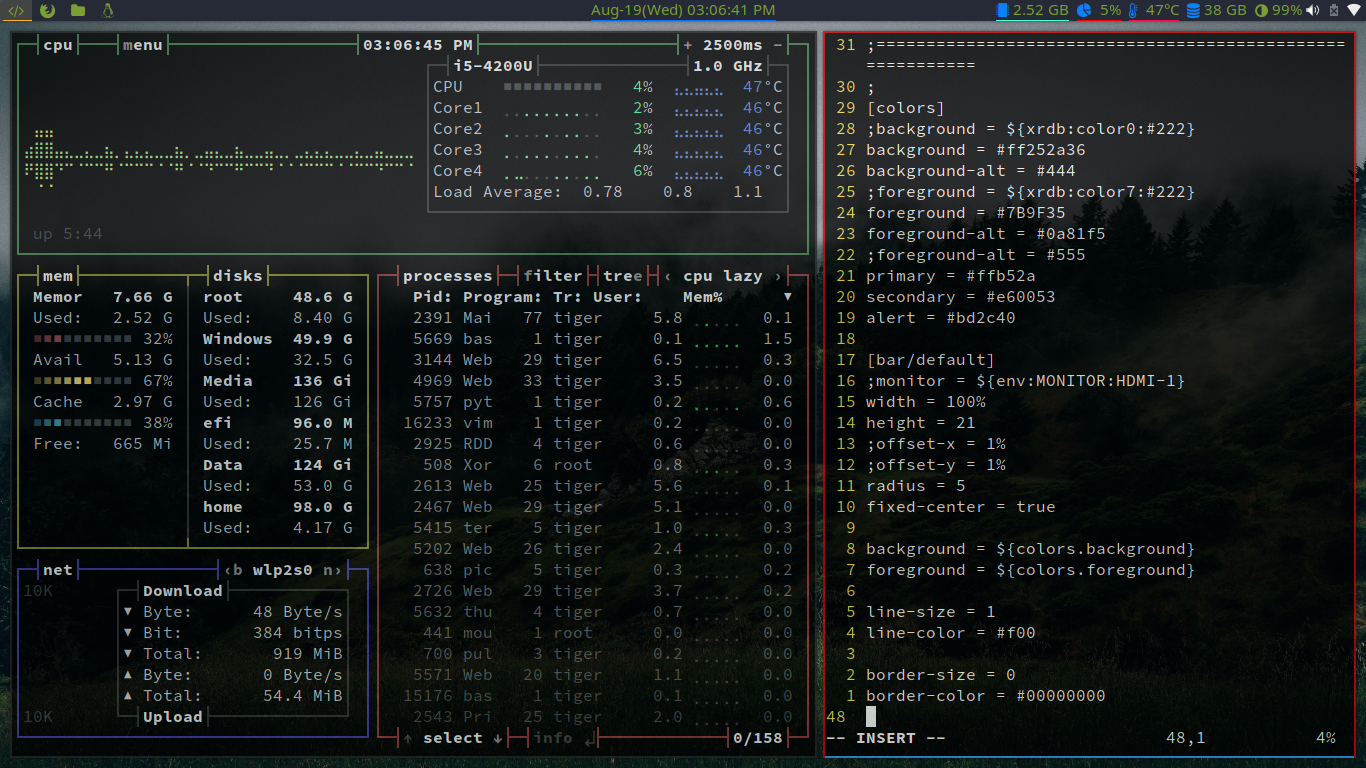
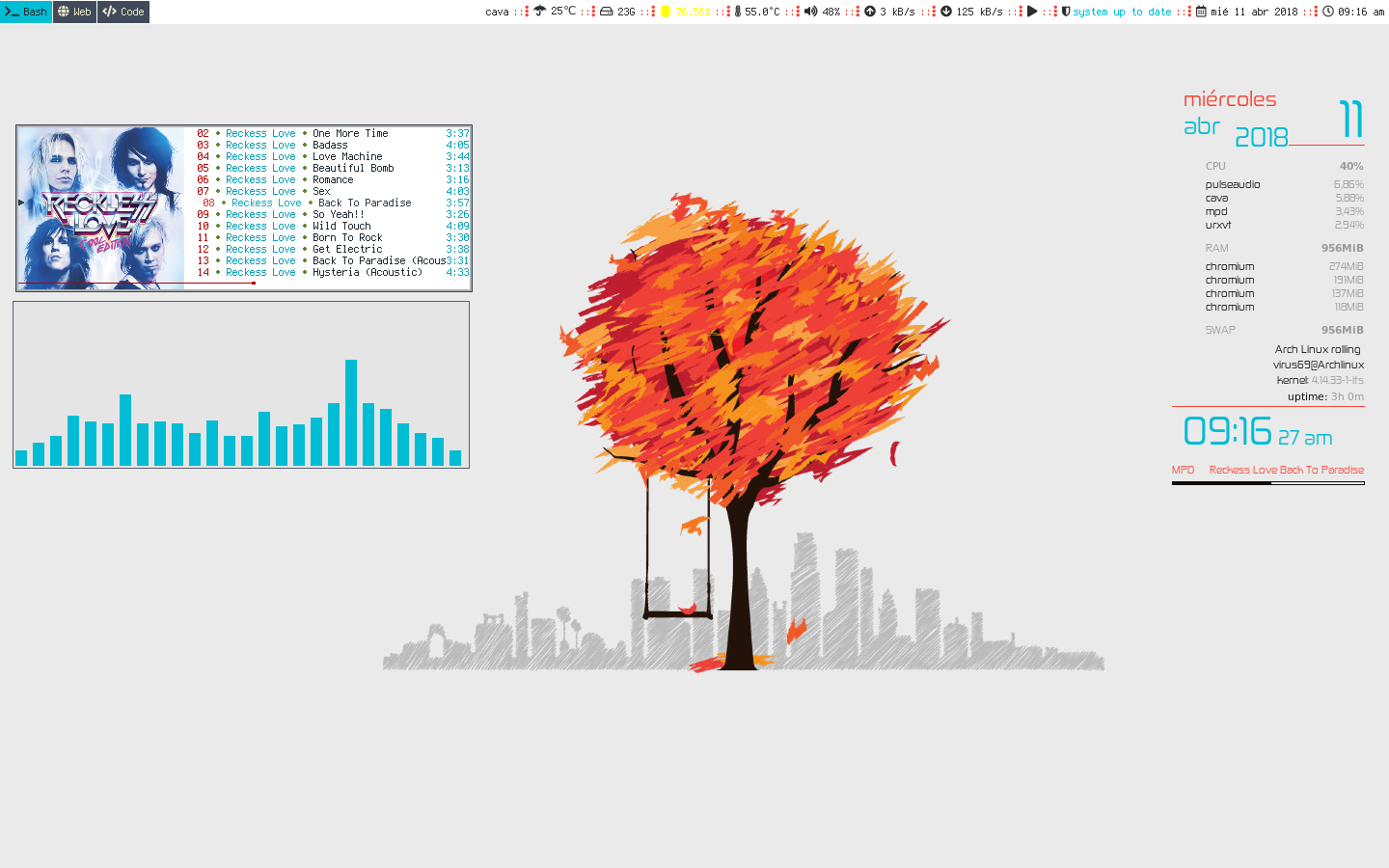
:max_bytes(150000):strip_icc():format(webp)/Windows1_0-56aa11d35f9b58b7d000b1ed.jpg)
:max_bytes(150000):strip_icc():format(webp)/Windows2_0-56aa11d33df78cf772ac3ef4.jpg)
But then during my AI studies I wanted some beefier hardware, which was just not affordable for me within Apple’s ecosystem, plus they only used AMD graphics cards. I built a desktop computer that outperformed the top of the line Mac Pro for a fraction of the cost and turned it into a Hackintosh. Two weeks later Mojave came out, and Apple never approved any Nvidia drivers from then on.
My eyes opened to Linux and i3 in particular, which looked like Magnet taken to the extreme. What had taken me hours to install and configure on macOS (GPU-acceleration for PyTorch, for example) just worked with one package install on Linux. All my expensive apps were replaced with simple and free, much more configurable alternatives. At first I spent a day or two getting things just right. Since then not much has changed because not much needed changing, which I really like.
Now I look at macOS and iOS and cringe how locked down it all is. Users are very creative in their workarounds to make it work, but it is ultimately quite silly that you need to use special URL schemes and workflows to open a text file across different apps.
Thanks, i3!