This is a good example of making the mistake of conflating implementation details and user interface design.
Firefox always had two boxes: URL bar and search. One of the big changes Chrome made when it was born was to have the Omnibar, being of course one bar that does both.
If you think about this as an engineer, Firefox's design decision makes sense. You don't want to accidentally leak things to a search engine. URLs and search bars are just different. There are also corner cases where you're not sure if something is a URL or a search term, mostly to do with intranets (eg "go/foo" can be a URL internally).
But users don't care about any of that. Users don't have the mental model to differentiate search terms and a URL. Chrome's decision was correct. It's surprising how long Firefox stuck with their bad (IMHO) design.
Here's another example of this: IIRC one of the most frequently searched terms on Google is "facebook". Tech-savvy people will just type "facebook.com" but users will just search for "facebook" and click on the (hopefully) first result. That happens a ton.
So the lesson is don't leak technical and implementation details into interface design. Your users don't care about any of that. Think like a user, not an engineer.
I am going to disagree since I believe that people should have a basic knowledge of the tools they are using. I am not saying that the bar should be particularly high, but being able to differentiate where something is and searching for something is a realistic expectation.
That being said, I think developers have made some things more difficult to understand than they should be. While people understand what an address is, calling it a URL adds an extra layer to learn (even if it is just terminology). URLs would also be easier to understand if they were more consistent from the end user's perspective, much like someone's mailing address, rather than an engineer's perspective.
I would also argue that the omnibar is designed from the engineer's perspective rather than the end user's perspective. The engineer said something to the effect of, "we can differentiate an address from a search query based upon the format of the input". It sounds good on paper. It sounds like it makes things easier for the user. Yet all that it really accomplishes is creating confusion for the end user since it fails to differentiate two concepts.
> believe that people should have a basic knowledge of the tools they are using
The whole point of intuitive design is to realize that you shouldn't make your users "think", insofar as making effortful cognition (i.e., Kahneman's "Type 2" thinking).
Good design should leverage built-in assumptions of how the world, per users' intuitive mental models, to create affordances that guide users to the desired interaction and behavior.
If a design promotes incoherent behavior, it's not the user that's wrong; getting users to change intuitive behavior requires training and cognitive effort.
Sadly, why vim and emacs are still difficult for newbies to pick up. Yes, the learning curve is (arguably) minimal; that's not the point. It's that there is a learning curve at all.
> The whole point of intuitive design is to realize that you shouldn't make your users "think", insofar as making effortful cognition (i.e., Kahneman's "Type 2" thinking).
Defined like this, this makes "intuitive design" a very destructive trend.
There's only so far you can go trying to "leverage built-in assumptions of how the world, per users' intuitive mental models". Computing world is not like everyday experience in many important ways, and trying to pretend it is only burdens the user with inconsistent mental models that don't allow them to navigate and grow their intuition.
The way I see it, it is the failure of UX design that it tries to hide the nature of computers - instead of making it apparent, so that the users can learn and internalize the important axioms of this different world. Intuition needs to be calibrated to the underlying reality for it to be useful.
> Yes, the learning curve is (arguably) minimal; that's not the point. It's that there is a learning curve at all.
There's few things in the world that have no learning curve. Almost everything is learned. Almost everything that's important in life is learned either through direct training, or picked up over time from exposure. This is where every UX designer inventing their own "simplifying" abstractions is hurting users: nobody is training them, but software is so inconsistent nowadays that they don't get to learn from exposure either.
You're thinking like a HN reader, rather than the intended audience for the chrome omnibar (i.e., non-specialists)
They don't want the abstraction punctured to see the inner workings...
Anything less than that creates a Norman Door conflict, whereby their inner mental models conflict with the intended interaction, where they want to pull the door, when the door only works by pushing (yet the door handle basically beckons to be pulled)...
Whether it's a good thing or not is besides the point. It's how people work, if you want to reach them at scale.
> They don't want the abstraction punctured to see the inner workings...
> Anything less than that creates a Norman Door conflict, whereby their inner mental models conflict with the intended interaction (...)
Here I disagree, because the underlying assumption is that those "intuitive" interfaces are exploiting an existing mental model of the users, like door handles in the physical world. This is not true, because computing is new, and there is no obvious preexisting mental model shared by non-specialists. Part of the job of UI is to enable the users to build correct mental models in the first place - and to the extent they introduce bad abstractions, they fail at this job, leaving users with bad mental models that don't correspond to reality, and don't let them make sensible predictions.
Note: I don't disagree with Norman. I disagree with how his work is used to justify current UX design trends.
> Here I disagree, because the underlying assumption is that those "intuitive" interfaces are exploiting an existing mental model of the users, like door handles in the physical world.
There was a subtle joke about this in Star Trek: The Next Generation: Wesley Crusher, on a visit to a starbase to take the Starfleet Academy entrance exam, stood in front of a door confused until Picard used the handle to open it for him. Wesley had grown up on starships where the doors opened automatically as you approach, and had never seen a door handle before.
According to Wesley's actor, this wasn't in the script and they came up with it right before doing the scene (and it made it into the episode).
> and there is no obvious preexisting mental model shared by non-specialists
Strong disagree. Looking at the URL bar in Firefox vs Chrome is a great example of how Chrome nailed an "obvious preexisting mental model shared by non-specialists".
We can look at things like the design of door handles, and clearly see how the shape of the human hand influences the design. If we had tentacles, door handles probably would look more different.
The same thing applies to human minds (as opposed to hypothetical alien minds, or AIs). Humans all have a hippocampus, a prefrontal cortex, and other universal biological factors in cognition which influences HOW thoughts are formed.
You didn't really make an argument for why "brains seem to have parts" leads to "Chrome's omnibar makes sense". The reason Chrome's design is "good"--which I put in quotes, as I absolutely agree that it is "destructive"--is because people are lazy: it is the same reason why co-mingled recycling is "good" and why a world in which trash and recycling were the same bin would be even better, and why a world in which trash, recycling, your toilet, and YOUR OUTGOING MAILBOX were magically all a single slot would somehow be the best thing ever and UX designers would shit themselves with glee over how clever they are for training users that there is a single hole that everything should go into and it is the job of an army of people on the other side of the hole to make that work most of the time... except for the occasional letter that gets recycled and the occasional empty box of cereal that gets mailed back to the cereal company :/.
Well, if that wasn't the worst slippery slope argument I've seen in a while.
That's like me saying "dogs and cats are both mammal pets" and you jump in and say "WELL JELLYFISH IS AN ANIMAL WITH DNA TOO SO OBVIOUSLY PEOPLE CAN'T DISTINGUISH BETWEEN JELLYFISH AND DOGS/CATS". Uhhh, no, that's a massive jump to an extreme conclusion. There's a BIG difference between someone typing "facebook" into a URL bar, and them putting their trash in their mailbox.
I'm not saying you should put literally everything including "change settings" or "access your bookmarks" in the omnibar, merely that combining the URL bar and the Search bar was clearly a common sense UI idea, and even Firefox bowed in after a while.
Your job as a developer isn't to force the user to learn more things. Your job as a developer is not to be arrogant and insist that the user must understand some technical model they don't care about. If they want to go to BankOfAmerica.com, and they typed in "BOA", your job is to make it easier for them to do their banking, even if they're massive idiots when it comes to tech. Human brains have a universal structure, which merely means you need to target the lowest common denominator when it comes to design.
As an aside, this is why Apple products historically are known for being very easy to use by the elderly. I certainly am grateful for the fact that my grandparents were able to learn to use Facetime and looked forward to using that software before they passed away. I'm not sure if Apple's ease-of-use is still true, for what it's worth- they've added a lot of complexity in recent years.
---
Addendum:
This is HN, full of very smart tech people who also happen to be terrible at empathy, so I'll give the usual spiel on empathy (which is usually disregarded by people with overly large egos): The person who typed "BOA" into the URL bar might be a tech idiot, but that tech idiot may just be a really good neurosurgeon, and that person may just prefer to spend their brain cells dealing with their own specialty. Humans are good at specialization, and I'd rather my brain surgeon not know or care or spend too much of their energy in understanding DNS, or the difference in how Chrome distinguishes URLs from search queries. For that matter, I'd rather not have to teach my grandparents the difference between a URL and a search query, either.
If you (the reader) is anything like the average tech guy, there's a good chance you're physically unhealthy in multiple ways, and in an alternate universe there's an internet forum of doctors lacking empathy who are shaking their heads and saying "why can't our patients simply spent a bit of their brain cells and time on eating correct amounts of the precise macronutrients, identifying each of the 13 major muscle groups and stretch and exercise them every day, actually doing the correct amount of cardio where they track if they hit 160bpm and sustain that amount (under age 45), sleep at the precise time each day for optional functioning of the central nervous system, etc". There's probably a mechanic forum that's complaining about tech guys who own cars and saying "why can't they just do a blackstone oil test to know what's the optimal amount of mileage for their car to do an oil change, why don't they routinely fill up their tires to the labeled air pressure to maximise fuel economy, etc". None of what these doctors or mechanics are suggesting something /unreasonable/ per se... but most of that stuff just aren't priorities for an average person to learn and deal with. In conclusion, you can be extremely smart in the tech industry (or any other field) and still be an absolute idiot in so many ways, and that's okay- but you need to keep in mind that the same thing applies to your users for their fields of non-specialty.
This isn't a slippery slope: this is an analogy. Your example of settings makes no sense as you have failed to draw a similar analogy and your example of bookmarks betrayal your own understanding of the system you like as bookmarks are in fact accessible via the omnibar :/. All of the things in my example were of a similar form, and frankly it would be convenient if anything you wanted to get rid of all went down the same hole: if you actually could solve that problem well, it arguably would be good UX.
The only reason the recycling examples seem absurd is because 1) it simply isn't that difficult to remember "trash goes in a black in and recycling goes in a blue bin and mail goes in... a different blue bin ;P" and 2) it is obvious how hard it is to separate the two results in the general case and the ramifications seem silly to tolerate given the low effort that the user has to take on to prevent it.
The exact same thing is true of the omnibar: there are a bunch of heuristics that often work well enough and people who are particularly lazy and don't want to learn the difference between the various bins don't have to because we figure it out for them... most of the time. I personally think that people shouldn't be so lazy, but it seems like the entire goal of "UX design" is to empower lazy people to "not have to think" (which is very different from "intuitive": after all, "the only intuitive design is the nipple; after that, everything is learned").
The reason then I think it is "destructive" goes further, though, than "people who are lazy do not deserve our sympathy": it is because, as someone else pointed out, there is a cost to leaking a user's intent to the search engine when they wanted to type in an address (in the same way that mailing someone's trash out randomly might be a privacy violation). Google doesn't give two shits about this: they want all of your information. That Google is training people to conflate the process of searching for something with then process of navigating to something is great for them and sucks for Firefox as Firefox kind of has to follow or be screwed and yet it seems a bit antithetical to their mission (though I don't think they even know what their mission is anymore).
(FWIW, the true original sin is the address bar itself: the address bar is a status display of where you are... making it editable is arguably sort of "intuitive"--using the typical kind of "just so" stories that allow people to claim random things are intuitive because the story was flowery enough--but frankly it just makes no sense and causes all kinds of problems. If you fix this, and return to the paradigm that some of the earliest browsers have, I think some of the other things the omnibar does are less awkward, and the "out" for true navigation wouldn't be affected as navigation would feel entirely unlike searching: it would become intuitive that these are separate concepts.)
(Also: the fact that I am unhealthy is not because I don't want to know how to be healthy or because I am not prioritizing understanding it... it is because most of the time I can't for the life of me figure it out even in consultation with doctors, and when I do know things--such as that I need to walk more every day--I don't prioritize doing it because I injured myself a couple years ago and I am now somewhat depressed over it. I point this out because it is very different from not knowing or not caring to know: a life un-analyzed and without curiosity at every level of scale and in every interaction would seem to me to be a life wasted. If you truly don't know anything about how a car works, I recommend spending some time to learn: it's fun! Tim isn't like the mechanic ever figured out what was wrong with my car until I finally pulled the error code of the ECU myself and rubbed it in his face. Learn to play at least one musical instrument of every class so that you can extrapolate the rest. Study linguistics as early and as often as you can in life so you can at least appreciate the beauty of other languages even if you don't choose to become fluent. Avoid hiring people to do things for you until you know how to judge if they did a good job, and decide how you wish things to be done before letting other people tell you what they like and then don't back down!)
Oh it was definitely a slippery slope argument, in the form of an analogy. You analogy went as far as saying trash and mail are the same, you are aware of that? Clearly, that is absurd and is using a case of an extreme. Mixing trash and mail, or trash and recycling, and sorting them later is obviously an absurd process. Mixing bottles and cardboard in one recycling bin is not absurd. But your analogy was clearly attempting to conflate all of the above, and I'd be going easy on you if I didn't bother to point that out.
Clearly the Bookmarks "star icon UI" is physically located in the omnibar, but when I said "settings and bookmarks", that clearly wasn't what I meant- I meant modifying the settings and bookmarks through typing a command in the omnibar the way you'd type a URL or search query. Bookmarks are not in the omnibar the way you can type "INSERT INTO bookmarks SELECT current_website FROM current_window" into the omnibar to add a bookmark. You can't change the settings "UPDATE settings SET setting_value=black WHERE setting_name=theme" by typing into the omnibar.
However, neither of my previous 2 paragraphs really refute any of your points, they're just clarifications. Pointing out that you made a slippery slope fallacy in an analogy doesn't refute your point, and whether Bookmarks are considered "in the omnibar" or not is orthogonal to the discussion. I agree wit the paragraph on "the true original sin", but that's a different note as well.
So, returning to the main issue: I think the cost issue is a valid point, but then everything has a cost. Even putting bottles and cans in the same recycling bin would incur a cost. Then the end question becomes "is it worth incurring this cost?". For a lot of people, they are willing to pay the taxpayer cost to have their recycling be sorted between the bottles and cans and cardboard etc. Do you have a separate recycling bin for glass bottles, aluminum cans, plastic bottles, cardboard, etc? Or just one recycling bin? Similarly, there is a cost to giving google a tiny bit of additional information- but not much. Plus, they already have your entire browsing history stored on their servers already. Try going to some webpages on Chrome, going to a different device, and check the browser history on the 2nd device- it'll be synced with the first device. So on Chrome, there's no additional privacy cost to combining the url and search bar. Even if you use firefox, there's not a lot of information being leaked with the omnibar that accidentally googled something that was supposed to be an intranet site. For the consumer that doesn't know the difference between a URL and a search, they probably aren't running some sites on their local network anyways.
Considering how low the cost is, I'd say a sizable chunk of people who oppose merging the address bar and the search bar do it out of a purely principled stance where they cannot accept any cost greater than 0, not even 0.00001. I'm not sure if this is a logical position to take, although it makes sense as a philosophical perspective, at least. The other chunk of people are just using it as an excuse to back up a philosophy of "people who are lazy do not deserve our sympathy", which makes even less sense logically (again, see: brain surgeons, grandparents) or philosophically.
On that note, I absolutely hate the quote "the only intuitive design is the nipple; after that, everything is learned". It's one of those cynical quips that just makes the person saying it seem smart, but actually leads you away from the truth. People massively overestimate the concept of a tabula rasa, and not all knowledge is learned. One example I can use against (a good percentage) of tech people is exercise at the gym. If you've ever done squats/bench/deadlift, you know the importance of having a good form. If your form is wrong, it will "feel wrong"- this is something that even absolute beginners at a gym notice, even if they don't have a trainer telling them exactly what is the right form. Another one, (a more interesting subject on the state of the human brain), is observing how people react to certain drugs like acid. Amusingly, novices to psychedelics are always convinced that whatever thought they've just come up with is some groundbreaking revelation, when it's usually something that's been thought of many times before.
> such as that I need to walk more every day--I don't prioritize doing it
Isn't this inherently more lazy and/or worse? This would be like someone who knew what a URL is, and then purposefully choosing to search up items in the Firefox URL bar anyways. At least not bothering to learn is excusable- again, I don't really need my brain surgeon to know how a URL works and understand making a DNS query for an infranet site works. But philosophically, this seems like throwing your trash in your mailbox and being okay with it because it would disappear anyways (excuse my slippery slope analogy, heh). And also I can possibly argue that you don't know that much about your health, anyways- for a human body to stay healthy, it needs more than just walking. Putting heavier loads to build muscles (maybe not specifically for hypertrophy, but certainly not just LISS cardio) is important, especially for your back. Also, sustained high intensity cardio is important for your health as well.
> If we had tentacles, door handles probably would look more different.
I would love to see a virtual reality app that plays with different organism layouts, and solving the usability issues.
There is a lot of great sci-fi that tries to consider how a world would be designed for non-humanoids, or mixed aliens, or the reverse archaeological problem of calculating how aliens look from what they have left behind. I am struggling to think of any sci-fi that makes you deeply think about usability.
"The Galaxy, and the Ground Within" by Becky Chambers (Book 4 in the Wayfarers Series) not only deals with a mixed alien usability environment, it also passes an alien Bechdel test of sorts.
The whole Wayfarers series is amazing in my opinion.
Re vim: As a hobby developer (a perpetual newbie) the learning curve is an issue for me simply because I don’t yet understand the value in overcoming the curve. “Efficiency” is not one of my programming goals, and so reasons like “vim is great - it’s super fast” have no appeal. So, remembering 80 unintuitive shortcuts just so I can do what I do in Kate, but a little faster? Eh…
The value is that your fingers stay in the same place for typing, and for editing/commands. But also, once the commands aren't just in your actual memory, but are partially in your muscle memory, you don't even really have to think about what key sequence you're using; it just happens. Your fingers know.
The advantage of both of these factors combined is that you don't have to think about editing, or the user interface. You don't have to break the flow of thinking about your code. You type code, you edit code, you rearrange code, and you only ever have to think about the code. You don't have to spare brain cycles to think about editing, your fingers just do it.
It's like learning to touch type. There are two fingered typists who can type almost as fast as I can touch type. Or even six-fingered typists who might be able to go a bit faster. But even though they know where the keys are, they still need to keep an eye on the keyboard to type. They still need to think about the keyboard. But once you learn to touch-type, you don't need to think about typing any more. You just... type. Being able to keeping your eyes on the screen all the time just allows you to concentrate on your code, rather on the way you're entering it.
By turning some conscious actions into muscle memory, it leaves your conscious mind able to spend more time on the things you want to think about.
This is exactly what I'm aiming to do with my guitar playing. To internalize the instrument so much that I can only focus on the music and not have to think about where and how I should use my fingers. I practice hard to be able to achieve this.
The thing is, I see the value in my guitar playing. But when I code, much of my time is spent thinking about what I'm coding, and much less for the actual typing and editing, so I don't really see the value for vim. That's why I finished the tutorial, but then never used it in actual coding. Purely my own opinion, of course.
I found doing a few vim tutorials valuable as a reminder to look up some basic text manipulation in other editors. Like selecting a text rectangle with the keyboard, or cut and paste a single line.
Or that a text search is a perfectly reasonable way to move the cursor seven steps right to the next right paren.
> “Efficiency” is not one of my programming goals, and so reasons like “vim is great - it’s super fast” have no appeal.
Then think in terms of friction - friction that prevents you from doing what you want.
The reason for pursuing this kind of efficiency in an editor is because the task of writing and editing text files is only means to an end as a programmer: your goal is to encode the program you have in your head in a form the computer could run. To persist a castle in the sand you're building. Your editor is usually the limiting factor on how fast can you do that. And this matter because the faster you go, the less friction you feel, the more time you have for the important part - thinking. If you can do this fast enough, cross a certain efficiency threshold, your mind will collapse the task, erase the perception of typing.
Think of what happens when you learn to drive, truly learn. Your car becomes an extension of your thoughts, not something you consciously give inputs to. Now imagine driving by having to type in commands like "accelerate" or "turn left". Now imagine the same, but through submitting paper forms.
Thanks. I think I’m just not at a programming level where my brain is working faster than my fingers. But I get it. I can relate in the following case: I like to write fiction, and lately I have been writing children’s stories that I’ve told my daughter as I put her to bed. I’ve found that I can invent and tell a pretty decent story in the span of 10 minutes. When I later write up that story, it takes me 1.5-2 hours. Adding in punctuation seems to slow me down the most, in part because those non-story elements distract me and mess up my flow. I’m testing whether it’s faster to use a voice to text app, and then edit in the punctuation at the end.
Have you ever seen an experienced user demonstrate some use cases? I'm in the same boat as you but that convinced me because some of it was like magic. I don't think the value is in uniqueness of function, right, but the sort of swiftness of expression you can get.
More like having you workbench set up just perfectly, less like having irreplaceable tools. But the start up cost is what keeps me out - learning it, trying to integrate it into other tools that I don't fully understand anyway (VSCode in my case), etc etc.
Only brief glimpses. And I have no doubt it’s amazing in capable hands. My interest in learning vim is likely solely rooted in some vague jealousy of these skills. I keep having to remind myself to be happy with what I have and stop spending what little time I have gazing at greener pastures.
I take a middle ground - I agree that intuitive design is good especially for the typical non-techy user, but I also love designs that marry that with expressing the truth of the underlying system and not getting in the way of people who do actually want to leverage their understanding of the conceptual model of a program for power use. Most UIs fail to achieve both, and end up either too dumb to be useful or too complex to be widely usable.
> I believe that people should have a basic knowledge of the tools they are using.
I strongly disagree with this.
Does anyone remember what connecting to Wifi looked like? I'm talking 15+ years ago. Here's how it would go:
1. Click a network
2. Choose an option from WEP, WPA, WPA-PSK, WPA2 and WPA-PSK
3. Be prompted with a either a password, a key selection or a box that generates a bunch of keys. Enter what you think the password is somewhere;
4. If it doesn't work, return to (2) and try something else.
5. If it works, you win.
That was literally how it worked. And then Apple came along and just prompted you for password. Why? Because the OS can figure out the rest so why ask the user?
You can argue "the user should have basic knowledge of the tools they're using". After all, if they're connecting to a WEP network, they should be aware it's not secure.
But users don't care about any of that so there's no point in asking them. You're just forcing users to make decisions they don't care about, don't need to know it and aren't interested in. For what?
That's what great product design and interface design is.
Let's also refer to Joel Spolsky's classic "Choices" [1] where he quotes:
> Every time you provide an option, you’re asking the user to make a decision.
and then goes on to (correctly) say:
> That means they will have to think about something and decide about it. It’s not necessarily a bad thing, but, in general, you should always try to minimize the number of decisions that people have to make.
>You can argue "the user should have basic knowledge of the tools they're using". After all, if they're connecting to a WEP network, they should be aware it's not secure.
>But users don't care about any of that so there's no point in asking them. You're just forcing users to make decisions they don't care about, don't need to know it and aren't interested in. For what?
Because if it's not secure, and the lack of security results in someone stealing the user's password and wiping their account, the user will indeed care about it.
The user does in fact care about the consequences of the thing he "doesn't care" about; he's just incapable of connecting those. It's like a user not caring about whether there's gas in his car because he knows nothing about cars. He'll care about it when the car stops running.
They should have basic knowledge, but they won't. The majority of people in the world can barely use computers well at all, and we need to work with this reality.
- computers are uselessly complex even for simple tasks
- UI changes are pushed by vendors every other year or so, despite providing zero interesting features for users
- there's no IT education, and when there is it's focused on writing a CV on Microsoft Word and sending email, nothing more
All three points could be addressed. And having a proper UX that empowers users with ease can help. I don't think all web users need to know what "URL" means or even what's http://, but they could certainly understand the difference between "location" and "search criteria" if UI was good. Even a simple help box could help: "If you know the address you're going to, type it here. Otherwise, click the search button". The kind of UX that's similar enough to phonebooks and maps so users aren't confused.
I'm not saying it's simple. I'm merely pointing out that industry players have other interests at heart than those of their users. They are worried about their position and income, not about empowering people.
There is always a tradeoff between making something better for power users and making it bullet proof for (ab)users. Indeed, chrome strikes a pretty good balance.
Why can't we teach this in schools? My high school curriculum covered the basics of the UI elements - window, menu bar, URL and such - in addition to OpenOffice and the basics about internet (this was 1998)
Why should the Internet be accessible only to people who have undergone a high school curriculum that teaches it? That already excludes a large portion of the population.
Why exactly should the interrnet accessible for all people at all? When you are too lazy or dumb to use a browser like it was in 2000, you will too think that facebook or insta are the internet. Thats the problem on today's internet. It's too accessible for too many ignorant people.
I don't see the point of your argument. I don't see any reason for excluding people who "think that facebook or insta are the internet" from it. If you desperately require more powerful tools to support the way you use the internet then there are powerful tools available; why use the lowest-common-denominator tool that is the browser?
I couldn't resist adapting your argument for food:
Why exactly should food be accessible for all people at all? When you are too lazy or dumb to grow your own food like it was before the coming of Jesus, you will think that McD's is the agriculture industry. That's the problem with today's agriculture. It's too accessible for too many ignorant people.
I was going to say something about how you needed to know what DNS is to know how URLs work and how all this is easily teachable at the high school level, but I realized I'm just out of touch. Amend my comment to say that the previous poster's classmates can't tell apart a search bar and a URL bar either.
I also question if you need to know what DNS is to know how URLs work. "This name is how your computer finds the website you are looking for" is sufficient for some level of knowing what a URL is and how it works.
And URLs, canonically, don't require DNS to function.
> That being said, I think developers have made some things more difficult to understand than they should be. While people understand what an address is, calling it a URL adds an extra layer to learn (even if it is just terminology). URLs would also be easier to understand if they were more consistent from the end user's perspective, much like someone's mailing address, rather than an engineer's perspective.
I really don't think they're more difficult than they need to be to be functional. Users' mental model of "an address" is incoherent and often context dependent. Both a URL and an email address are an "address" to most users. The really lost ones will refer to the search terms they use to get to a web page as the "address".
I don't really see URLs as different from addresses. Their in descending size order rather than ascending like physical addresses, but the rest of it is fairly consistent. Most people spend drastically less time thinking about URLs than physical addresses though. We teach children how to break down physical addresses, and we do not teach them to break down URLs. It's entirely unsurprising URLs are more confusing.
> It sounds like it makes things easier for the user. Yet all that it really accomplishes is creating confusion for the end user since it fails to differentiate two concepts.
Phrased differently, it frees them from the requirement to be able to differentiate those two concepts. Much like how my calculator can give me the square root of a number without me needing to know how to actually calculate that.
Amazing that something as simple as a hierarchical address can be so complicated at the same time.
Like why is the domain big endian and the path small endian? Leads to endless confusion and has been a source of many fraud attacks.
On the other hand a post address is equally unnatural. Street name-> street Number-> Postcode is not in consecutive order of significance. Yet everybody handles such without problem.
A big factor is also unreadable query strings like ?q= instead of simple paths like /search/.
What's the alternative? You want soldiers that don't know how to reload their gun? Drivers that don't understand how to use the steering wheel? Writers that don't know what a pencil sharpener is for?
I designed[1] the Chrome Omnibox, and appreciate a lot of the conjecture in this thread and other places - I wish I was as devious as many people assume we were.
The short version is that while many users can differentiate, it's more a problem of WHEN they differentiate - Chrome's entire design philosophy was around speed, and the omnibox was designed so that we had a simple destination that a user could focus on when they had decided to go somewhere else, but before they had decided WHERE they wanted to go to or HOW they were going to get there, and then make it so they wouldn't have to think about the HOW. If their search term autocompleted to a URL so they don't have to go through search, that was a win. This same philosophy was what drove putting the most visited pages on the New Tab Page (which was a blank page in most browsers at the time).
Some users plan out their actions before they take them, but I wanted to make everything as streamlined as possible so you could interact with Chrome as you thought about what you wanted, and not making you wait until after.
[1] I was the designer and occasional engineer, but the entire team takes the credit - everyone was behind the idea from before we even started work on Chrome, and many smart people deserve more credit than I do for how good it ended up being.
How do you feel that your invention was used to harm users and empower a quasi-global monopoly on search engines for the profit of tech billionnaire psychopaths and secret services? I don't think you had to have bad intentions (just like physicists and the atom bomb), but do you think the web is better for users without search boxes or search engine choices, and with Google forcing centralized AMP proxying down everyone's throat and therefore trying to actually completely remove URLs?
I don’t understand what exactly you’re mad at the guy about? He made an ultra-usable textbox… millions of people use it every day instinctively because it’s a great tool. You can’t crucify him because of your own personal qualms and completely ignore the flip side of the coin.
I'm not mad, just looking for retrospective insight. I don't know about you, but i've learnt great lessons by making mistakes, and i've found historical examples like Albert Einstein's reflections to be eye-opening.
Everybody does mistakes, and i'm not here to throw a stone. But i'm looking for lessons to be shared and learnt.
I've called out people in the past on works they seemed proud of. In this case, parent commenter explicitly acknowledges that their work had unintended consequences that they did not foresee. So i'm asking for critical lessons/insights they may have gained on the way.
Calling out is "hey you're doing such bullshit". "How do you feel that what you did had this consequence?" is opening a debate to share experiences, not "calling out".
On the other hand, I despise this exact change in Firefox. When I want to search, I use the search bar. When I want to enter an address, I use the address bar. I have a clear picture of what I want to do, and it is annoying to no end if the browser confuses one for the other. For example, by auto-completing a search term to a URL instead (see: computers don't know what users want). That's why I personally prefer the ability to make that choice explicitly.
I get it, I'm not the kind of user this article is about. And maybe I'm just insufficiently exposed to the other paradigm to have become "fluent" in it. But I just wanted to point out that there definitely are users whose mental model differentiates search terms and URLs.
Address bar: I know what I want and I want it to only search in bookmarks and history.
Search bar: I don't quite know what I want and I want to open an internet search for it. And possibly give suggestions from actual search results.
Separating the address and search bars is the first thing I do when I set up a new Firefox. I hope it will stay around but I'm somewhat bracing myself for it to go away eventually.
FYI in Firefox you can revert to the correct, two-box implementation by checking "Settings > Search" . You can get two boxes back, and you can turn off search suggestions in the address bar.
The power user thing in most "omnibars" that's been around for a long time at this point is that if you prefix search queries with a question mark ? you get an explicit search behavior (with your default search provider) and for instance auto-complete doesn't show recent URLs anymore.
Firefox (and Edge; don't know about Chrome as I don't use it) still have the concept of "Search Keywords" that you can prefix searches with to get into search modes for against specific non-default search providers. For instance in the Firefox bar you can type @wikipedia and go directly to a Wikipedia Search mode.
For anyone wondering why there's two shortcuts for the same action:
> If you have enabled Emacs-style text editing shortcuts in GNOME, they will also work in Firefox. When an Emacs text editing shortcut conflicts with the default shortcuts (as occurs with Ctrl+K), the Emacs shortcut will take precedence if focus is inside a text box (which would include the address bar and search bar). In such cases you should use the alternate keyboard shortcut if one is listed below.
>Users don't have the mental model to differentiate search terms and a URL.
I don't think good software always aims for the lowest common denominator. It's not an unequivocal good that users' lack of education is catered to. Infantilizing users makes them more dependent on services, and less able to navigate the internet.
Phone numbers are stored in your phone's contacts app, a tool that does the remembering for you. Making an input box do two different things and then adding a heuristic to guess what the user wants might be handy, but can go wrong. And then, as the linked post demonstrates, users get used to that and treat every input box as if it can do both of these things. It's a race to the bottom. Now your users "got stupider" and you need to come up with even more stuff behind the scenes to fix it.
Nobody ever questioned that you have to learn driving a car. How to handle it, what would break it, traffic rules etc. Why don't we demand that cars become so smart that a 16yo can just buy one, jump on all the pedals and turn all knobs and be a safe while doing so because the car will prevent anything bad from happening? We somehow accept that driving a car is something non-trivial that has to be learned, has certain rules that need to be followed, etc.
> Nobody ever questioned that you have to learn driving a car.
At the same time, nobody ever questions what you don't learn to drive a car. You have one acceleration pedal; you don't have separate controls for the fuel/air mixture and ignition timings. You don't manually control the differential. You have one brake pedal, not separate ones for the front and rear brakes, and automatic anti-lock braking is even a useful safety feature.
Modern cars even have warnings for tire pressure, so the driver has less need to manually check.
Modern cars are so smart that a 16 year old can buy one and drive it without having to know how to rebuild the engine, unlike cars of a hundred years ago.
The trick is that we have a long cultural history of deciding just what aspects of car driving are non-trivial and need to be learned and what aspects can be automated successfully (or even beneficially). Consumer computing is still in its relative infancy, and it's a moving target.
I think the more 'magic' they bake in to help non-technical users, the more it makes it harder to understand how the thing works for everyone else. As you allude to, cars have some fundamental rules that don't tend to get broken. The steering wheel, accelerator and brakes for example are generally all in the same place and operate the same between models, brands, updates.
It's just as straightforward to interpret the browser bar as only being a search bar that accepts any textual representation of intent from the user and does its best to interpret that intent (that's what search engines do, after all). And if that intent looks like a URL [0], then it might interpret that as your intent and load that URL. It's just one of many cases that are expected from a search engine–other might include showing a map for a query that looks like a location, doing arithmetic calculations for queries that look like arithmetic expressions, etc.
[0] Or a domain...even the most tech-savvy among us probably types in domains without examining the difference between a domain and a URL or how software might detect whether a given string looks like a domain
Except conflating the address and search bar, then adding search suggestions, has objective problems. It's a bad thing that typing URLs in your address bar leaks them to Google/etc.'s search completion service, allowing search engines to track which URLs people begin visiting (not just searches they make).
> "kids these days don't know anyone's phone number!" If it works it works
My passenger had my phone number memorized. I went to visit him when he called me from jail. I used his gmail password to get his contacts' phone numbers to try to get someone else to bail him out, but it was only $300. After a few days I paid up to bail him out. He missed his next court date. I went to the bail revocation hearing a couple months later, and got $200 of that $300 back (iirc).
I make an effort to regularly exercise my mental phonebook, on his account.
That story reminds me of this homeless guy I helped out one night. He was wearing a suit, which is why I believed him, actually. He said he was a pilot, who just moved into a house but locked himself out with his wallet inside. So he attempted to break into his own house. The neighbors called the cops and he was arrested. Now he was “homeless” until he got things sorted out. I ran into him a few days later, he taught me how to fly and became a friend that I still email from time to time.
Are these blobs of text being generated by some language model or something? They seem like wildly incoherent generated stories 100% unrelated to the content of the article or this thread.
>Here's another example of this: IIRC one of the most frequently searched terms on Google is "facebook".
one of the other most frequently searched terms on google is "google", because people don't understand that the chrome omnibox performs a google search, and they want to go to google to perform a search from a dedicated "search" box rather than a URL input - essentially, they want what the firefox UI gave them.
if you're trying to draw any conclusions about user preferences from user behaviour, you have to accept that you're going to be wrong about a significant portion of your users. one workflow might be "better" for some portion of your users, but it won't mesh with the mental model of some other portion of your users. different groups will form different expectations and habits, and a single UI will not completely satisfy the expectations of every group.
>they want to go to google to perform a search from a dedicated "search" box rather than a URL input - essentially, they want what the firefox UI gave them.
I would not even be surprised if that kind of user would search "Google" on the dedicated "Search box" because they are more confortable performing the search on the actual Google website than on a UI element inside the browser toolbar.
> one of the other most frequently searched terms on google is "google",
Perhaps one of the most frequent, but surely nowhere near the majority. I'm guessing it's still an incredibly tiny portion of searches. The fact that Google Search also handles this case, for the likely tiny portion of cases where it occurs, seems totally reasonable to me, and hardly an indictment of any browser's UI paradigm.
My point was just that you shouldn't draw too many conclusions from user behaviour because user behaviour is often dumb and a poor signal of what users actually want.
the people who don't understand the difference are largely unperturbed by this workflow. which means it satisfies their expectations, even if it isn't optimized for them.
Tech-savvy people will type f, see that their browser completes "acebook.com", and press enter. That's a form of search, it's just more directly provided by the browser and unambiguously serving the user.
(Ideally, tech-savvy people will type f and see no signs of facebook whatsoever, but that's an orthogonal issue.)
> (Ideally, tech-savvy people will type f and see no signs of facebook whatsoever, but that's an orthogonal issue.)
I'm tech-savvy and I use Facebook all the time. :-P
Going off-topic here, but outside of Facebook's issues with privacy, I think Facebook is a fine platform. Most of the issues people have with Facebook (again, ignoring the privacy issues) are self-inflicted. You have a racist uncle and don't want to see his bigotry in your feed? Unfollow him. Or in my case, just unfriend him entirely. You want to follow your government representatives to see what's on their mind? Great, just don't engage with the morons in the comment section.
Facebook is a great way to keep up with what your friends are up to. A friend of mine recently went on a trip to Scotland, and I enjoyed his posts on what he was doing. When I got married, it was an easy way to share the photos, since nobody uses Flickr these days.
That works for issues like "annoying uncle" in the US, I don't think, for example, Rohingya in Myanmar could just un-friend the ethnic cleansing that Facebook contributed to.
I think the biggest issue with Facebook I've learned recently is that on the margin their algorithms push you towards seeing things that increases their engagement numbers. I think it's hard to understand the effect on you from having every recommended item slightly not what you were asking for in the direction of making you mad.
> Most of the issues people have with Facebook (again, ignoring the privacy issues)
This is _massively_ shifting the goalposts. From a personal user perspective, the privacy issues are pretty much the entirety of the problem with Facebook.
But you're also missing the fact that Facebook _itself_ is A Bad Thing for the world, even if it is locally useful as a product. The parent commenter is presumably saying that it would be a good thing if Facebook did not exist (I agree), not just that it would be a good thing for each individual person if they didn't use Facebook. Even if _you_ unfollow your racist uncle, he's continuing to use the platform to hear and spread more racist invective.
The privacy issues don't actually bother me much because they're just being used to serve ads that I'm going to block anyways. I'm also sort of jaded when it comes to online privacy and operate under the assumption that every website and every device I use is trying to collect as much data about me as they can, and that the battle for privacy has been lost. I'll just run uBlock Origin to block the ads and most of the tracking.
> Even if _you_ unfollow your racist uncle, he's continuing to use the platform to hear and spread more racist invective.
They will ALWAYS have a platform, whether its Facebook, Parler, Gab, or Voat. It doesn't matter to me if they're on the same platform as me if I don't see it.
You and JoshTriplett are arguing different (and non-contradictory) points. You are saying that "the experience of using Facebook is pleasant and worthwhile for me, after taking some steps to alter my experience of it". They are saying "Facebook is a net-bad for society and we would all be better off if it didn't exist". These can both be simultaneously true. Overall-bad things can be pleasant for some users some of the time.
---
> The privacy issues don't actually bother me much[...]I'll just run uBlock Origin[...]
That's nice (and I, too, have my own ways for mitigating some of the worst bits of Facebook), but the very fact that you are having to take steps to "protect yourself" from Facebook demonstrates that it is a flawed platform. The vast majority of users are either going to be unaware of those issues, or unable to mitigate them. This is (and I want to emphasise this, because it runs contrary to a common attitude on HN) *not their fault*. It is not reasonable to expect the average computer user to know how to install extensions, nor which ones are important and trustworthy. It would be a wonderful world if they did, but . The fact that we technically-minded folks _can_ mitigate the effects of Facebook's undesirable behaviour for ourselves, does not excuse that behaviour.
(I also think it's a little unimaginative to think that Facebook's tracking is _only_ used to serve ads, and that you will always be able to mitigate all impacts of that tracking - but that's veering into speculation)
> It doesn't matter to me if they're on the same platform as me if I don't see it.
It should do. The harm of extremizing communication is not (only) to the people that see the communication - it is in the outcome of that positive feedback experience. The end result of "communication that you don't see" is "real-world actions that you do see". Would you similarly say "It doesn't matter to me if the KKK are gathering to plan lynchings, so long as they hold their meetings behind closed doors and hand out their flyers on streets I don't frequent"?
Facebook is the largest and most accessible social platform in the world. There _is_ a difference between "Hate groups can collaborate and gather members on Facebook" and "etc. etc. on Parler/Gab", because the former allows them _much_ greater access to fence-sitters, the undecided, the less-politically-aware, and so on. Everyone and their aunt is on Facebook, but (mostly) only those who already hold a particular ideology find themselves on the alternative sites. If hate-groups can only recruit from among those who already agree with their credo, they're going to find it harder to grow - which is a good thing.
I didn't have a racist uncle - at least not until he started spending too much time on Facebook and reading every piece of racist garbage the algorithm fed him.
I type f, see Facebook, hit enter, and by the time I hit enter, Firefox swapped the history result with some search autocomplete that's not helpful at all.
Autocompleting strings is something that allows you to take a shortcut (if it guesses correctly) but is completely ignorable if you never use it. Like, seriously, if you never looked at the bar while you are typing, it behaves the exact same way as if it had never been implemented.
Meanwhile, the omnibar changes old UX behavior to allow Google to MITM requests if people don't recognize it and update how they work. And most people didn't.
I don't think this is correct at all. Google's decision was intentional to capture every request, even ones who are simply searching for a known domain. Users adapted to google's pattern and learned things the wrong way.
This is only one example of the damage caused by very-low-friction, addictive interfaces. Users have increasingly lost the capability to navigate hierarchical interfaces and increasingly use web search instead of looking around for the right button
> Users don't have the mental model to differentiate search terms and a URL
Why don't they? This is a somewhat serious question.
Part of it, in my opinion, is we are moving too fast, and giving up on users to quickly. With enough education, people will understand. But enough education = at least a generation or two, introducing it in schools at a young age, etc. But we just threw our hands up and said "oh well, they don't get it, lets make it simple".
URL = phone number. Search box = Phone book. They are two very different things, and having them both in the same box I feel confuses some people even more.
Ok, it's going to find a book on the shelf by its author/title or dewey decimal number, vs. looking it up in the card catalog by subject (and then going to the shelf).
I think a good analogy is an automatic vs manual car. Most people prefer to have one pedal for the accelerator. But you still have many car enthusiasts (web enthusiasts) that know how cars (the web) work and want to control the mechanics behind the scenes. I wish it was still an option provided to users.
Google has a financial incentive for the Omnibar though. After searching for "facebook" users would click the first link, which might also happen to be an ad for Facebook. Effectively, turning a profit from the laziness of people not typing .com.
> But users don't care about any of that. Users don't have the mental model to differentiate search terms and a URL. Chrome's decision was correct. It's surprising how long Firefox stuck with their bad (IMHO) design.
I think you're making the mistake of thinking of "users" as a monolithic, lowest common denominator group. There are users who think like you describe, and there are users who do not. Also catering to people's existing (perhaps oversimple) mental models ensures those models never change.
One of the PR issues with Firefox is that it has/had many features that suited the latter group, but decided to drop them to ape Chrome.
Its really easy for engineers to get a feeling of superiority because they 'get it' and to wonder why everyone else is so stupid, how could they use this thing they don't understand etc. etc. etc.
You've got weak spots in the tech stack too. I'd wager there are tools that you use without knowing even about their existence. The point isn't to do dumb shit, the point is to have empathy and consider the perspective of other humans who are just as intelligent as you but knowledgeable in different domains.
Even as a technical user, I Google "natwest" instead of typing in "natwest.com". Much safer than typing "natwest.co" and getting caught by phishing sites.
I was going to chime in with the same thing. I do this as well, particularly while browsing on mobile. It's an extra click, but I can leave off at the very least the TLD and get better spell checking.
"It's surprising how long Firefox stuck with their bad (IMHO) design."
Not considering Mozilla's "business model" is forwarding searches by default to Yahoo/Google for a price. Would be surprising if the search engine website contracting with Mozilla did not have an expectation that the Firefox UI would be conducive to submitting as many default "searches" as possible, whether intentionally or not. (User could type an address in the search bar and it would be forwarded to Google. She now has a Google cookie.) Would also be surprising if there was not a similar expectation that the Firefox settings UI make it relatively unlikely that users would change the search engine defaults.
Chrome's design is good for Google. More so than Firefox's design is good for [search engine partner]. For users who do not want to be accidentally sending queries to Google, the "Omnibox" design sucks. It also is incorrect in that it defeats the notion of what is and what is not a valid domain name or a valid URL. It does not educate users about the www, it allows them to stay ignorant. Would not be surprising if that is how Google views its users and prefers that they remain unaware of what is happening.
For example, look at how Google descibes the NID cookie. They are not lying but they are repeatedly suggesting that its most signifcant purpose is a user's configuration preferences. However its primary purpose is for advertising. A fully informed user with choice over consent is apparently not what Google wants.
The primary purpose of the "omnibox " is not to benefit the user (although it may do so for some users), it is to benefit Google's "business model" of collecting data about users and selling online ad services.
ctrl+k and I know I'll be searching in a web search engine
ctrl+l and I know I'll be opening an URL and if the domain doesn't exist it will fail
I can't really count anymore how often omnibar just searched for some local domain I tried to type in, in a search engine, instead of just telling me that domain doesn't exist because I made a typo or whatever.
Having to type https:// in front of every URL is also not very pleasant, especially on mobile phones.
Also browsers assuming that anything outside of PSL is to be searched in a search engine right away instead of resolved as a domain, is another annoyance for this user. At least the browser could be less stupid and consider local search domains part of PSL, but no.
So whether omnibar is more of a hindrance than help depends on the user/use case.
I also kinda like the distinction that ctrl+l is only searching locally in bookmarks/history and ctrl+k is public search.
Firefox has has an "omni" bar for a long time. Firefox could search your bookmarks and history as you type in an URL (in addition to keywords that could trigger searches). It was one of the key reasons (in addition to tabs) that I switched to Firefox back in the day. (Or am I misremembering this?)
It was back in Firefox 3 (released a few months before Chrome was announced) that Firefox’s address bar got the last significant pieces of that functionality and was dubbed the AwesomeBar.
I think that at that time Firefox still struggled with single-word searches from the address bar, treating them as domain names; if so, that was probably the last material difference (as distinct from social) before Firefox could reasonably remove the search box by default.
Yes, Firefox was one of the first to define the "omni" bar experience, but one of the slowest to remove (by default) a dedicated search box even after they proved most users were using the "omni" bar.
Google wanted all user input leaking to them. They got it. When I first saw this feature it felt like a natural progression...a real innovative feature. I didn't need it though. In the end, browsers probably should not have knowledge of search engines, for various reasons.
> Here's another example of this: IIRC one of the most frequently searched terms on Google is "facebook". Tech-savvy people will just type "facebook.com" but users will just search for "facebook" and click on the (hopefully) first result. That happens a ton.
I've actually switched to searching even for URLs I know, if they don't autocomplete from history. My typing accuracy isn't 100%, and I'm confident the top Google result will be the correct domain even if I make a typo (rather than some phishing clone squatting on an adjacent name).
Firefox actually had both, you could always search with the "main" bar. That's why having two has been so infuriating over the years, if I ever had to use Firefox, I've removed the search bar immediately.
However, one thing that Firefox failed to fix over dozens of versions have been one-word-searches, which Chrome handled correctly while Firefox tried to resolve that one word as a domain and didn't even fall back to search if that failed. That single thing has brought me back to Chrome within minutes every time I've wanted to try Firefox again.
Prefix one word searches with a question mark and then space ("? ") will always search in Firefox. Old Power User trick from decades ago even when Firefox still had a split search box by default. (There's also search keywords to force it to search with a non-default search provider such as starting a search with "@wikipedia " to search Wikipedia.)
Yes, I removed the search box and used search keywords long before they changed it.
For the single word searches, I've never noticed such a problem. It should try to resolve it first, in case it exists on your LAN, and falling back to search works fine for me.
On the other hand, I can't think of any advantage myself to having these things be discrete boxes, and I know what a search term and a URL is (as I'm sure most users do, give them some credit here). Corner cases rarely happen and if I think something might look like a url but is a search term, you can prepend the term with whitespace. Ultimately having them not be discrete boxes means I can see more of the url before it folds, which I prefer.
Corner cases happen every day where I work. Specifically, we have an internal domain, and many users, rather than typing finance.pdq.xy.pg (made up domain) we like to type finance to go directly to the correct server. But we can't because 9 times out of 10 chrome/safari/edge interpret as a search. I either have to remember to put in a trailing slash, i.e. finance/ or type the FQDN. Thats the only reason I use firefox--I can separate search from urls.
Perhaps this is a difference in incentives? Chrome was explicitly owned and developed by Google, a search engine. Google makes money when you search for things, rather than using the address bar, so they're incentivized to reward this behavior. (I've always suspected this is why Chrome's history search is 10 times worse than Firefox's, but that's another story).
browsers used to do these these things (trying to add 'www.' or '.com' etc. if the domain doesn't resolve) automatically in the location bar (which wasn't the search bar, so there was no ambiguity):
> IIRC one of the most frequently searched terms on Google is "facebook"
I wonder if this holds true for both PC and Mobile, because it is easier to perform a search and trust the search engine to deliver the link, rather than finish typing ".com".
Firefox did away with the search bar a long time ago. For a while, it was possible to bring it back through about:config, but I don't think it's possible to make the url bar a clean url bar anymore (this is an invitation for corrections). It's annoying because I navigate to pages via URLs, and all I don't want to send those to a search engine for "suggestions" (though, a locally-indexed history is nice). All too often, I'll type in a url and it will send that to a search engine, and then the page I wanted to go to is buried under ads. Useless. Especially now that Firefox is moving to paid ads in the "url" bar... blech.
Also see sibling. I use Firefox daily and I have both a search bar that I use when I really want to search and I also don't see any "Search" stuff in my address bar. When I type "n" I can hit enter because it finds news.ycombinator.com in my history. All the next results are other things from my history which have an n in it.
I have browser.urlbar.showSearchSuggestionsFirst=false
My mistake, I meant to say url bar. Last time I tried this, the url bar had all the functionality of the search bar, which misses the point. Am I remembering wrong?
It's the perfect setup really, you can turn it off, but if you want it you can type "? <search term>" into the address bar and it'll go to default search - or use one of your engine short codes as the first word "@google hackernews"
about:config -> keyword.enabled -> false (to stop sending possible search terms automatically to your default search engine, this includes when you type a URL firefox mistakes for a search term)
about:config -> browser.fixup.alternate.enabled -> false (to stop firefox trying a DNS lookup/connection with the term you typed with www. before, .com after)
This is something... but it isn't perfect. The address bar is still not purely an address bar. It still defaults to sending a query to a search engine (I like to use this to search for partial URL matches, for example, navigating git repos that I use frequently). That's what the search bar is for. Bah humbug. Even with all these options set, FF still encourages confusion between URLs and searching.
I'm not sure I understand.. there's an internal search (tabs, history, bookmarks) which sounds like what you're doing - there's no search engine used for this. Or do you mean the Search suggestions (Settings -> Search -> uncheck "Provide search suggestions" to disable, some of these suggestions are FF generated)
There are a lot of things that contribute to learned helplessness, but in my opinion one underrated cause (for computers) is lack of security.
Particularly with touchscreens, it's really easy to break settings or delete something if you're doing something fiddly. I think people underestimate how powerful concepts like the recycling bin are, history, etc... in making people feel a bit more confident about experimenting.
How to translate that stuff to completely computer-illiterate people is a big challenge. But my experience is that when people feel like it's really easy to revert mistakes, they tend to experiment more and they tend to be bolder about trying to solve their own problems. And in the opposite direction, as they learn more that computers are dangerous even in specific areas, that can bleed over into other contexts and make them scared of trying things in other programs and with other devices.
When I see people who aren't willing to try and figure out what a URL bar is or who are scared to move files around or organize a directory or bookmarks, I sometimes wonder what the rest of their computer looks like and if they're channeling anxieties with other programs.
Of course, that's only one aspect of the problem though, it's an issue with multiple causes.
> Particularly with touchscreens, it's really easy to break settings or delete something if you're doing something fiddly.
I think this is correct. Turning the steering wheel never randomly creates a bunch of new problems for the user that they don't understand. It works the same way every time over the course of the user's entire life. I've probably made millions of turns of a steering wheel and all it's ever done is turn the wheels.
The "learned helplessness" here is on us, not the users.
> The "learned helplessness" here is on us, not the users.
I think the big problem here is everyone of the big players “giving up” and trying to obscure and abstract as much as possible rather than make things clear.
Most people understand a phone number +[country] (area) (number).
Basic URL parts like (http/https)://(server)/(address) is not that much more complicated, is it really?
Google and Apple have really set the trend here in making it feel more difficult for users. Things like “unified bar” and hiding the address are just two concrete examples in two decades of “making it easier”.
> Basic URL parts like (http/https)://(server)/(address) is not that much more complicated, is it really?
Yes. http[s]://www.facebook.com/my/profile?token=goes_here&other_params and http[s]://evil.co/facebook.com/my/profile?token=goes_here&other_params are very different things, but naïvely presented the visual weight is not on the important parts.
+1 800 555-1234 and +1 900 555-1234 are also very different things, with one being toll-free and the other being pay-per-call, and people seem to be able to understand that
A lot of people don’t, I didn’t even know that 900 means that. But ignoring that, you’re able to verify that the person on the other line almost certainly isn’t who you intended by just having them say anything, whereas evil.co might look literally identical to Facebook. There are security and performance issues that are totally invisible to you when you use http vs https, and the errors you get aren’t just a “that number you dialed is unavailable” but instead some arcane issue about SSL certificates or something, which you didn’t know even existed, whose error page is designed to make you feel literally unsafe. The length of a phone number in a given locality is generally constrained, whereas URIs can be extremely long and complicated, and the effects of a different URI or query parameter are unbounded and differ from website to website based on no consistent pattern, and on top of that as you’re navigating a site you don’t explicitly interact with the URL at all whatsoever, whereas with phone numbers the input pretty much ends the moment you connect your call.
> Turning the steering wheel never randomly creates a bunch of new problems for the user that they don't understand.
Having seen the kind of situations (untrained) drivers get themselves into while looking at a complete loss of how to proceed, I would like to vehemently disagree.
That's why most western countries have something that passes for "training" as an requirement to be allowed to drive.
No such thing with computers.
With this analogy I suppose an omnibar would be like a self-driving car? Or maybe just an automatic transmission?
I do think consistency is also an important part of interface design, so I don't think GP is wrong to bring it up as something that modern software often fails at, but the type of consistency they're talking about isn't what I'm talking about with safety to experiment.
For me, a better car analogy would be something like the fact that your radio controls can't mess with your brakes. You don't have to worry that if you change your radio station that your car suddenly won't start. This means that you probably don't feel nearly as worried about messing with those controls in an unfamiliar rental car. The entertainment system is never going to brick your car and make it impossible to drive (well, in most cars it can't).
----
That's still a kind of tortured analogy though, so I'll dispense with the analogies entirely and just talk technology. When I teach people how to use Git, some of the most important early commands I teach them after the basic data model are:
`git reflog`
`git reset <ref>`
`git rebase -i <ref>` (and importantly, I wire this up to something other than Vim)
I have observed anecdotally that people who have a good grasp of `git reflog` are much more likely to experiment with branching strategies, rebases, and merges, and are much more likely to come up with creative ways to solve their problems. Why? Because they're no longer scared of blowing up their entire repo.
I used to leave those more "complicated" commands out of early conversations with people because I felt like I would be dropping too many concepts on them too quickly, but without that kind of confidence that says "I can undo any Git operation, swap my head to any reference, and reorder, merge and customize any set of commits from any branch", people treated Git more like a set of arcane symbols and they were scared to ever experiment or try to extrapolate to solve their problems, even when their problems could be solved using commands they already knew.
Git could be a lot better about this stuff; the lesson I take is that I want to have very clear designations between dangerous and safe operations, and I want my interfaces to teach people where the undo key is first.
----
You can probably think of other Linux tools that demonstrate this issue as well. It took us a long time to get safety locks around `rm -rf /`. In some ways, the point of those safety locks isn't just to help protect the reckless people who do irresponsible things without thinking. It's also to give more confidence to people who are learning basic terminal commands/Bash that they're not going to accidentally mess up a pipe or regex expression and delete their entire hard drive if they try to experiment a little bit.
We can take that even a step further, one of the best things you can do if you're learning Linux is get a good, reliable hard drive clone pushing regularly to a backup. You'll be in a better position to learn how the low-level system works if you know in the back of your head that you can always just blow the entire thing a way and rewind back a few days whenever you want.
> This learned helplessness scares me a bit... Not knowing is one thing, refusing to take in any new knowledge is another.
As a matter of personal philosophy, I agree - but on the level of "empathy for users" this misses the mark pretty widely.
The 'steering wheel' analogy is not applicable (but funny!) because unlike computers, everyone who drives has been licensed so there's a baseline level of education that isn't there for computing. Also, most people (at least in the US) grew up around cars, so you expect a 20 year old and a 70 year old to grasp what a steering wheel is. But likely the people you are making fun of here did not grow up with computing. They are older folks to whom the computer was presented as a way to solve some specific problem (eg: a series of clicks so I can zoom with the grandkids) rather than a general platform that you perceive it as.
You can still say "well, there's a computer now in your life so you should learn about that" and again personally I agree, but - you gotta admit there are things in your life that you could go deeper on but you simply aren't comfortable or interested in doing so. For example, do you know the anatomy of every muscle in your body? Are you perfectly comfortable with public speaking? Are you able to articulate the nuances of policy difference between two local politicians running for office in your area? These are examples of things that you come in contact with on daily basis, and (if you are like most people) you probably did not go as deep in on as you could (and arguably should). Even if you happen to be good at these specific things you can get the larger point that people don't and can't go "deep" on everything they encounter. It may seem weird to you that to someone that thing is their computer, but those people may know things that you don't, also.
> Also, most people (at least in the US) grew up around cars, so you expect a 20 year old and a 70 year old to grasp what a steering wheel is.
For that matter, the steering wheel the 20 year old is using today is very similar to the steering wheel the 70 year old used 50 years ago. Nothing in computing has been so constant.
> For that matter, the steering wheel the 20 year old is using today is very similar to the steering wheel the 70 year old used 50 years ago. Nothing in computing has been so constant.
That's exactly right, the car industry has done a remarkable job maintaining interface compatibility for over a century despite massive implementation changes.
Someone who knew how to "hit the brakes" on a 1908 Model-T will be able to do it in my 2021 Toyota. Despite the fact that my car has regenerative breaking (and ABS and other things) which means that how the pedal does its thing is totally different.
Even the new additions over the basic interface feel pretty optional. EG, my car has radar cruise control but someone can drive the car for 10 years and not notice that button. If you want to drive my car the same way you drove the Model-T, you pretty much can.
Not to be pedantic, but the Model T has a very different control system than modern cars.
There are three pedals and a throttle pusher on the wheel. The brake is on the right, the middle pedal is reverse. To accelerate, you work a combination of left pedal to select gear, handbrake/clutch, and a pusher for throttle on the steering wheel.
You would need retraining to go from this to a modern car or vice versa.
You got me! I actually knew this but wanted to make my point. Technically my post is correct because I focused on the operation of the brake pedal specifically but it definitely doesn't stand to this level of scrutiny :)
It feels to me like they're scared to try, because they still might not get it, and then what does that say about them? But dammit, if my relatives just tried, even a little bit, things would be so much better.
It's true. What I don't get is the reluctance to seek out learning opportunities. They won't watch a video, attend a class, read a book, none of that. It's like picking up a hobby if you're computer illiterate. They spend all the money on the device and expect what exactly? Yet if they bought a DSLR they would know it's a hobby and they need to learn a thing or two. They'd invest in learning like people do with any hobby.
I guess hobby isn’t the best word. I suppose it could be a chore too. I have to learn all kinds of stuff to DIY pool maintenance. Either way, it’s an endeavor.
It's really because most adults don't have time to tinker like we did, being children and adolescents with computers. When I grew up in the windows xp era, I became the family tech support, and not because I was smart or anything. Just because I had time on my hands, being a child with little responsibilities compared to my parents, to go through the control panel and click every single button and option just to see what it did, so when something did go wrong I had some idea to guess where the fix was to be found. Honestly, I'm surprised I didn't mess things up more often. Fast forward to today, and there is a lot of common software that I struggle with like my parents did 20 years ago because I don't have the time to fiddle like I did 20 years ago. I can't do much of anything on windows anymore, after years of using macos and unix, that knowledge has left my brain and I don't have the time to get it all back.
As self-driving cars come closer to reality, I fear your hypothetical will eventually become a real conversation someone will have to unironically have.
Tech has gone to great lengths to convince people to be illiterate. "There's an app for that" was the worse form of handicap and users were heavily incentivized to seek premade solutions rather than trying to solve their own problems
I promise you it is younger people too. I train bank workers from freshly minted tellers to longtime officers, none of them can navigate to a URL unless it is a clickable hyperlink. The URL is one of the most foundational elements of internet usage, it is the way to get directly to where you want to go. Having a map is nice, but don't you need to know how to walk in order to get where you are going?
Heck, there have recently been articles about STEM students that do not know how to work with a basic file directory.
I've actually been hearing and interesting theory that the younger generation is becoming even more computer illiterate than the generation before them.
The younger generation was raised on iPads and iPhones where everything is easy to use and "just works". They've never had to do anything beyond tap the icon for the App they want.
Edit: Was going to talk about that same article about File directories.
And that's unironically a good thing. To poorly paraphrase Alan Kay, you know a certain piece of technology works when it gets out of the way and becomes second nature.
However we're now encountering one of those pesky questions that we never hear about in sci-fi because it's hard to solve and it's not fun for authors to write about: are we setting up future generations for failure by making technology too easy? And it's most likely "yes". I wonder out loud: are children not getting courses on how to use a desktop computer anymore like they used to in the 90s/2000s? It seems like it. Even if they never encounter having to browse a file system again until they graduate, the fact that it's at least introduced to them while their brains are still terrific sponges would be beneficial.
I've never had to do long division after ~6th grade, but given a few minutes of recall, I can get right back into it because of the rote learning I had.
This is true, the ease of use and proliferation of simplified and straightforward user interface conventions has had the adverse effect of making everyone born after 1998 practically unable to use a computer outside of the 4 major websites and apps.
I have witnessed this with younger people joining the company I work at. Most of them don't seem to have much of an idea how a computer works, why putting the internet between them and their deadlines might be bad or just can't figure out where their files are. I have to do a lot of hand holding for the first few months anyway.
> Heck, there have recently been articles about STEM students that do not know how to work with a basic file directory.
File directories, and the filesystem generally, confuse the hell out of the vast majority of computer users. We nerds forget this stuff because at age 12 we really gave a shit about it and took the time to internalize what it all means, and it's been second nature ever since, but most people haven't had the "a-ha" moment we did about it, so far back we've almost forgotten we needed an "a-ha" moment for something so "simple and obvious".
We get that this over here and that over there "are" the same thing, but that neither "is" the thing it's representing, which may also be represented entirely differently over in this other place. When we search in a file explorer window and it "becomes" something totally different, we get what's happened and that nothing's "gone anywhere". Normal people don't.
I feel like a big part of the problem is that back when computers were newly introduced to the world at large, there were actually good tutorials on how to use them.
Consider the Windows 3.1 interactive mouse tutorial/Windows tutorial. [0] This was designed for an age where both mice and Windows were relatively new and people didn't know how to use them, and it's one of the better designed tutorials out there, I think, allowing the user to interact with the tutorial and instantly see the results of their actions.
However, nowadays if you try to look up a tutorial on how to use a mouse, you're probably not going to find very much. The best I could find was hosted at gcfglobal.org [1], and explained the concepts and how to do things with a mouse, and has relevant interactive parts, but requires knowledge of how to scroll the page (which it does tell you how to do at the top, but there's only so much room there). There was also a set of pages called hosted at pbclibrary.org [2] which goes over the mouse basics and doesn't require scrolling before the concept is introduced, but it's somewhat outdated.
But those two were about it. The rest were mostly non-interactive videos. And in all these cases, discovery is a major problem - most of the time, the only way you're going to be able to get to those in the first place is through someone who already knows how to use a mouse.
We're all assuming that schools are teaching these basics. But what if they're not?
And it's limited to the systems we're exposed to. I grew up with DOS and then windows so I know file structure there no problem, but I'm still not comfortable with how Linux organizes things, and I haven't the faintest clue about Mac.
I think that the fact newer versions of popular OSes (Windows, Android) try hard and harder to hide the filesystem from the users - probably because "they won't understand". But in the long run, hiding it makes the problem even worse.
The transition to mobile computing devalued typing and greatly increased the attraction of icon grids.
There was some series of essays recently that I read (linked from HN maybe) that went into some details about the economic differences between search-based desktop computing and "juicy springboard of icons" mobile computing.
It isn't surprising, really. Computers are wonderful and complicated devices but a lot of knowledge about them is handed down more as an oral history, and it is dense and has had over fifty years of tumultuous growth.
Have you ever thought about even just the jargon you need to know to be fluent today? Not even just the important computer systems terms, but the names of tools, all the acronyms, the context of why things are the way they are.. its huge, and its endless. The stuff we think about as basic really never was, and now it gets hidden behind a slick user interface, and you might reasonably get to your third year in a CS program before getting a handle on how everything sort of fits together.
I see this all the time, with people not understanding where files are or that there is some kind of hierarchical filesystem lurking behind the covers. Thanks for the link.
Family members for me, but they don't understand the difference between the windows search box in the task bar (next to the "start" button), and google. The difference between Chrome and google.com is lost on them as well.
It's a good exercise in patience for me while we go through the steps of describing the differences between searching for things on your computer vs searching for things on the internet, what google is, etc.
They've been using the internet since I was a kid in the 90's.
I'm sure most of us have examples of this in our lives, being the de-facto "computer person" in the family. It is what it is at this point. For whatever reason, if you didn't grow up with computers, it's incredibly difficult to understand them as an adult. Which still applies to huge swaths of the worlds population.
Interestingly, I think we're seeing less people grow up with general purpose computers, and instead just have an iPad or an android tablet, or a chromebook.
At least chromebooks have the capacity to become general purpose computers by installing Linux. But yeah, anyone who doesn't grow up with a Raspberry Pi or the like is gonna have a hard time.
Anecdotally, my grandfather ~78, works very hard to understand how to navigate and use the computer they have, not sure to the extant you would call "technoliterate", but certainly he puts in the effort to learn how to navigate and use the device without asking for much help.
The browser has a search bar at the top of the page; Amazon has a search bar at the top of the page.
Ergo it’s actually bad UX design. Thinking desktop UX if that was an “Amazon app” there would be ONE singular search bar.
To make matters worse, Windows has a search bar in start (usually at the bottom); browser has a search bar (at the top); some websites have their own search bar; file explorer has its own search bar.
You get the point: bad UX design enforced by assumptions made at each layer of the OS/browser/website. Many out of the control of users and developers alike. Nonetheless, it’s overcrowding the UX with redundancy.
Historically speaking, users had an ability to “find stuff” on their system but it was never by an implicit “search bar”; users had to explicitly do something like: file -> find prior to entering search query.
The web browser was the one with the search bar (having one job: entering URLs not search terms) and when websites had a search feature it was typically placed in the middle of site or somewhere else (typically reserved for search terms).
Modern UX can be ridiculous in ways devs put too much emphasis on these “automatic” components. Like the annoying page header that suddenly scrolls with content and takes up 1/3 of the page. Ack! Don’t even get me started.
> The browser has a search bar at the top of the page; Amazon has a search bar at the top of the page.
I assume this is deliberate. Amazon doesn't want you clicking on URLs that don't point to Amazon. A search bar that doesn't do an internet search, but looks like a browser search bar, would seem to fit the bill.
I believe Amazon will fade away, once that bald guy reaches the orbit of Saturn. It's basically just an online shop with low prices - I can't see any USP.
Incidentally, the combined URL-and-search bar (is that still called the "awesomebar"? It's not awesome) in my version of Firefox (93.0, running on Windows 10) doesn't actually let me search, unless I select a search engine. If I search for "red shoes", it tries to take me to "redshoes.com". If I search for "red doctor martens", it says it can't find a site with that name. I have to choose a search engine, even if I only have one search engine configured. I suppose I must have broken something.
This is my mom. Trying to walk her through steps on the phone like logins and lost passwords is a nightmare.
I imagine it would be like a car mechanic trying to walk me through changing the oil over the phone. Since it's not in my interests, I just want it to work, I don't have any desire to learn it.
At the same time, oil changes are more of a hassle that you only need to deal with every year or two. You can get away with not bothering to sort it out (and even if you know how, it might be worth the extra cost to just pay someone to do it faster on those rare occasions).
But if you use a computer to access resources and services on the web, you probably do so much more frequently than you change your oil. I'd liken it more to knowing how the turn signals, headlight controls, and wipers work on a car.
You don't need to know how to repair those items or how exactly they operate. But since that familiarity is something inherent to the operation of a car, you should at least know the basics of usage if you plan to do much driving.
> (and even if you know how, it might be worth the extra cost to just pay someone to do it faster on those rare occasions)
Going off on a tangent:
I thought that this would be the case when I switched to changing my own oil -- if I was feeling lazy, I could always have the shop do it. But I found out right away that when the local quick-change place does it, they tighten the drain plug and oil filter to roughly a zillion ft-lbs. So if I pay them to do it, I am making the job way more of a pain in the butt for myself next time I want to do it, because I'll spend half an hour just struggling to remove those.
I just stopped bothering when it got harder to access the filter/drain and I moved to the city where I park on the street. I'm much less interested in farting around under the car, getting messy, and spending a half hour or more to drain the oil, replace the filter, and refill.
At some point I just decided it was worth the extra cost to be in and out quickly. And honestly, when you add up the cost of replacement filter and oil, the premium isn't terrible when you add in time saved. I like knowing how to do it, but it's been several years since I bothered.
Top-side filters and oil extraction pumps make oil changes almost effortless. The biggest problem for me is disposing of the oil. There are several vehicles in my family, and the old oil just collects in jugs by the garage door. The nearest hazardous waste centre at the landfill will only accept two jugs at a time, and they won't take 5 gallon buckets at all. They will not accept 10 jugs (<2 years' worth), let alone 30. It's like they want me to pour it down the drain or something!
This. I had a similar situation to the GP poster-- years of used oil piled up in jugs in the garage. One trip to a local parts store and the issue was resolved. It was shockingly easy.
Same with my mum. It's really insightful to try to see things through her eyes. For example not understanding context like which app she's currently in blew my mind at first, but totally makes sense.
> I imagine it would be like a car mechanic trying to walk me through changing the oil over the phone. Since it's not in my interests, I just want it to work, I don't have any desire to learn it.
Really?
I don't believe there exists a task I theoretically could perform if I knew the steps, that I would be unable to do if those steps were being explained to me by an expert. Even if it was gardening or cooking (two areas I have extremely little interest in). In my mind, this very concept doesn't parse.
On the other hand, I do know people like this, and I hate helping others with computers over the phone.
I believe this has nothing to do with one's intelligence or familiarity. More like some kind of general intellectual or emotional "closedness" - an instinctive refusal to do things out of one's comfort zone, even if one is guided step-by-step, and refusing to take those steps causes a huge loss. I have no idea how this comes about, as it's totally alien to me, except that I see it in most people.
There are some tasks that require finesse, like hovering a helicopter, riding a bicycle or even balancing a clutch.
Most people can't do those initially no matter how much an expert explains it - until they build up the muscle memory. Cooking and gardening are like that but to a much lesser extent.
Of course typing into a URL bar is nothing like that.
Yup, I've explicitly excluded such tasks from consideration (perhaps not clearly enough). My claim was only about tasks that don't require tacit knowledge or experience in addition to detailed enough step-by-step instructions.
With references to gardening, I meant stuff like e.g. how to correctly replant a flower. I have no first clue how to do it, but I'm confident I could do it successfully if I had a gardener guiding me through the process step by step.
I painstakingly developed a personal script for how to teach people how to split a screen between two chrome tabs.
This is amazingly and surprisingly difficult thing to explain over the phone to “normal” (born before computers were prevalent) people.
Basically I got it divided in two groups: those who have used internet for the first time after 18 years old (hardest group. Have to explain in terms of geometrical figures, like lines and rectangles on top of the screen, where in this rectangle is a good place to click and how to drag, and what a successful drag looks like), and the others (those I can explain how to “drag a tab”, because they already know what a tab is).
The address bar is more easy, I refer to it as the place where you type the site where you want to go (but very often people never type addresses, they open google and start from there, always).
This got me into thinking about getting old, more than once. How can I prevent this to myself (being totally confused and out of touch with current technology when I get older).
I think I’m still doing pretty well with knowing about and even understanding new technology. The thing is, I have a harder time finding it worthwhile. Like social media that seems to have a 5 year cycle just because the younger kids don’t want to be seen using what the older kids use. Do we really need a new IM system and different way of posting short videos to friends every 5 years? So much “technology” change is now just fashion.
I think it's sad whenever I see people that are very proud of just how tech illiterate they are and just how little they understand computers. It's like teenagers who brag about how badly they scored on on their exam. In many aspects it's the same exact situation, change for the better wouldn't require much work, and this sort of behaviour only discourages others from even trying.
The world is so poorly understood by everyone but in the end things are fine. Users don't fully understand UI but it doesn't matter because they make do. The majority manage to buy their product on Amazon just fine.
A similar problem I’ve ran into both in tech support and user studies is momentary blindness for the scope of search. For example on your Mac, you have Spotlight, Finder search, Google search, help menu search, and various application-specific or website-specific search fields. In my experience if two of those are on screen at the same time, it’s very easy to get confused about which one to use to get which type of result.
You don’t need to be a naive user to make this mistake. The problem is that your brain is thinking “search”, your eyes are looking for something that looks like a search input, and when you find one you click it and start typing.
I feel like that’s what’s going wrong in this example too; it’s not that people expect Amazon to bring them to any random webpage, it’s just that there are two similar looking text inputs very close together on the screen.
Other than "momentary" blindness, it feels like some people don't look at their monitors three-dimensionally: It's just buttons and fields everywhere, there's no physical separation between them, there's no hierarchy. They just learn to operate some UIs mechanically and don't put any thought into it. That's why they whine when something moves; As far as they're concerned, that something disappeared into an alternate universe.
I think it's really easy for programmers to overestimate how much screen parsing everyone else is doing.
I've often joked that one of the core skills of a programmer is to be able to look at a terminal scrolling a full screen of text every quarter of a second or so, and extract useful information from it. I've lost track of the times I've seen something "different" and had to scroll up dozens of screens to find what I happened to see.
This is a job-specific skill like a mechanic diagnosing a complicated machine's problem from the particular way a single knocking sound sounded, or a doctor glancing at you and telling you you have some obscure disease that you've never heard of because you have some particular droop in your eyelids. This is not the way the non-programming public perceives a computer screen.
Parsing GCC/Clang (or god forbid MSVC) compiler error messages listing a mixture of header paths, usage paths, and unrelated system headers, with no clear distinction between the start of one error and the start of another, is a skill in of itself.
I had actually never put it into words before now, but that makes a lot of sense, and it actually accurately describes how I see my screen.
To me, the OS taskbar is "higher" (as in, closer to me) than the application window title bar, which in turn is higher than whatever controls are in the application itself (think Firefox back and forward buttons, URL bar, setting menu etc), which is itself higher than whatever website it is currently loaded. And even more than this, my brain perceives the website to be "deeper" inside the screen than anything else.
Even right now typing this, the text area to me is "dug" inside the HN, making HN feel closer to my eyes than the texarea for the reply.
Everything had bevels (XP) and/or shading (Vista) that evoked a 3D appearance. Buttons are extruded (and appear to physically move down when pushed), menus overlay each other, text boxes are "inset".
Nowadays though... it is apparently a cardinal sin to even make clickable things appear clickable. Looking at you, Windows/Office!
Today I used an exercise machine at the gym for the first time and noticed the buttons: their design was Web 2.0! Flat buttons but with stickers, and the stickers have these glossy cartoon buttons printed on them. The machines were fairly recent and I wondered if the design was intentional (more buttonlike than flat labels) or if they just hadn't bothered to update them in a while.
As a side note I found it comical that they're using computer UI-styled buttons printed onto actual paper on a physical machine instead of "real" push buttons, but I guess it's a cost-saving thing.
Huh. I have that experience, but in reverse. More "specific" or application/context-specific UI elements feel "closer" to me, while browser chrome is farther in the background, and OS all the way in the back. I believe that's the visual paradigm most graphical OS's going back to the '90s used.
Yup, the desktop metaphor. Basically the computer screen is like a desk, and each application is a paper/document on the desk that can lay on top of one another. Mouse cursor is more or less your finger/hand to interact with the “documents”.
Also, there sometimes isn't a good separation between the browser and the page itself. For example, I use a dark theme on my browser and was on a site that had a dark nav bar above their logo. They also had another navigation area, so I didn't even notice the top nav bar. I couldn't figure out how to log out of the site due to that.
This is because Google and Microsoft have confused the users by allowing them to type whatever into wherever and they just figure it out. Some would call that good UI - probably myself included - but it teaches bad behavior and makes people dumber by obscuring what things really are.
Not only allow, but forcefully redirect their search input up into the address bar. In my opinion this has been a deliberate and concerted effort by google to get everyone to 'search' instead of go directly to sites and this ux behaviour has been bothering me for a very long time now. I am not at all surprised people are searching for https after all this time.
That being said, there is likely a large number of urls pasted into the search box vs the address bar. (Hardly anyone can tell the difference anymore.)
You're conflating correlation and causation. Unified URL and search was initially introduced by Firefox (via the awesomebar) in 2008, because they'd observed in user testing that users couldn't tell the difference between search text box and URL text box and were disinclined to learn; rather than continue to retrain users (which they'd attempted with multiple iterations of resizing, new icons, etc.), they unified the features and relied upon the two inputs having wildly different shapes of text to disambiguate.
Chrome followed suit later that year, because by the time Chrome hit the market, awesomebar had demonstrated its utility for end users.
Note that, sometime this year or 2020, Google stopped redirecting the search bar on the new tab page to the top url bar in Chrome. The omnibox search still does both web addressing and searching, but the new tab page has considerably less-confusing UX now.
In the 1980's, taking away the 'choke' lever which assisted starting a car was seen by some as removing a critical control.
Yet automatic chokes became standard, and today's drivers usually don't even know or care what a choke even is. Todays people have other things to spend their time learning.
People of tomorrow may not need to know or care what the difference is between a search box and a URL bar. All they know is they can type what they're looking for into any box, and they'll find it. And like the choke, it might turn out that most people might prefer not to know.
This is a good analogy. Quite frequently I think "if only more companies did a better job at educating users instead of dumbing things down." But then I remember a lot of users don't want to be educated about things they're not interested in. They just want things to work so they can move on to whatever else they have going on in their lives.
This is the only issue I see with the new bar. The system would work fine if it wasn't for malicious actors trying to pose as other sites. Some official documents give specific instructions to type the whole url and not to use google.
A choke on an engine does not do anything other than control the flow of air to the engine. That's it. That's all it does.
Allowing the URL bar to also act as search or vice versa, the simple act of trying to do the one thing now does something else that you might or might not have intended or been aware of being possible is not the same as a single purpose choke. When that possible thing is sending your data to a 3rd party, then that is just bad.
IIRC, chokes are only necessary with carburetors to control the fuel/air mixture. I think today's cars are all fuel injection and thus don't need to have a choke. Cheaper gas powered garden equipment still has chokes, I think.
So now its all computerized. You don't get a knob on the dash to personalize exactly how much fuel to air you want. The OEM sets that and you go on about your day without ever caring.
No, not quite. The choke was basically just a kludge to enrich the fuel-air mixture beyond the limits of what a carburator would otherwise be mechanically able to achieve. If it had had this ability -- something like "below-idle", where idle is the lower limit of where the carburator can keep the engine running -- then there would never have been a choke. Fuel injection can do that because of the different physical / mechanical way it mixes air and fuel. It has nothing to do with the computerization per se.
Bad example. Choke lever was a control device that became unnecessary as technology made the relevant part of the process fully automatic, and it was completely incidental to the overall purpose of a car - to move people places.
Messing with URL and search is like messing with the steering wheel, or - in case of self-driving cars - with navigation input.
This is only true if you assume that differentiating between a url and a search query. In a sense, a url (or uri) is just a specific type of query.
We could equivalently ask why ftp and http and https and such don't have different types of entry uis, since they're different protocols. If we consider the "resource location via plain language" protocol (which we could even formalize!) that defers to http(s), ftp, Tor, and Bing based on aspects of the request, it's just one higher level protocol.
Yeah, I only know about it from using other carbureted things (lawnmower, generator, motorcycle, etc.) If I'd only ever started up a modern car, I probably wouldn't know about it either.
That is true about the choke, but I bet we could [and this is not an invitation, go away keyboard warriors] start a raging inferno in the comments right now about manual vs automatic transmissions.
I disagree. My grandfather was happily typing websites into search bars long before the two bars were combined into one. Users weren't taught to do this any more than babies were taught to cry.
If these people read a bad news story about google, they will not know how to stop using google for any and all web access. A discerning consumer often opts to alter their product use under similar circumstances. They are dependent on a middleman because their understanding of the boxes they type things into does not reflect reality. This is what it means for a mental model to be "wrong".
The realized model of having two separate boxes could only ever be "wrong" in a moral or aesthetic sense. This is not the case for mental models, which are incorrect when they do not correspond to reality.
I think if we imagine that a user, having read some bad news about Google, will respond with "I'm never typing anything into that little search box next to my URL bar again" and isn't simultaneously a user savvy enough to respond to such news by reconfiguring their network stack to blackhole all traffic to Google servers, we're thinking of users that exist in such a small quantity that we could address their concerns by finding them, one by one, and teaching them how to edit a network stack.
The vast bulk of users would respond either by changing nothing about their behavior because all this stuff is inside-baseball to them, or changing their behavior by resetting their browser's search bar to some other target (for example, I can go into Chrome right now and remove Google from the list of search engines).
At this point, one really has to reach to conclude that awesomebars are bad for end-users without an ideology that doesn't reflect the average user very well at all.
It's not bad behavior, its more unrealistic expectations. Google provides a magic box that does everything and works it out while every other bit of software presents constrained UIs which push the requirement of understanding on the user rather than the system.
The end game system for google is one where you just talk to it like a person and it does what you want without having to have any kind of training on the system.
> and makes people dumber by obscuring what things really are.
"What things really are" is microscopic invisible electrical patterns thrumming through specially-shaped chemically-doped sand to shove some crystals back and forth to change some reflected and emitted light frequencies that hit a human eye to be interpreted by a human brain.
Literally everything about UX is obscuring what things really are, because what things really are is "utterly incompatible with human cognition." There's an entire field of disciplined study to build a compatibility layer regular people can use; without it, all these fancy computers are just dumb matter in weird shapes.
I think a good point to bring up despite it being absurd. It's not that current trends in UX hide "what things really are" because we all decide what the metaphors are so much as current UX trends don't teach users the vocabulary we use to talk about the parts of a UI. You literally just have to know what a "search bar" is -- nothing is ever going to tell you. There's no text on the screen that says "Search Bar."
The fact that people who work in tech have to jump from precise terminology like "open your browser, and navigate to $URL" to stuff like "click the E and then find the bar at the top where you search thing and type..." is 100% our failing. We are the ones responsible for creating a population of people who are tech "illiterate" because we've spend all our time and effort keeping the words from users.
Correct. And decades of research have strongly suggested there's an upper limit to how much you can teach the average user.
Remember: XEROX PARC's GUI breakthrough was "What if we make working on a computer feel like pushing stuff around on an office desk." "Educating the user" required walking three-quarters of the way to what they were already familiar with.
Instead of trying to teach users how a search bar is different from a URL bar, there's a lot of meat on the bones of the idea of just making them the same thing. They look like the same thing. They act like the same thing. Maybe they are the same thing?
Yeah, but keyboard has so many keys, which looks too similar and act in similar way. Why not to free user from typing? Just make one big button, called «Home», which will navigate user to Start of Internet, where he can select the site instead of searching it.
Moreover, most of the time users are just watching video, so why not to launch a video stream right after powering of the device? Why we need to confuse user with these buttons and Internet at all?
Moreover, user are watching video to satisfy their hunger for new, to feel good. Why not just to produce a chemical which make the same when consumed? Or just plant electrodes into brain, which is much safer. Then, without burden of these users, we will able to use a browser with separate URL and search bars, which is good for work performance.
> Moreover, most of the time users are just watching video, so why not to launch a video stream right after powering of the device? Why we need to confuse user with these buttons and Internet at all?
I can tell you're being facetious, but you actually just described "television," and you should see the numbers on how many people buy cable instead of cutting the cord and subscribing to a handful of streaming services for half the price specifically because (and they do surveys on this stuff) "I just want it to work; I don't want to search for something to watch, I want to turn it on, it's already playing something, and I just put it in the background."
> we will able to use a browser with separate URL and search bars, which is good for work performance
Maybe I just don't do the kind of work where it's mattered, but the fact that my URL bar also accepts keywords and auto-directs them to a search engine has never impacted my work performance (perhaps because I use bookmarks for anything I need to get to frequently, bypassing the URL bar entirely).
> I can tell you're being facetious, but you actually just described "television,"
My mom has 64" 4k TV with excellent image quality, but very often (right now, for example) she watches YouTube on her old CoreDuo PC with 24" screen, in small window. I don't know why.
My search bar shows me my past searches, instead of random suggestions, while my URL bar shows my past URL's, which saves tons of time for me when I need to find a past site or a past search. Also, I can quickly select another specialized search engine for a search.
I general, general people needs something simple, while a professional needs something powerful.
> Also, I can quickly select another specialized search engine for a search.
Chrome's unified bar currently supports that. Type a fragment of a site name and hit tab... If the site published a standard search mapping in its metadata, the bar changes modes to direct a search query to the specified website. Super useful for GitHub.
100% agreed, I have no problem smushing the two concepts together but also we then have to tell users in the UI and make it visually discoverable that the bar thing is called the "navigation bar" or whatever so we can refer to it.
I would absolutely kill for a shortcut that when held creates an overlay that puts labels on all the UI elements so I can say, "hold Ctrl+H and look for navigation bar."
I think the post was really talking about the limits of human agency. If we could easily and manually move those electrons ourselves, we probably would be vastly more intuitive and able to tailor the best answer for our query. I think having a relatively intelligible URL bar allows people more freedom from whatever the larger agenda those who would have such an advanced search bar that you type in "object" and it automatically directs you to "big co's" sale of that object with no real thought, why encourage people to use less of their capacity to navigate? Overall I think we should be elevating society not abstracting away any effort to the detriment of the human mind.
"As we approach the limit of efficiency, movement because becomes so little that it is practically inert, nothing has to move because it's already there, where it is supposed to be" - me
> why encourage people to use less of their capacity to navigate
Because automating tedium is the purpose of the machine. Most of what we do is in pursuit of allowing the user to do more with less of their capacity.
The URL itself is a naming abstraction to let users identify things. And it's not even a great one; it has some sharp edges from the end-user's point of view (why does the end user care about protocol? They just want the thing. Why do they care about domain? They just want the thing. Why is the path nine slashes long? The thing they saw yesterday was just "history of mesopotamia;" if they type that in, they should just get the thing). Allowing the bar to accept and intelligently identify multiple different ways to identify things is an increase in capability, not a decrease.
Sure, I don't disagree that automating tedium (I'd say self discovery isn't tedium, but not quibble) is the purpose of the machine.
However, what I take issue is with "intelligently identify multiple ways to identify "the thing"" sure, in you're example if someone wants to get to the top search result for "the history of mesopotamia" it might be doing alright...but, who is the one who decided what that search result is, if I type in "history of mesopotamia" and I get shunted directly to the wikipedia entry, maybe that's all ever get, I won't see the thing I really might have wanted which was a specific book about stone tablets of mesopotamia.
The point is, offloading our intelligence to "the machine" only makes as smart or as agenda driven as the machine and its maker, this overall must have some limiting effect. even if doing more with less capacity is good, if the capacity itself is limited to the machine, then it's like saying, I can eat more pie, but the pie is also shrinking.
> > why encourage people to use less of their capacity to navigate
> Because automating tedium is the purpose of the machine.
Getting people to think of knowing where they are and what they're doing as "tedium" is exactly what The Man wants. Congratulations on your succesful assimilation.
I guess we live several abstraction layer away from "reality" anyways. So saying people should learn one abstraction and not the other isn't justified in and off itself. So if typing in random box leads to the same result as typing in some specific box, fine and well?
Except that combining them causes the side effect of sending everything to a third party, rather than just what they are willing to give them. Does the search provider really need to know what url you wanted to go to? Especially given that most of them are greedily saving that information in order to better convince you to buy something you don't want or need at the behest of someone else.
Maybe instead of "which box should they type into" we should be asking why the url interface is a simple text box to begin with.
Looking at those old screenshots shows me how much the current autocomplete has regressed. The suggestions used to be so much better since it was a literal text search across titles and URLs. I remember you could configure how many results were displayed, I always set it to the max.
The 2-line rich display was awesome for scanning URLs too. The "URL after the title" we have now makes it impossible to do that.
If you paste a link into the google search box, a good fraction of the time it doesn't lead you on a path to arriving at that link. For example, try the URL of this page.
The URL of this page probably hasn't been indexed yet as it was created today. It also doesn't include any identifiable strings of text, just a page ID number.
The author's thesis may be true: maybe people make this mistake all the time.
But, remember on the Tonight Show, where Jay Leno would go out on the street and ask a lot of people questions, then they'd edit together a segment that made it look like all of the interview subjects were idiots? It's not fair to characterize the entire sample from a curated selection.
In this case, Amazon probably gets hundreds of millions of searches a day, and it probably doesn't take many URLs being pasted in the search box to show up as automatic suggestions. One of the examples that pops up is "amzn.to/3tmosfj": how many people do we think searched for that url? A million people? Closer to a hundred people? Or was it one person, one time, out of a billion possible users?
I don't know the answer, but that's the point: nobody does. So, we can't draw conclusions from this example about how people use (or misuse) the search bar.
Long time ago (2006) I had a client who wanted their educational web-site (Provider of e-signature) to be created with user centric design first approach.
I had a vast interest in the topic due to my exposure to Nielsen Norman Group teachings and research based UX.
In one of the test I introduced a big search field positioned in the top of the screen with clear contrast as a starting UX point.
The test failed miserably. People rejected the notion that they must type, mostly of _fear_ of making a mistake.
As a result all the data suggested that the targeted audience will feel comfortable with "precompiled" list of important topics as a UX starting point. After carefully creating adequate structure I introduced 9 starting points and solved the problem. /Warning: Cyrillic / Retro UI/ (https://web.archive.org/web/20080820012158/http://www.b-trus...)
This was in the time when most of the users associated Internet with the blue "e" icon of Internet Explorer.
I think that this mindset is still present. Users in general are in the same space. Facebook icon replaced the IE icon successfully.
Mistakes happen. What am I supposed to deduce from the fact that Amazon engineers didn't remove those URLs from the suggestion data? That Amazon engineers can't differentiate search from URL either?
This seems like a very quick conclusion from the author. You don't know how many people have typed `https://www.amazon.co.uk`. Obviously typing the `https://www.a` would only show those possible completions, but how many times has it been entered really?
Not that I think most users are particularly computer literate, this just seems like a very weird anecdote to use as basis for a "ah! see???" blog post.
I've had a bunch of bots doing oddly specific nonsense searches in my search engine, stuff like casinos, online pharmacies, warez. The bermuda triangle of dodgy internet sites. They are very strange because they are both generic and specific at the same time.
Here is an example:
> skyrim english voice files (and subtitles) latest version
You get no results with my search engine, but interestingly, if you feed that into google, you get some pretty dodgy top results.
It looks like the type of SEO spam nonsense you find on websites, hacked wordpress deployments are often rife with these types of keywords. I think they are trying to manipulate a would-be suggestion algorithm somehow. Problem is I don't do anything with the user input.
Could be, but usually bots that post spam include some form of link, not just keywords. The link is the entire point of posting spam.
There also seems to be a few distinct bots doing this, with distinct user agents (but bots with the same UA spam-search on the same topic out of epharma, casino, warez).
I also have another, identical search box in another part of the site and it has never seen any sort of spam bots.
I wonder if these are attempts to drive up the “interest” metric, with the hypothesis that the more search for a specific string, the result that is exact match gets higher ranking?
Could definitely be something along those lines. Discovering all this black hat SEO stuff and what they are doing to manipulate search engines has been one of the great joys of this project.
Nobody seems to write much about it, maybe because they don't want to give people ideas, but it's an endlessly fascinating subject.
Just yesterday I witnessed my friend type a url into the google search bar (on the results page). She found what she was looking for, so I guess that's alright.
This has always perplexed me. The fact that so many people use a search engine for new windows/tabs combined with browsers shrinking the URL bar to near non-existence makes this an obvious thing people will do though. Reminds me of the old AOL keywords. It's all about getting those precious analytics. If the users go to a website directly from typing a URL, 3rd parties loose those metrics.
Google is actively trying to kill the URL[1]. I'm not sure whether it's good or bad, but it is a goal of theirs to fundamentally change or eliminate the URL entry bar, yes.
I tend to agree, but at the same time I find anecdotes like this comment elsewhere in this thread[1] compelling. It may be we're just wrong and there really is a better way to do it, I've certainly been wrong about plenty of other things. Dunno.
My counter to that is that if you think you are submitting a URL to go to a website but instead that data is sent to 3rd party which allows them to continue their tracking of everything you do, then this is bad.
Be upfront and clear with your users. If you are sending data to a 3rd party in a way that is not 100% obvious, then it's bad UI leaning towards dark patterns. If you are a UI dev and it never occurred to you a user would do something like this, then that's typical. If after you learn that users are doing something you as the dev finds not normal, then maybe the UI needs to be tweaked. If you design the UI to confuse/trick people, then you are just an asshole.
I think you will find you are in a tiny minority. Most people don't care about that, and you have a long uphill battle to convince them they should, especially if they find this new experience more useful. Legislation may be a way to solve that problem, but we've long left discussing the URL bar at that point.
Edit: Also I genuinely don't think collecting end-user data is the primary goal of the Chrome team with this change, although I agree it's a likely side-effect. I think they are trying to create a better end-user experience, even if you and I don't feel that it is better for us (nerds) in particular :)
So how is typing into the text field a full URL like 'example.com' and getting a search result better for the user than going to the damn url that was entered?
If I was actually wanting to search for information about the URL provided, then the result is expected. However, if I just want to go to the damn url, it is not useful at all. Now, in this unified input that you seem complacent with, how do I avoid the step of search results when I just want to view a specific website?
I've said several times I agree with your discomfort with the idea, so please chill out a bit :)
Also, I didn't say google wants to kill the URL bar. I said google wants to kill the URL. So you wouldn't type in "example.com", you would do something else to get to whatever content you wanted from what used to be called "example.com".
I don't know what the replacement for URLs will be, and it seems neither does Google (yet), but I'm at least open to the idea that there may be a better idea.
> at the same time I find anecdotes like this comment elsewhere in this thread[1] compelling
I don't. As I replied to that post directly, the URL bar is not like the choke lever on a car, but more like the steering wheel or navigation input. It's the UI element that is used to communicate user's goals to the machine - not some incidental control of a subsystem that gets automated away.
Google is suggesting replacing the URL entirely. URLs have real problems, which are genuinely really hard to solve. They're also designed for a subset of web content, and a lot of modern web content does not fit into the URL scheme very well. I don't know if Google's replacement will be better, but I am at least willing to hear them out once they have a proposal.
I'd be happy to hear them out too. Much less happy with them just slowly, piece by piece, making their vision happen without "public consultation", just by the virtue of being the dominant browser vendor.
I don't think they're trying to "make their vision happen," I think they're trying to solve real issues people have with URLs. Some of their solutions don't work, as stated in the article I linked original, but I don't think they're doing anything nefarious. They're trying to serve their users, the vast majority of whom have no idea what a URL is.
Search and keywords are part of Google's DNA. Of course they want to utilize the thing that they do anywhere they can. Eliminating the URL means that everything is a keyword search to visit places. We've already seen how that doesn't work well with AOL. Maybe you're not old enough to remember it, so it sounds like a promising idea. The thing G has over AOL is that G has a complete profile on you that AOL never had. So yes, this sounds like a good idea to Google.
Not allowing a user to go directly to where they want to go is just bad. It's like ordering a Lyft to take you somewhere, but the driver takes you to 4 different places that pays Lyft money to artificially increase traffic to their place before ultimately taking you to where you wanted to go. It's just a waste of everyone's time.
> Eliminating the URL means that everything is a keyword search to visit places.
I don't think you can jump to that conclusion.
For example I can come up with an idea that removes URLs without going through google. Imagine a new protocol where the user types in something like "john's pizza cafe; order a pizza". My local pizza joint is registered in a DNS-like system and handles the query directly with some commodity search-like system, never going through google; or the pizza joint offloads the query to some 3rd party which crawls their site and handles the resolution.
(This is just some dumb idea I came up with off the top of my head; please don't nit-pick it to pieces. Wait for Google's proposal to come out and nit-pick that.)
Every internet query going through google would be bad, sure. But google isn't proposing that... yet :)
that's not how this works. if you don't wont opinions, don't post an idea to the internet.
you've just replaced a working DNS system with a DNS system based on best guess or worse requiring a small biz to register with multiple DNS like systems. What happens when competitor beats you to those multiple registration points?
>But google isn't proposing that... yet :)
Why in the world would you think that google would do anything that did not use their system? That's just not based in reality one bit.
> you've just replaced a working DNS system with a DNS system based on best guess or worse requiring a small biz to register with multiple DNS like systems
Yes, I said it's a really dumb idea. Stop wasting your time nit-picking it :) It was an example of how you could create an open, keywords-based system without requiring Google as an intermediary.
> Why in the world would you think that google would do anything that did not use their system? That's just not based in reality one bit.
I don't think their new URL scheme would catch on without buy-in from non-Google stakeholders, so there's plenty of incentive for them to come up with something in cooperation with those stakeholders, who would surely reject a strong dependency on Google's services.
I'm glad that you put so much faith in Google, but they get no trust from me. Video and Image codecs are nowhere near the samething as web traffic where they can gather data. Of course G wants a faster JS engine. Everything they do is hidden/obfuscated with in that code. Making an engine that is fast enough so they can track mouse movements to generate heat maps and what ever other nefarious JS tracking they are doing/wanting to do in a way that doesn't enfuriate the user is just self centered. The fact that you can use it to do other things is just collateral damage.
> It was an example of how you could create an open, keywords-based system without requiring Google as an intermediary.
Yeah, you replaced Google with another intermediary or a bunch of other intermediaries. That just shows you're refusing to see that the problem is one of why there should be any intermediary at all.
actually i had a similar idea for a keyword-based addressing/search on the web. let's call is keyword naming system, KNS. anyone can define any number of keywords for his website (not neccessarily bound to a dns domain) and these keyword–site-address pairs propagate on the net (like routing protocols, or DHT).
and to prevent spamming the hell out of this system, each user's local KNS client will prefer those sites for a given keyword which are "bookmarked" by the user's peers (more on the closer peers, less on the more distant ones).
this involves some kind of social-netowrking into this system, but don't panic: it is not meant to be a FB, more like a GPG-like web of trust. if your direct "friends" or "peers" or whatever identity which participates in the system (a blog, a yellow pages provider, a local newspaper publisher) visits a site as a result to a keyword and he mark the site appropriative to the keyword (ie. it is not a spam but a legit content for the given keyword according to his opinion), then your KNS client/search engine ranks the site higher. if a friend's friend marks a site this way then your search results still get ranked upper but not that much. and so on: every level more distant the ranking is weighted less.
"bookmarked" is not the best term here, because the users don't save the site to bookmarks or into "Favorites", just marks it appropriative. they might not have incentive to do so, but it can be automated by assuming the user judges a site appropriative for a given keyword by interacting with it, or not going back too soon, etc.
though it is not perfect because one can just stay on a site out of an interest other than the entered keyword. and it raises privacy questions as well: users generally don't want EVERY of their visits to be signaled on the net, however they are often happy to share a fair amount of their keywords/visits with their friend circles. for the remaining set of activities on the web, they may use an other KNS identity (profile/persona) which nobody, or an other set of people follows.
and what happens when you and I both register the same keyword pairs? or some large corp registers every single keyword pair they can imagine?
your also now tying search into a social platform by using "friends" or "peers". i want to find something regardless of what anybody else is doing or has done. if i wanted what my friends were doing, i would already know about it from talking with my friends.
i'm so sick of everything trying to be relevant to what others are doing i could vomit.
it's less like "registering" keyword–site pairs, more like broadcasting keywords about your site. normally only the site owner can broadcast keywords about the site (it's cryptographically signed).
if multiple site owners have the "cats" keyword on their sites, then you simply get more hits on searching for "cats".
the "social" aspect is there to help in search result ranking. individually for each clients.
it's really a bad naming to call it "social" and call the participans "friends", i've just named them so to make an analogy to the well-known social networks.
but you are right, i don't want to mimic today's "push what is trendy" idea.
i wanted to design this system to be as analogous to real life as possible.
this "rank higher what others like/suggest/approve" logic is analogous IMO to this IRL: you are searching for a car repair shop, but there is 50 car repair shop advertisements in the newspapers. you ask some people which one to go to. (this may interpreted as "which one is the best" or "you like the most" - but only that should be taken into account in my ranking algorithm that the entity claiming it's a repair shop is really one, not fake, ie. not something which people generally flag as spam). in this way the ones which are likely really repair shops get more relevancy points, and the spammy ones get less. but you don't neccessarily ask ordinary people about it, you may ask the government what are the accredited ones. in the algorithm, it translates to follow/subscribe to the government ('s KNS handle) and sort the search results according to their ranking (the may give each accredited car shop 1 point, and 0 for the rest).
this idea is based on the observation that IRL without central directory of "things" you often evade spam advertisement by looking around what is its reputation at others. it does not prevent you to discover lower ranked search results, of course.
this ranking algorithm is there exacly to prevent any company registering all keywords and effectively gaining benefit from it. it may increase the load in the keyword propagation network traffic, but that's an other layer to worry about.
URLs are awful; I think they are a bodge. I think the same about domain names, and the whole DNS system.
I mean, I think the DNS was a brilliant invention; it saved you having to memorise the IP address of every site you visited. But talking someone through entering a URL over the phone is a bit like fixing printer problems remotely; it feels like the early '80s.
But I'd prefer real URL bars, rather than a field that doesn't know whether you're entering a URL or search-terms.
If you're talking about telling someone over the phone how to enter example.com/specificpage.ext?key1=val1&key2=val2&key3=ABCDEFG0123456789, I'd agree that is painful and hopefully not necessary. Telling someone to enter example.com into the URL bar, click on the specificpage link, then select the correct information for the printer you have is much easier
That is what I was talking about; pretty good example, except the missing protocol and "://".
I'm remembering the difficulty of explaining what is a forward slash and what is a backward slash. After all, they both lean forward - one leads with its feet, the other with its head. It doesn't help if your contact is using a different keyboard from you. You have to keep asking them to read it back to you.
I still have to do this occasionally; it feels like swimming through treakle.
Edit: Oh, and then there's people who don't know what "colon" means. And "hash" and "pound" have different meanings depending where you are. At least in this country, punctuation is less and less emphasised. I had to teach my kids to punctutate myself, and I suspect I'm the only person they use punctuation for.
for the lulz? it's almost like one of those old skool prank caller kind of bits. you could drive someone batty if you could hold it together long enough
Well I just learned how to stop Chrome from hiding the https:// at the start of URLs from that link, so thank you.
I really hate what Google is doing in this area with their immense power over the web. It may be more friendly for those who just don't care how computers work and just want their Facebook button, but it's very hostile for those who do know how they work.
On the rare occasions when I’m manually typing out a url, that’s what I do also, just in case I ever mistype it. It’s better than being directed to the wrong site.
Normally I don’t even need a url though, I’ll just google “chase bank” or wherever it is I’m trying to go.
> Normally I don’t even need a url though, I’ll just google “chase bank” or wherever it is I’m trying to go.
I know Google is generally supposed to be above maliciously modifying search results, but people definitely aren't above maliciously poisoning Google search results. I definitely wouldn't want to get to my bank's website by any source other than my bank telling me where it is. (I do rely on my history and/or my bookmarks to remember that once the bank tells me, but hopefully those are proof against external malice, or else I've got bigger problems.)
Yes, this or the site seems to be obscure and the URL is dated and who knoews wether they have changed the scheme without implementing redirects or something like that.
This is probably why Google truly pays to be the default on search. They end up a data collection middleman for people they provide no actual beneficial service[0] to: Folks who already know where they are going.
[0] One could argue that Google will correct spelling and URL errors for you. But on the other hand, it's likely to inject ads above the real destination, which are very likely fraud, so I'd say it's a wash at best there.
To be honest, this is a way to avoid phishing too. Type facebook into a search engine and click the first result. Otherwise, on a sleepy morning, one might go to faecbok.com, and happily give away their credentials.
I think what's happening is people not understanding what http:// means. They think it's a magic invocation that one uses to tell computers "take me to the following". Maybe.
Anyway, I disagree with some other responses here -- good UI should help teach users what they need to know to navigate effectively. Things should be as simple as possible, but not simpler.
If you believe it's possible to effectively use the web without knowing what a web site is or which web site you're on at any moment, then yes, you might design the omnibar and you might hide the URL details in the address bar. (Or if you benefit financially from people's ignorance.) But if you think users should know these things to effectively and safely navigate the web, then ideally your UI should not only empower knowledgeable users but help inform non-knowledgeable ones.
Am I the only one who likes the search/URL bar combined? It makes it easy to search, it searches through your bookmarks as well (giving bookmarks some priority), and auto-fills frequent website URLs quickly.
I don't know anyone in real life who has a problem with it. Half of the reason Chrome beat Firefox is that Firefox had search in a separate bar and it was unergonomic to use.
Why would his experience be anecdotal and the ones who have a problem with it be the majority? In the linked article and the comments here, almost no one gave real insights or data to define a trend.
I'm pretty sure that this is deliberate. The URL bar isn't really under the site's control (although Web sites have more access to it, these days, than they used to).
If you can get users to interact with the elements directly under the site's control, then the site has ... more control.
Also, it's actually not a bad idea to have a "Swiss Army Knife" text entry. It's sort of what users expect. Couple that with advanced language parsing, and you can actually give users what they want.
My wife says I have "Google-Fu," because I'm so good at entering search queries that return relevant results.
Really, all I do, is enter a natural language phrase into the URL bar, and I get good results.
I used to be able to turn stuff up deep into the web with Google back around 2000–2001 through careful choice of keywords. Google's NLP stuff has effectively destroyed that ability and some of the deep search techniques I used to be able to employ no longer work and while the information is definitely still on the web, it's harder to surface (while web spam rises to the top of Google results).
Certain types of searches, Google is great still. No problem with them for programming issues, finding libraries, etc... But try and find an actual review of a product? Fat chance.
Well it is a nice feature of most applications that they will accept their app/domain URLs as an alternative to having it passed as a parameter by the OS.
I think it is discord that supports this. One app that doesn't is Zoom which makes you extract the meeting ID and password from the URL manually.
But in the OPs case I think the issue is users have alternative search engines and somehow URLs occasionally are 'prefetched' using incorrect search providers.
Or "Every URL bar is made to look like a search bar". It's been 30+ years and it doesn't seem like we've been able to rethink or enhance the URL bar in any meaningful sense other than throwing search into it.
Every change to URL bars lately seems to make them less useful.
Let's hide the protocol, users don't need to know whether they are connected through http, https or ftp, right?
Let's make the URL bar jump about fifty pixels when you select it, so that your mouse cursor is no longer in the right place when you go to select a URL fragment.
The path and the query parameters are obviously useful and informative. The problem is that those URL components have more-and-more been turned into opaque hashes, that provide zero information.
And it's annoying that web-devs don't respect the principle that URLs shouldn't ever change.
It's desperately out of fashion now, but remember having one's toolbar in the mode of "icons and text"? Giving you both the buttons, and a little label under each like "New", "Open", "Save", etc. Why not just have that in this case, ie. a little "URL" label under the address bar and a "Search" label under the other one. Even if a phrase like "URL" is jargon to a newbie, once they've seen it up there for long enough in context with actual URLs they'll pick up a feel for it. That's how straightforward user education used to work. We all had to be shown and told, that this thing is called this, and that thing is called that, at some point. Finally when these aids are no longer needed, and one cares to shave a few pixels off their toolbar, they just right-click -> "Show icons only", and carry on in new-found independence and style. How did this simple sequence of learning get so deprecated.
> Why not just have that in this case, ie. a little "URL" label under the address bar and a "Search" label under the other one. Even if a phrase like "URL" is jargon to a newbie...
So in stead of putting a little "URL" label under the address bar, let's put a little "Address" label under the URL bar.
How many of us have had the inverse of this problem? We go to a browser's URL & search bar, and we paste in what we think is a URL...but then we failed to copy the "h" at the beginning so it regards the whole thing as a Google search for the remainder of our URL?
I'm sure tons of internal, proprietary URLs have been exposed this way.
Everyone reaches for the interesting explanation, but usually the actual explanation is much more mundane. Sure a small percentage won't understand the difference between the two search bars, but even power users who are working on a computer all day enter text in the wrong field. It just happens, and it's not that interesting.
I suspect that's why Apple moved the URL bar to the bottom of the screen in iOS Safari. For better or for worse, it now stands out a lot more from the search boxed within websites.
I personally think the reason was to further reduce the need to move your thumb from the bottom of the screen. The current iteration of safari is the only mobile browser I have ever used where I feel comfortable browsing and switching tabs with only one finger.
It's surprisingly well implemented, though some actions (such as accessing history or site settings) take a couple extra taps.
Probably doesn't have Firefox's infuriating tab manager that throws an idiotic "well golly you closed a tab!" popup over the next tab you intend to open.
They've fixed that on Nightly, for what it's worth. There is now padding at the bottom of the tab list. Also, undo-ing a closed tab puts it back where it was, not at the top of the list.
I've yet to try firefox mobile on my phone, I've had no reason to switch from safari (most of my browsing is on Brave on my laptop anyway), but I'll give it a shot.
Safari in iOS 15 also has extension support, and apps like Hyperweb[0] make the experience very pleasant.
The big challenge I have with this is that while the Safari bar is at the bottom, search within sites (say, Wikipedia) is still at the top. This ends up making it harder for me to redevelop muscle memory for searches/urls at the bottom
I think the purpose is (at least in part) precisely to "split up your muscle memory", so you don't use the same pattern for different kinds of searches. With browser search at the bottom of the UI, it's better differentiated from the Web site's search input at the top of the page.
I believe that a lot of those mistakes are also caused by flat designs. Sometimes is very difficult to visually see the difference between the page and browser UI.
Enable compact layout on Safari and Open Hacker News. What is HN? What is Chrome? It all looks the friggin' same. No clear hints other than spacing and position.
Am I the only one more thoroughly confused by Amazon's double search bars on the orders page? Specifically mobile web, I think.
When you click orders, you essentially have three inputs - URL bar, Amazon search, and Amazon search orders. More than 50% of the time I go to search something in my orders, I end up typing it in the Amazon search bar and kicking off a new search. So, count me as a statistic of someone dumb enough to be confused by text inputs.
In 2011 [celebrity UK politician] Balls accidentally entered his intended search term in the wrong box and sent a tweet reading only "Ed Balls". The tweet was retweeted by thousands and has never been deleted.
I'm not convinced by this explanation of Amazon's search suggestions.
Are we really saying that there are lots of users who not only confuse the Amazon interface for a browser, but also enter URLs replete with https:// at the beginning?
It seems much more likely that Amazon includes their product URLs in their suggestion set.
once was trying to help someone get setup on email and realized that the concept of scrolling was new to them. my mental jaw hit the floor at the difficulty she was having in grasping that concept and making it happen predictably. kids get it immediately, but she was in her 20's, so harder to learn. She was so frustrated and I totally got it.
People who don't know anything get confused, but this is going to be older people who are struggling to use computers, the people that call the Microsoft Edge icon "the internet".
Generalizing that "users don't understand" from some autocomplete suggestions does not logically follow.
>People who don't know anything get confused, but this is going to be older people who are struggling to use computers, the people that call the Microsoft Edge icon "the internet".
You'd be surprised. Research has found that the "digital native" generations (younger people born into/after the internet age) are no better at these things than the "older people" - the whole "digital native" thing is a myth in this regard.
It's mostly about being interested in tech/a nerd vs not. Kids that don't, might know 100 ways to use Instagram or specific tools they need, but can't tell a URL bar from a search bar (and other basic distinctions/skills) either.
I see this a lot working with grad students and professors.
Older than a certain age = much more likely to have less experience with computers as they didn't grow up learning how to use them/only learned specific tasks and applications as needed for work and online communication/shopping/etc.
Younger than a certain age = much more likely to only have experience with mobile, "apps", and turnkey solutions. Knows the details of popular platforms but little in terms of troubleshooting, workarounds, or generally anything that can't be solved by clicking a link or pointing to a picture on a screen.
Granted, there are loads of exceptions because, as you say, there's nothing stopping you from learning about something if you have an interest. It's more a matter of who has run across a need to look into something in the course of their life. If you grew up in the period between personal computers becoming common and the explosion of web apps/mobile devices, chances are you had to figure out how to do something at some point. That's not necessarily the case before or after.
I don't think that's true. Tech illiteracy was built in to the 'minimal' design of iOS, which influenced every mobile interface that followed. Design today is 'mobile first', meaning the starting point is to hide functionality, then add the barest minimum possible for the user to complete a task. I remember needing to switch from my tablet to a real computer when I had an issue with an Airbnb booking and couldn't find the support option.
It's why there's no such thing as an iOS/Android power user.
The vast majority of users simply accepted the defaults provided, and their ability to understand computing principles suffered due to:
- No accessible file system
- No way to sideload applications
- For ages, no support for mouse/keyboard input
- No USB mass storage
- No support for audio/video codecs other than Apple-approved ones
10-15 years ago a lot of people were saying, that the "digital native" generation will be tech savvy and will surpass everyone with their IT knowledge.
Yeah, right. A few months back in 2021 I was asked how to "make an app on the phone". Not FOR a phone, ON a phone, the complete development only using a phone. WTF?
And no, it wasn't a 12 year old kid, it was a 21 year old guy with a Bachelor of science degree.
> Yeah, right. A few months back in 2021 I was asked how to "make an app on the phone". Not FOR a phone, ON a phone, the complete development only using a phone. WTF?
You jest, but it's possible. There is an Android IDE that includes a compiler that runs on Android.
Yes, and there are also coding environment apps that go all the way from coding to the app store in iOS.
But in this case it's 99% more likely that the person asking didn't have these in mind, but just misunderstood what it takes to make a regular mobile app and though it obvious that regular mobile app development happens on the phones themselves.
So they were correct by accident, and only because there are some niche environments very few actual apps - and no major one - were ever made on. So it's like being correct that there are aligators in Australia, but not because normally there would be as local fauna (which is what you had in mind, confusing them with crocodiles), but because it happened that some actual aligators escaped from some zoo and procreated in the wild outback.
Correct. They also crash cars into trees, shoot themselves in the foot, and vote for orange people.
Computers and the internet are intrinsically complex. I regret efforts to make them seem simple.
In fact, tablets and smartphones are a serious effort to put a simplified skin on computers and the internet; but I don't want that simplification when I'm using a real general-purpose computer, with a proper keyboard. I wish smartphones and tablets would get off the freeway, and leave it free for real drivers.
The people who "don't know anything" need their own road network.
The 'myths' it discusses are all absolutes along the lines of "it's impossible for old people to learn anything" or "old people hate computers and will never use them". The myths are constructed so that there is no possibility they are correct, and yet in the conclusion they still say there is some truth to them!
Anyway, "old people tend to be confused by websites significantly more than other groups" and "it's impossible to train an old person to know what search boxes are" are not remotely similar statements.
Search bar is superclass of url bar? Just bigger parsing space?
Now we just need to superclass the bar into the whole screen. Rightclick wherever to bring up optionally-context-sensitive addressing/searching. Free ourselves from the tyranny of the browser frame.
Which we have already done to a degree. And it's great.
And that is why inheritance and object oriented programming are bad. /s
Just because I made an error while copy pasting some internal address doesn't mean I want that address shared with every search provider that pays my browser for information on me. I managed to disable that in Firefox, which somehow also broke the search bar on its startup page.
If I type www.i, I get links to specific products on Ikea.com. I assume what's happening is, someone finds a product on Ikea and wants to see if it's on Amazon, and instead of searching for the product name, they just copy and paste the URL.
depends on the mistake. if your widget designed for a certain task returns an obvious response when provided bad data allows for an easy understanding that this widget does not do what you think it does, then yes, allowing them to make the mistake is acceptable. they will learn not to do this. allowing things that teach bad behavior is something to avoid. in your quest to never have to tell the user "oops", you enable this bad behavior. little snow flakes are not going to melt because you told them "the princess is in the other castle". provide a proper/meaningful response (no, ID10T/PEBKAC does not count) so they know why what they did is not the correct method.
The YouTube app on iOS (and I assume Android) extends this. If you have a url to a YouTube video that you want to open in the app, you past it in the search bar and it returns the associated video.
And it's not like there hasn't been enough time for a whole new generation to come up having those things around them from the start. So it's not about education.
People don't care to know the difference, even if they come up to the limits of their understanding of things. They much rather find someone with better understanding, and let them mediate.
Those people can't be helped with the tools of UX/UI. They can somewhat be aided by good IA, but that too is limited.
There will always be a portion of users that need a mediator, periodically. That's OK.


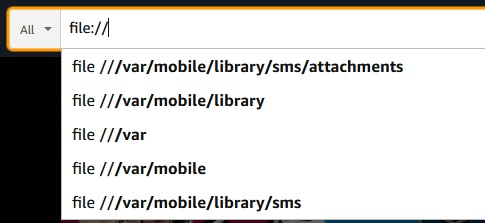
Firefox always had two boxes: URL bar and search. One of the big changes Chrome made when it was born was to have the Omnibar, being of course one bar that does both.
If you think about this as an engineer, Firefox's design decision makes sense. You don't want to accidentally leak things to a search engine. URLs and search bars are just different. There are also corner cases where you're not sure if something is a URL or a search term, mostly to do with intranets (eg "go/foo" can be a URL internally).
But users don't care about any of that. Users don't have the mental model to differentiate search terms and a URL. Chrome's decision was correct. It's surprising how long Firefox stuck with their bad (IMHO) design.
Here's another example of this: IIRC one of the most frequently searched terms on Google is "facebook". Tech-savvy people will just type "facebook.com" but users will just search for "facebook" and click on the (hopefully) first result. That happens a ton.
So the lesson is don't leak technical and implementation details into interface design. Your users don't care about any of that. Think like a user, not an engineer.