If you're using Chrome, right-click the URL bar and check "Always show full URLs", so you can see the https:// prefix like it's 1999. This also fixes a variety of UX problems with editing URLs.
By the way, does anyone know of a good alternative to http://neverssl.com ? I had been using this for years, but now it supports SSL for some unfathomable reason.
"neverssl.com now supports ssl, as some browsers and sites automatically use https even when you don't type that in. You get a browser-cacheable page that still helps you get online by forcing a request that ... never uses ssl." --
https://twitter.com/NeverSSL/status/1456310362551164928
They're trying to solve the "how do log into this captive portal" problem, and they needed to make this change to handle that typing "neverssl.com" now often evaluates to "https://neverssl.com".
Wow. Unfathomable indeed; that action and that explanation make no sense to me, and they haven’t even updated the HTML served—it still makes the claim of “never SSL” they’ve reneged on.
I use HTTPS Only mode in Firefox. For a site like this, what I would expect is it to not accept connections on port 443, then my browser would issue a “Secure Site Not Available” error page, and I’d have to click the “Continue to HTTP Site” button to allow it to connect over HTTP for the rest of the session.
What happens is it just gets served over HTTPS—the one attempted HTTPS-on-apex-to-HTTP-on-subdomain redirect being translated to HTTPS-on-subdomain and the server shrugging and talking HTTPS on the subdomain without complaint—obviously undermining the whole point of the site.
To my knowledge, no browser configuration flat-out blocks cleartext HTTP; they’re all willing to compromise, and if you’re using neverssl.com you obviously intend to use that compromise. That’s why I say that both the action and the explanation make no sense to me; I cannot comprehend any way in which they actually help the site’s purpose, and the absurdity of it makes the site a laughing-stock.
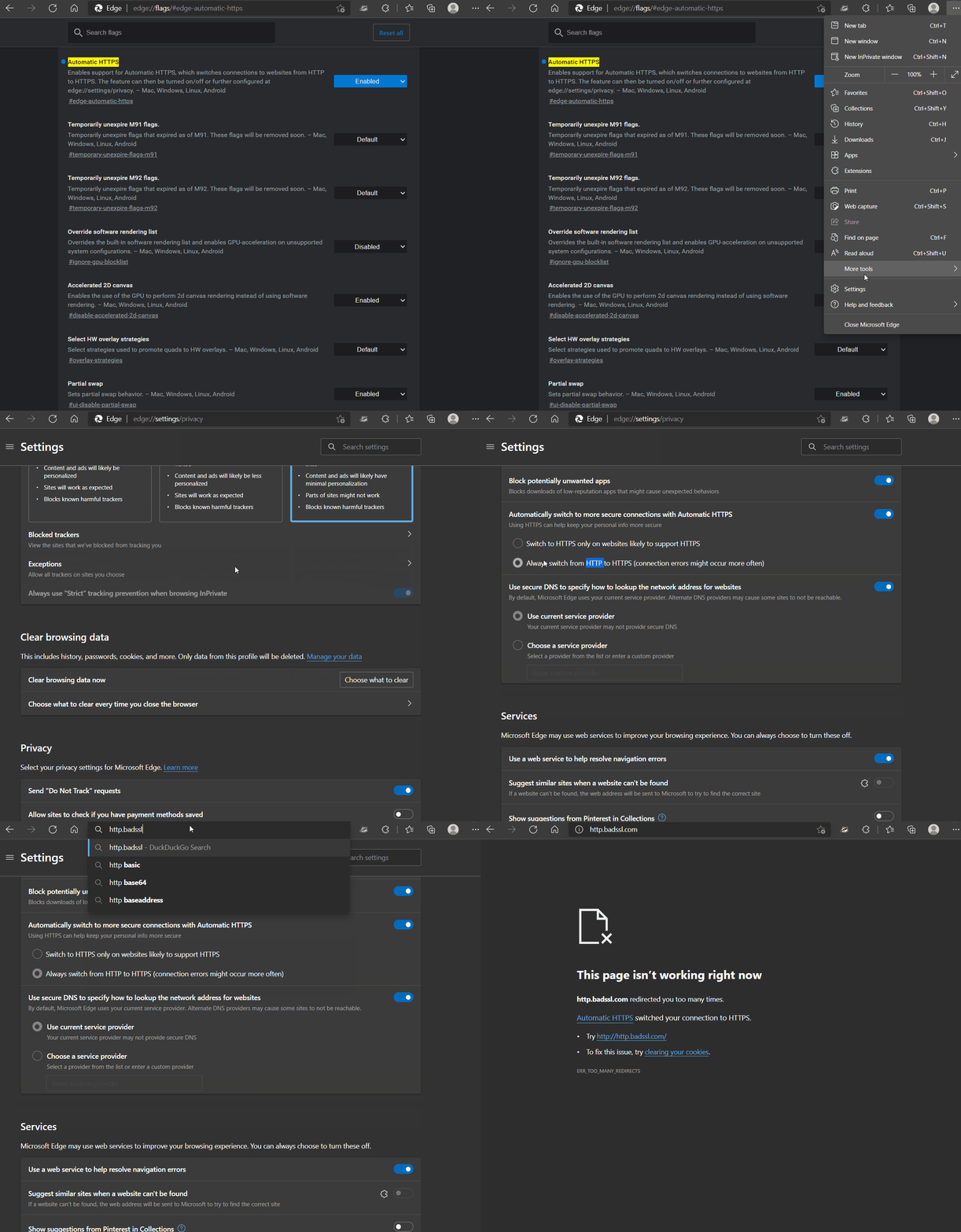
Cleartext HTTP is blocked for users on Microsoft Edge with "Automatically switch to more secure connections with Automatic HTTPS" turned on via corporate policy - which means they can't turn it off to get around the "feature".
There's also this chrome extension which can be configured by Corporate IT to disable HTTP and then they can also prevent disabling the extension.
Depending on what you're trying to do one of the "captive" ping urls works eg http://captive.apple.com
This is the url that apple devices ping to get the login box up for things like hotel wifi. There's a mozilla one also which is http://detectportal.firefox.com/canonical.html [1] , but that returns a redirect which may or may not work for your use case.
My latest annoyance with the Chrome URL bar is when certain things autofill (it might be bookmarks, but I think I see it in other frequently-visited addressed too), instead of it populating with the full URL so I can edit it, it just pops up as a piece of text to the right of where I'm typing, so I can see the URL that will fill if I hit enter but I can't edit it. It just started doing this a few months ago maybe?
Firefox on Android does this and it drives me nuts. It also means that all of the search entries are now useless as it auto-populates something and excludes what would've been reasonable hits. I'm constantly deleting that content so I can select something else.
Me too. Visiting the aforementioned URL is the only way I can consistently get captive portal login WiFi networks to work on my Mac. Amazing how busted this experience is...
Edit: I'm running Chrome OS 113 beta. Maybe they changed something recently, to automatically use HTTPS unless prohibited by the server? This also happens in Guest mode with no extensions.
In (50%) of Beta, Chrome attempts HTTPS and silently falls back to HTTP on all HTTP links. We're still poking around with opt-outs, currently if you allow insecure content via Page Info / Site Controls, we stop upgrades.
If you're open to feedback: I'm not strictly opposed to that behavior, but it seems like a reasonable compromise to not do that for URLs explicitly entered in the Omnibox. It seems like that will provide the transport upgrade effect we want, without breaking some of the workflows mentioned in this thread.
There are tons of sites where http and https are different content; for example the https might be an admin interface, or the IP could have multiple domains but only a couple of them support https, or the vhosts could be very misconfigured. The HSTS and other browser things that force https often do not allow any way to get around this. I often have to resort to creating a new browser profile from scratch and trying hard to avoid https when loading the page. So please allow some way to deal with this sort of issue, for technical folks at least.
Edit: if you search for "forget HSTS", you will see how hard it is to avoid this on some browsers.
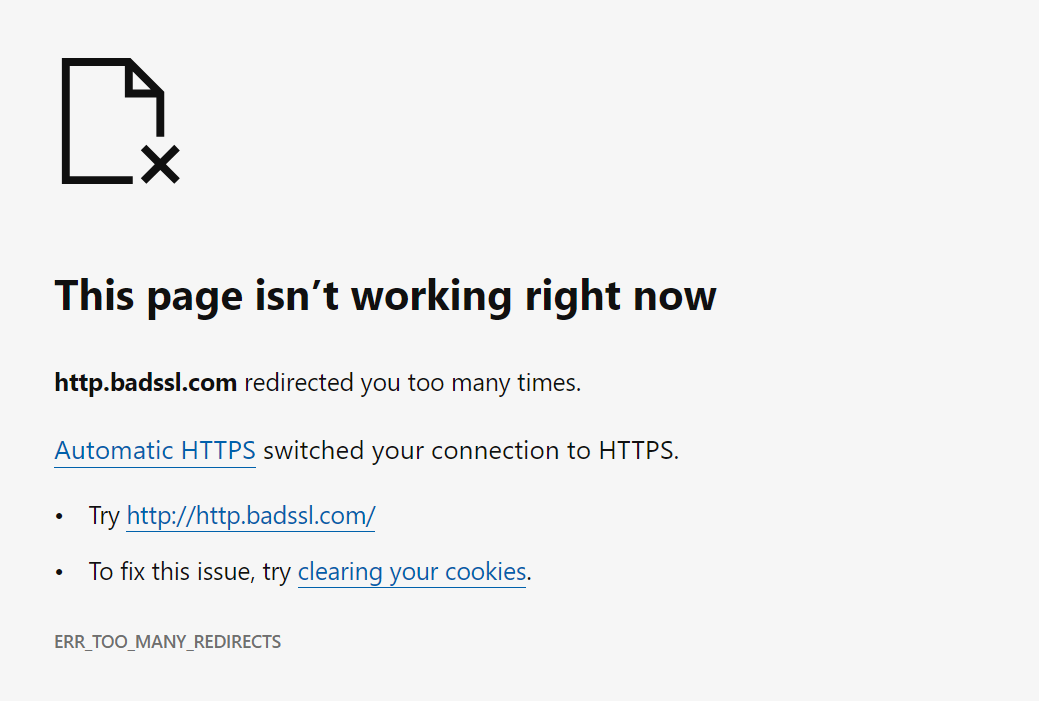
Somewhere in the past six months, on a page where we have to force users to HTTP, Chrome on Android has broken about 90% of the time with "too many redirects" and no way to even type "http://" into the URL bar without Chrome changing it. Finally had to just give users a raw IP address. I would love if your team could fix this or provide some opt-out.
For context, each of the retail locations of our company runs its own local MAMP server that serves a web app used all day by the employees on their tablets. It's accessible only on the LAN. Rather than have every employee need to know or type the local IP address for these (which change sometimes), we serve a centralized web page at http://ourcompany.com/employeeApp that just keeps a live list of the local (192.x.x.x) IP addresses harvested from each server in each location, and opens a connection to the local server in an iFrame. Because of what's now a hard ban on loading insecure HTTP content within an HTTPS page, we must serve that central iFrame wrapper page over HTTP. Unfortunately, we now need to give Chrome users a raw IP address for ourcompany.com, to avoid them being redirected infinitely to HTTPS and back.
[edit] I should add that the oddest thing is that it doesn't always overflow with redirects, and on a new device it often is able to go to the HTTP site. But once someone does type https:// or leave out the http:// by mistake, no level of cache clearing seems to remove Chrome's insistence on trying to force HTTPS on that page forever afterwards.
[edit2] The rationale for not setting up local DNS and SSL is that these servers are on all kinds of different local networks in stores around the country, are switched on and off by non-technical managers onsite, and I'm the author of the web app and the only tech support for it. It needs to be as simple as possible so that I'm not spending all my time tunneling into those servers, walking them through router problems and stuff like that.
Why not use Talescale / ZeroTier / etc to get those local boxes connected together into a single virtual overlay network with that gateway (which, from the client site's perspective, is basically just "install app, paste pairing token", and is zero maintenance from then on); and then make your web iframe "gateway" discover these devices that are now on its network, and act as an actual request-proxying gateway for them?
This is similar (though simpler!) to how e.g. Plex's "watch from anywhere" cloud integration works. Your local plex-server install starts a (plaintext HTTP, Bearer-auth) HTTP server on some uPnP port on your local network; derives a public URL for that server via TURN/STUN; connects to Plex's cloud service, and registers that URL to your Plex account. Then, when you visit https://app.plex.tv/ from any device, the plex webapp talks to the backend of their cloud service; and that cloud backend takes your HTTPS request payload, and makes equivalent plaintext-HTTP requests to the registered Plex server on your local network.
TBH, this system has been in production since 2016, and the stores essentially can't operate with any downtime... I dispatch updates that are auto-downloaded, and when one of them misfires and I have to spend an hour on remote access, that store's business comes to a halt causing a huge disruption as they transition to paper notes and whiteboards. (The software lets employees track and take ownership of the checkin/checkout and movement of dogs around 30k sqft petcare facilities, each with hundreds of dogs per day... so just the amount of barking when I'm on the phone with these places makes it hilariously difficult to guide people through tech support).
I looked a little bit at Tailscale but assumed it would be too complex for the store employees to manage and would require a lot of hands-on maintenance, and a store-by-store hand holding process which requires scheduling each of them weeks in advance. As it is, the system is secure (local wifi only accessible to employees) and runs even if the store's internet connection goes fully offline... so... I think I'll take your tip and look at it again... the plex model is essentially what I was going for... but I'd be reticent to add any other layers of complexity or anything that could cause downtime.
Interesting. You mean Chrome wouldn't do this if there was no ssl on the whole subdomain? Might be worth trying.
Redirecting isn't really a great option because the wrapper app is usually saved
as a shortcut to the tablet homescreens to run in full screen mode... saving the redirected url would break more frequently. Also the wrapper iframe polls lots of known local addresses and sees which one loads.
A quick skim of what I think is the relevant file[1] in the chrome source suggests that would work. So worth a shot. If you can deploy enterprise chrome settings to the tablets that's also apparently an option.
Here's what I'm assuming is the relevant bugtracker entry for the implementation [2].
> By the way, does anyone know of a good alternative to http://neverssl.com ? I had been using this for years, but now it supports SSL for some unfathomable reason.
For forever I used yahoo.com to login to a captive portal. I don't know why, but for some reason it worked for me when typing google.com, etc didn't work. Somehow I figured that out and stuck to it. I haven't done it in a while, though, not sure if it would still work.
I always figured this was due to DNS caching: if you got a domain you never visit, it has to actually fetch it and that triggers the captive portal login .
I believe that's the point! (Would probably be more user-friendly if it sent a RST instead of silently dropping the connection and letting it time out.)
Thank you. I searched and found a similar option in Safari settings but it doesn’t permanently show the protocol prefix. It also gets overridden on google searches where it just shows your search terms, not the URL.
Edit: I'm running Chrome OS 113 beta. Maybe they changed something recently, to automatically use HTTPS unless prohibited by the server? This also happens in Guest mode with no extensions.
It is your browser doing that redirect, not the side.
The http://neverssl.com ends up on an http page, and so does https://neverssl.com. But that final page (the one you posted) does not itself redirect from https to http.
neverssl seems to be doing some weird thing where it uses Javascript to load a non-https link rather than an actual redirect. I can't for the life of me guess why that would be better than a simple 301 redirect.
The primary goal of NeverSSL is to be useful on networks with captive portals that intercept HTTP and block HTTPS (until you have signed in). The JavaScript redirect is at least browser cacheable, whereas a 301 redirect sent via HTTPS would be useless in that scenario as it would fail to load.
Yes, sorry: the other piece is that NeverSSL wants to redirect to a new domain every time you visit to ensure that the page that you was actually loaded from the network and not from a cache, which a cached 301 to a fixed address wouldn't accomplish.


By the way, does anyone know of a good alternative to http://neverssl.com ? I had been using this for years, but now it supports SSL for some unfathomable reason.