I'm using Linux and trying to find a e-reader recently. Here is what I tested on Arch:
Calibre: Failed to open
Okular: Ugly, cannot modify margin
bookworm: No two-page view, only scrolling-mode, and scrolling-mode cannot get the reading progress
zathura: too simplify resulting in not know how to use
lector: cannot recognize epub......
Buka: cannot open the book. (I don't get the logic flow, create a list first, then import the book, then crash)
Until I found Foliate, it support two-page view w/ progress bar, it support epub will in different language (I test en_US and zh_TW), fast lookup (gtrans, Wiktionary, Wikipedia), good UI, ...etc
I really wish there was a practical alternative to Calibre for general ebook organization purposes. It's extra-painful that Books.app on Mac could almost fit that role, except that it doesn't let you edit enough metadata for your own imported files to properly manage series/publisher stuff.
Sorry for the snarkiness in my previous comment, if you get the chance perhaps you can look into helping with this issue. Contributing to the distributions I use has taught me a lot about the tools I use every day.
Running Arch as well and I use the Calibre Flatpak to manage my Kindle. I plug it in every month or so and haven't had any failures in the last year. I've found that Flatpaks solve the problem of some older programs not working well on Arch or some programs not getting updated on Debian.
I've never personally used it for epub, but apparently mupdf works with epub files. It's my go-to PDF viewer at least. Just be sure to read the man pages as most operations are keyboard hotkeys.
If you open a .mobi in Calibre it takes tens of seconds, on a reasonably fast system, to open small (<2meg) books. I'd agree with the other comments here - Calibre is great in terms of it being powerful (web server to serve up books directly to a kindle without having to plug it in, search is ok once you know how to use it) but has a terrible UI (I shouldn't have to google to discover how to search my local library).
I've been using Calibre-Web[1] as a frontend for the Calibre database, visiting it with my Kobo Auro H2O.
It will do neat things like convert to Kindle & email to the Kindle address with a button press as well so I can give access to my mum and so she can seamlessly read the epub books I have in my library on her Kindle.
It doesn't look great on the Kobo, but I can navigate pretty quickly to download a book, and I hardly ever have to touch calibre itself.
It's pretty easy to get set up running headlessly on a server somwhere.
I liked FBReader until I realized it wasn't displaying the blank lines used by the book series I was reading to separate sections in a chapter. Undoubtably the ebooks' CSS was bad, but other readers, like my Sony e-ink device, displayed them OK.
pandoc+emacs. I also use the read-aloud package, which all together makes the best ereader+TTS experience. (However I run the TTS over the lan on a mac, because FOSS text-to-speech is awful.)
Ecosystems are tough. I'd never used meson, so I installed it using apt-get. I tried to build Foliate, and got an error about wrong arguments to `project()`. Searching for the error brought results about a wrong version, so I uninstalled meson and reinstalled it using pip. The installation completed fine. I went to run Foliate (com.github.johnfactotum.Foliate, if that wasn't somehow obvious), and I got an error from GJS (JS ERROR: SyntaxError: invalid property id @ resource:///com/github/johnfactotum/Foliate/js/main.js:57
JS_EvaluateScript() failed).
If it's obvious to anyone else what's wrong here, it's not obvious to me. Isn't one of the advantages of interpreting the code on the target platform supposed to be portability? If so, why is it I so seldom can can get anything written for GJS, or Node, or a Python program not my own, to install and run without a three-hour yak shave?
I'm sure this is a great project, and I mean no disrespect to the author, who did a better job of installation instructions than most — but I'm tired of installation being such a pain. It's almost, but not quite, enough to make a guy run Windows.
> Searching for the error brought results about a wrong version
One of the bullet points from the Meson website:
> * fun!
So if I understand correctly, this modern build tool created to replace all the extant time-wasting build tools got memorialized in Debian in a half-baked state where it's not compatible with future versions.
Also-- the fact that you had to leave the hardened bank vault of apt through the screen door of pip... to install a thing to build other things to run on your system.
I love it.
> If so, why is it I so seldom can can get anything written for GJS, or Node, or a Python program not my own, to install and run without a three-hour yak shave?
... is the question that explains why Electron exists. Every comment on HN about its size, memory usage, and insecurity doubles as a critique of all the problems you just hit with a Linux system.
Electron: "Memory and disk space is cheap enough, but your time will never be."
It's worth mentioning in this context that the thing making Foliate difficult to build and run on older platforms is the fact that it's written in modern Javascript (and therefore needs a modern version of gjs): https://github.com/johnfactotum/foliate/issues/45
I don't like Electron — I've brought some of my problems on myself by my love of using minimally-capable old hardware — but this is by far the best statement of the argument for it I've ever heard.
I propose on building native tools that have all relevant libraries statically linked. Yeah, executable will grow in size, but it's the best of both world : portability, speed and not using javascript.
Snark isn't ok here and personal attacks will get you banned. Would you mind reviewing https://news.ycombinator.com/newsguidelines.html and sticking to those rules when posting to HN? We'd be grateful.
Hi, author of Foliate here. It sounds like you're using something like Ubuntu 16.04 or similar? Foliate currently requires GJS >= 1.52 and Meson >= 0.40.
That's one perspective, and it has merit. Others tell me, "You should use a stable release and build software you need from scratch — that way, you get the best of both worlds!" In either case, it seems like writing new software using bleeding-edge versions of libraries and tools is not really necessary; if you hang back a couple releases, it makes matters much easier. Backward compatibility is much easier to achieve than forward.
(I don't have enough experience with GJS and WebkitGtk to know if slightly older versions would have been workable here, though I believe that approach to be valid in most cases.)
A library from 1 to 6 to 18 months ago is not "bleeding edge" in any way shape or form.
You are making software reactionary arguments for people doing a lot of work to support you touristing their software from an ancient, long out of date software distribution (which is what people that use Debian Stable want).
If you are going to make bug reports or even comments you really would be better to state you are on Debian Stable from the beginning, it's actually rude to make people think you are on a reasonably supportable distro without warning.
Flatpak is probably your best choice to encourage people to be even able to support your distribution choice going forward. The sandbox also has some attendant benefits that will bear more fruit in the future.
> In either case, it seems like writing new software using bleeding-edge versions of libraries and tools is not really necessary; if you hang back a couple releases, it makes matters much easier.
I believe this is precisely what Foliate does. It depends on meson 0.40 (released Apr 2017) and gjs 0.52 (released Mar 2018). Sixteen months old dependencies can hardly be considered bleeding-edge.
It's when the point release was done[0]. Obviously not everything was new then. I'm assuming most people who package applications for Linux have an understanding of how Debian works.
We're not disagreeing — please stop trying to raise an argument where there is none!
My only reason for giving the point release date was to say that it's a supported release. You're reading a lot more into my tiny comment than I ever put into it.
Calling it "supported" in the context of the ability to build arbitrary software is misleading. It's supported by Debian for the particular packages included in Debian's package repositories - nothing less, nothing more.
Yes, I finally installed it via Flatpak. What a fun adventure! First, I had to install Flatpak with apt. Then, I downloaded the Foliate .flatpakref. I installed it with `flatpack install com.github.johnfactotum.Foliate.flatpakref`, which worked the first time!
No, it didn't. Of course, Flatpak let me know that my user account didn't have the ability to configure the remote repositories the Foliate flatpakref specified. I could have searched for the right way to do it, but installing as root seemed to work, and it runs fine as a regular user, too!
But, of course, it doesn't. It doesn't have the ability to open files from most folders. I see by searching that you set sandbox permissions in an application manifest file, but I'm not sure I'm that attached to doing any more of this.
Installing it via "flatpak install foliate" didn't work? Downloading the .flatpakref seems like an unnecessary step to me but I'm on a different distro (openSUSE Tumbleweed).
edit: I can also open files from anywhere on my PC. Could it be that the flatpak on Debian Stretch is not correctly configured?
I'm pretty sure your edit nails it: flatpak on my moldy Debian doesn't work correctly as a non-root user, and the alternative of running it as root and then running the application as a normal user was neither intended nor foreseen.
I did finally install Debian testing, and it looks like the flatpak problems are resolved, but I decided not to bother installing foliate because of the nearly 700MB of dependencies it wanted over my rural satellite connection. C'est la vie.
I went ahead and burned the data: for Science! After the dependencies were all downloaded, it works correctly and completely. It's a fairly nice ebook reader application, and it only took three days and replacing my operating system to get it.
You can build your own Flatpaks from source, too. In fact that's probably how a lot of development is done these days around GNOME and its wider community when using Gnome Builder. You make a change, and Gnome Builder builds a Flatpak and runs it for you so you can test it.
Wow, I didn't see this coming. I always had this problem in Linux to the point I am going to ditch Linux for windows the moment wsl2 becomes stable. But this app is literally awesome. I wish Gnome foundation would stop acting stupid as hell and start funding projet like this and make it official Gnome project.
I think the problem is that funding probably comes from Redhat and/or FSF. One of those is interested in business uses and the other doesn't have a lot of money.
I'm starting to think everyone who can write code should try to contribute what effort they can to an open source project. I'm starting to see how a lot of small individual contributions add up over time. A project still needs a good maintainer and vision though, and that's a lot of work for someone.
Just looking at the source and finding out it's JavaScript.
Although I'm probably living in a cave and didn't use Linux often on the desktop since years, it is common practice now to write Gtk/Gnome apps in JS? I tought Vala was the cool language for that kind of apps...
I didn't say all new applications were being written in JS, did I? So any number of counterexamples does not disprove what I said. We were talking about the trend of what people were looking at using now.
Ok, please: what language are people using when they want to create gnome software ? Or the trend of what people are looking at using, if you prefer. Edit: switched two words.
It uses epub.js which i think is really cool for rendering the documents. The UI looks pretty impressive as well. For anyone coming from Calibre, this would look amazing
Kudos to the developer for seeing a need and building something that fills that need with a clean UI. As a developer, I get that the quickest path to building a well featured eBook reader meant building on top of ePub.js.
However, purely from an idealistic engineering perspective (I know, some people do not care at all about that), having to rely on the DOM + a fully featured JavaScript engine to render an ebook is just... insane.
Well, epub is just special HTML. I don't think you strictly need JavaScript, but it's about the easiest way to work with and render HTML. And I imagine rendering PDF is a whole lot messier.
My PC has plenty of resources, but if I'm going to use a browser to read books, I might as well upload it to Google Play Books and use the browser I already have open for other things. It has the same functionality and my progress and bookmarks are synced across devices.
Granted, epubs are easily converted to HTML, but I shouldn't need an additional few hundreds Mb of RAM to read a 5Mb file.
I'm glad to see hyphenation was taken into account, even if it requires some extra packages. On the Android epub readers I've tried it never seemed to work (maybe they only support English if at all?).
I like how it gives an option for margin size. It even allows 0 margin! One of the most annoying things about Google Play Books is that it puts pretty big margins to left and right and you have no control over them, so my phone's screen is wasted on a lot of empty space. Amazon Kindle is better because it provides a narrower margin option but I would prefer just 0 margin on my phone.
Also the app itself looks nice and native, good job.
If you want to compile a language you're going to need a compiler and a linker. Do you know how much water it takes to compile a single executable? Water that's better used irrigating a field which could support hundreds of well-written python and bash scripts.
In this case, I don't know how much it matters--EPUB is basically HTML, so you are going to be based around a browser-like component anyway. Might as well code the UI in js.
Yea, webkit2gtk is pretty heavy (or at least it seems that way when trying to compile it), but it might have been the easiest way to render epub files as their render is pretty similar to HTML.
It's all about tradeoffs and I don't think this one is too bad. I'm glad it isn't a pure electron app.
Now we just need decent open hardware for Linux tablets! I'd love to use this program to read books on one of those mythical open source tablets that can run KDE Plasma.
It does look pretty and it's probably very usable on a tablet, but on a full-featured computer (i.e. one equipped with keyboard and mouse) it's inefficient and idiotic.
Your comment is overly hostile. The author is present, you could give some constructive feedback instead of insulting the design.
I actually disagree with you, the UI seems elegant and very usable on desktop. Maybe smallish window size on screenshots give impression that it's more suitable for tablet?
Could OP or someone else give an overview of how web-based interfaces work on native apps like this, without using something like electron? Is there a full js interpreter, dom, css parser, etc in something like Foliate?
I read programming ebooks on my computer while typing out the programs into Vim. As I learned from Zed in his C book that you must type out the code examples if you’re going to learn from them, which I’ve found extremely useful.
Otherwise for long form reading sections I switch back to my Kindle, tablet, or paper book.
The other times I read on my computer are shorter academic papers, reference, and sampling the first chapter of books before switching them to my Kindle or tablet.


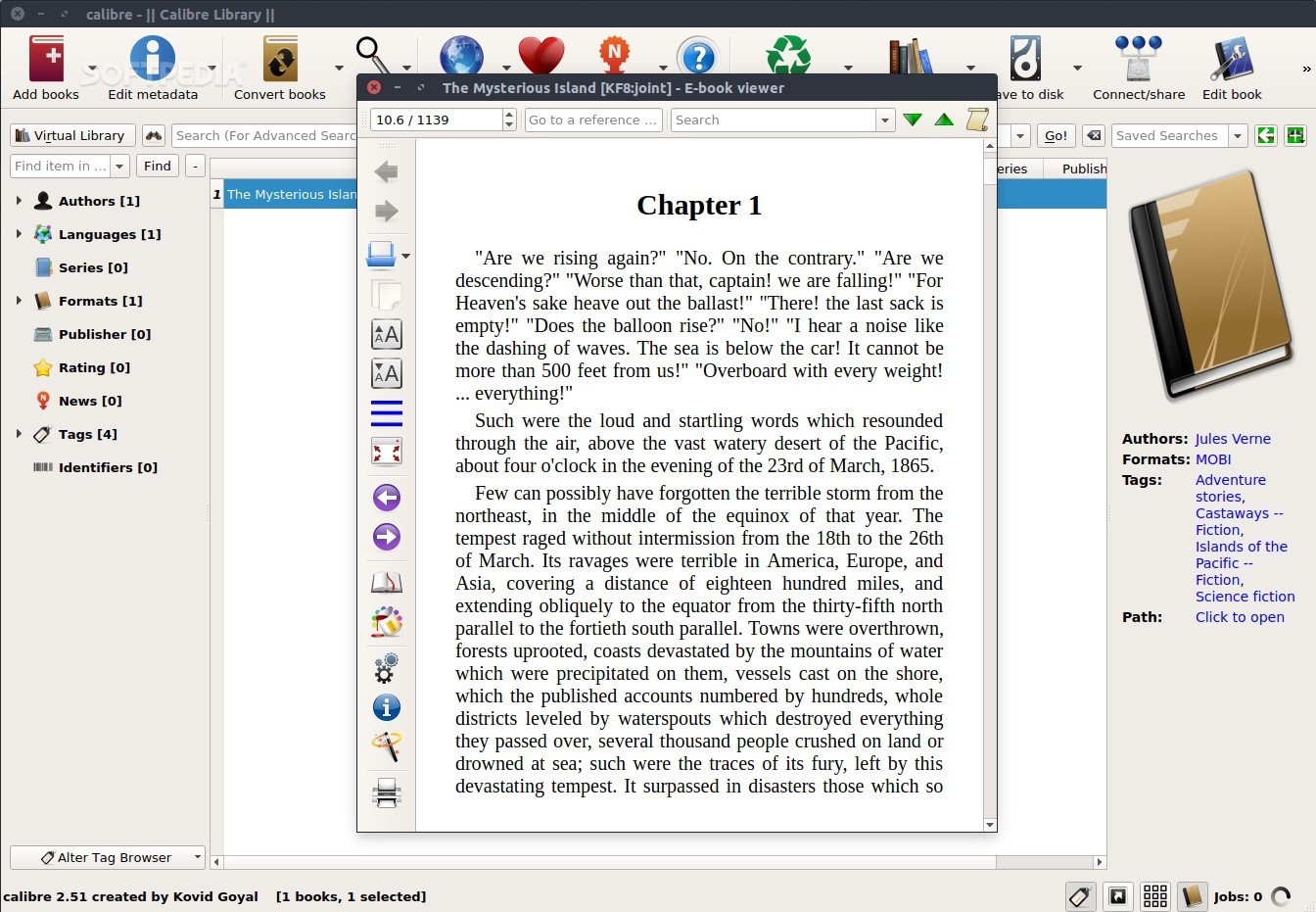
Calibre: Failed to open
Okular: Ugly, cannot modify margin
bookworm: No two-page view, only scrolling-mode, and scrolling-mode cannot get the reading progress
zathura: too simplify resulting in not know how to use
lector: cannot recognize epub......
Buka: cannot open the book. (I don't get the logic flow, create a list first, then import the book, then crash)
Until I found Foliate, it support two-page view w/ progress bar, it support epub will in different language (I test en_US and zh_TW), fast lookup (gtrans, Wiktionary, Wikipedia), good UI, ...etc